16
User Guide Predia Flex360
Powering off your computer
Save all your data before powering your computer off.
To power off your system, following the steps below:
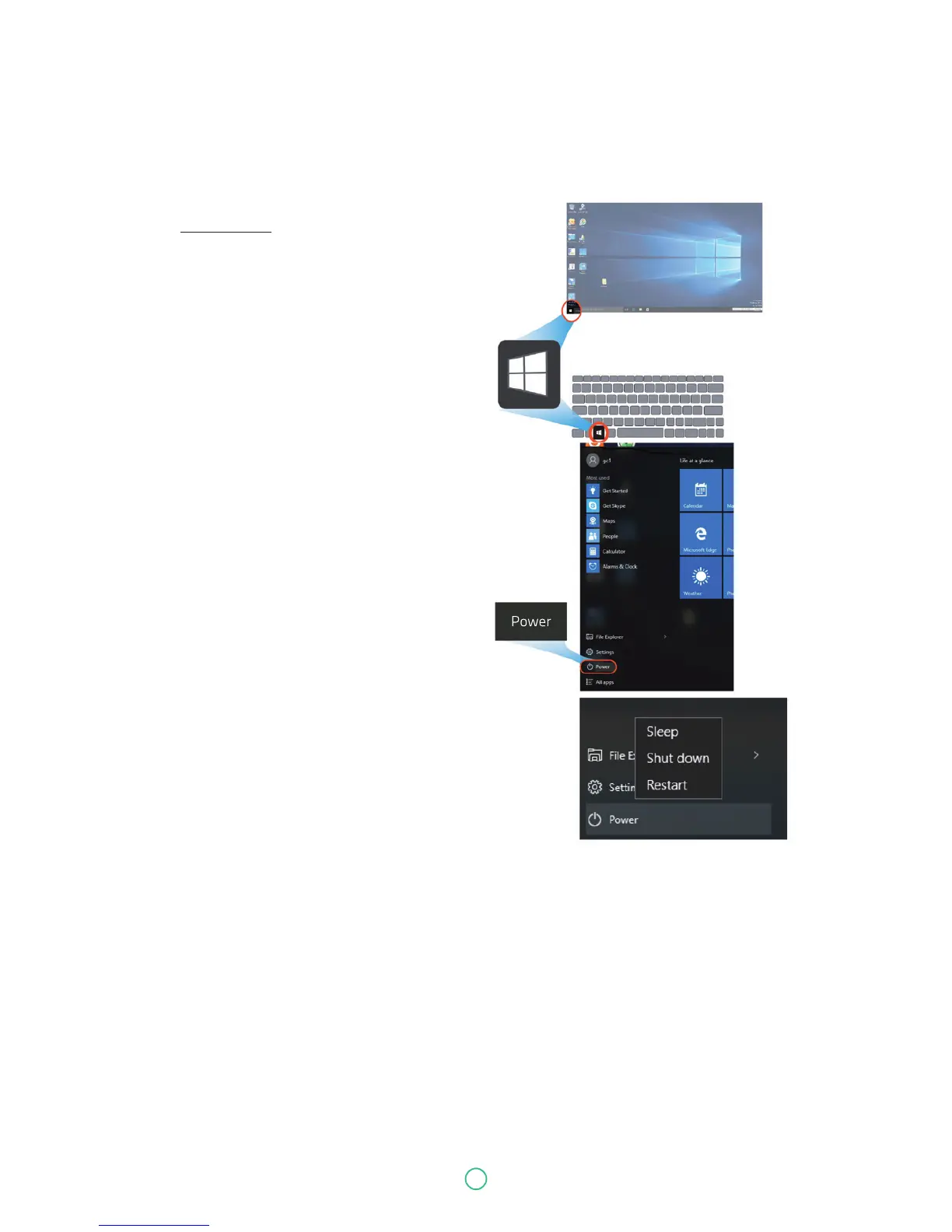
A. By Start menu
1. Click the Windows icon in the low-left
corner of the Desktop. Or, press on
the Windows key in the keyboard.
2. In the Start menu,
click <Power> option, as shown on
the right.
3. Select <Shut down> from the power option
menu, as shown on the right.
Putting your computer into sleep mode
When you will be away from your computer for a short time, put the computer to sleep.
Do one of the following:
• Close the display panel
• Press the power button briefly one time.
• Open the Start menu and then select <Power>
→
<Sleep>.
When the laptop is in its sleep mode, the power indicator’s light turns into breathing blue.



 To Next Page