13
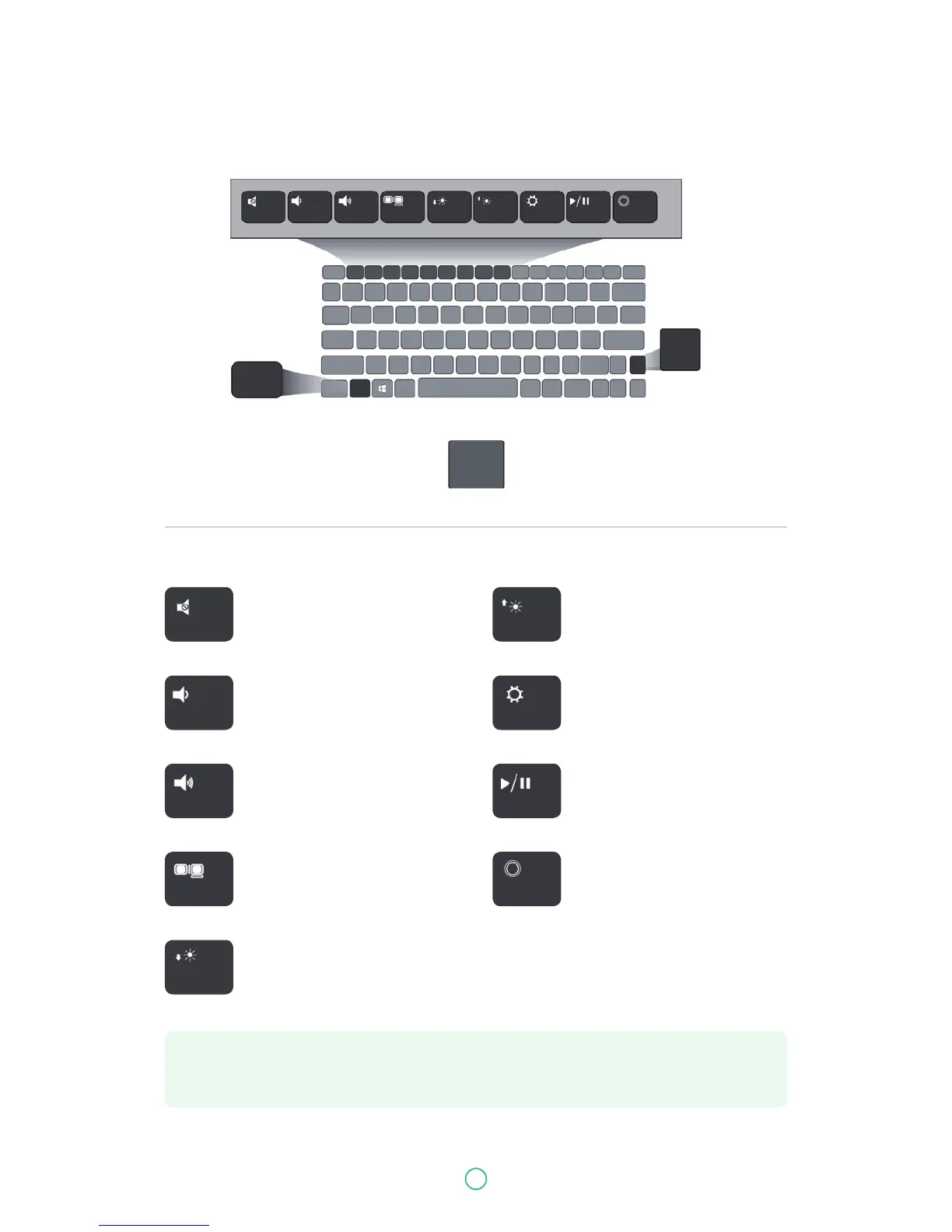
Function keys
F1
Fn
Fn
Fn
F2 F3 F4 F5 F6 F7 F8 F9
Mute or unmute your system Increases the display brightness
Decreases the volume level Open the Settings screen
Increases the volume level
Switches display output between
your display, external monitor (if
connected) and both
Decreases the display brightness
Play or Pause
Push here to talk to Cortana,
if available
F1 F6
F2 F7
F3
F4
F5
F8
F9
User Guide Predia Flex360
Note: If your software uses some of the function keys to perform dedicated functions, you
can perform the function by pressing "Fn" plus the desired function key.


 To Next Page