21
User Guide Predia Flex360
Search box - Cortana
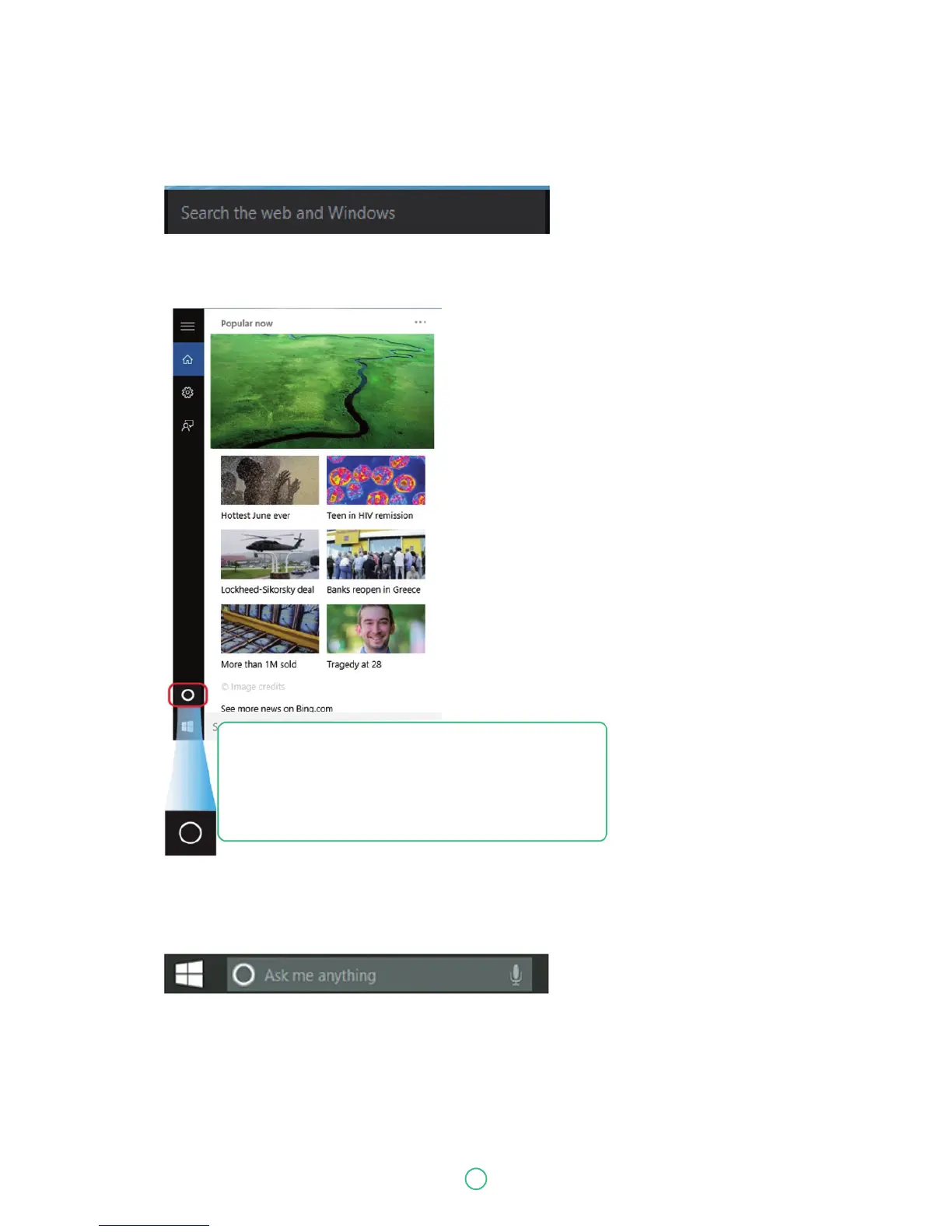
Next to the Start menu is the search box, as shown below.
When you select this box, a window will pop out as shown below.
After you setup the Cortana settings, the search box will look like
This is the Cortana icon. Cortana is a new virtual assistant
built into your Windows 10. Click here to finish the setup
and you can control Cortana with either keyboard or voice
commands, and use it to perform intelligent searches
and more.


 To Next Page