4
User Guide Predia Flex360
10
Layout
Views
Front
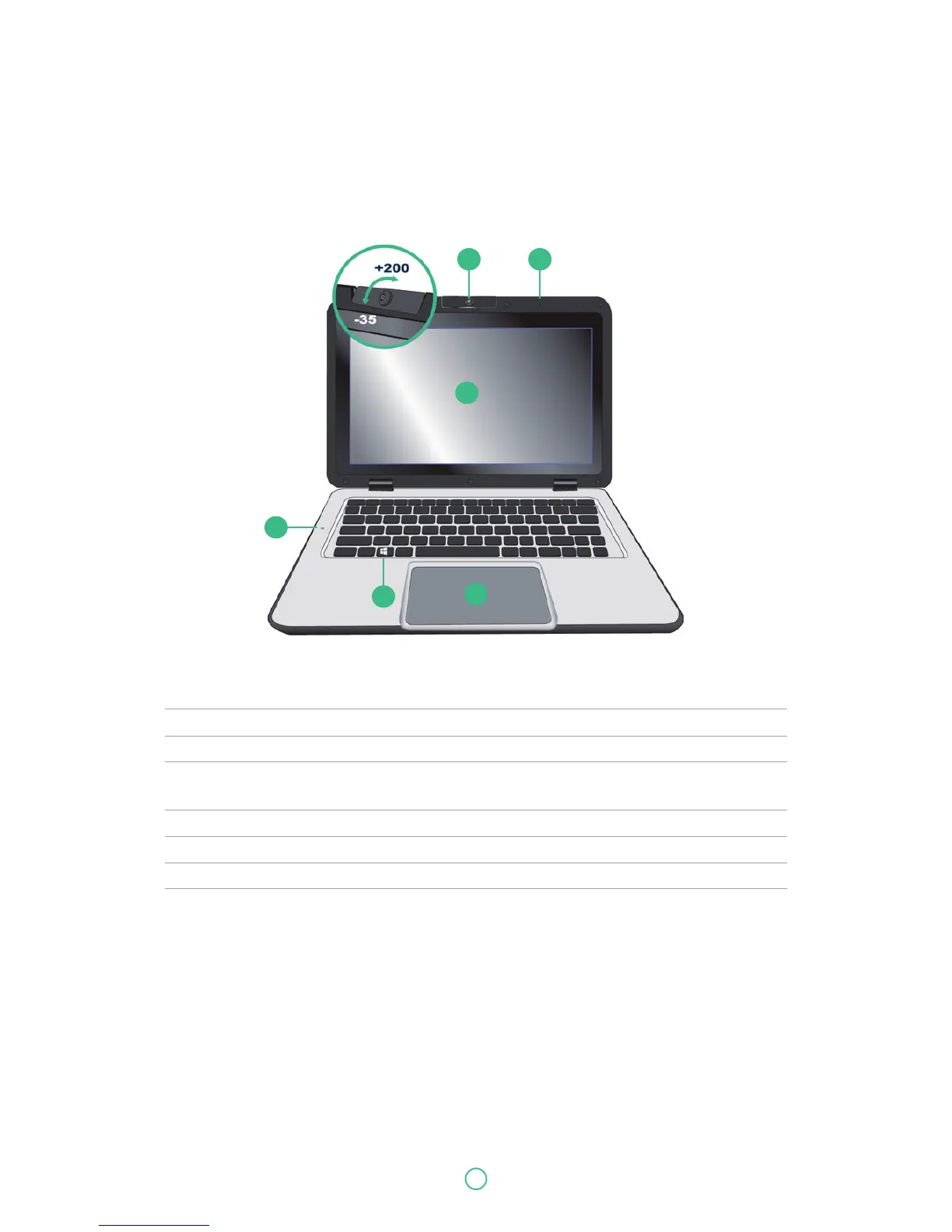
No. Name Function
1 Front facing camera Often for taking self-portraits as well as for video conferencing.
2 Microphone Mainly for sound and speech recording
3 Touchscreen The main display of your laptop and a see-touch device. You can
look at it and also touch it with your fingers to control it.
4 Windows key Press here to open the Start menu.
5 Touchpad Allows you to control your system using figure gestures
6 Caps-Lock Lights up in blue when the caps lock is ON
1 2
3
5
6


 To Next Page