23
User Guide Predia Flex360
4. Setup and Connection
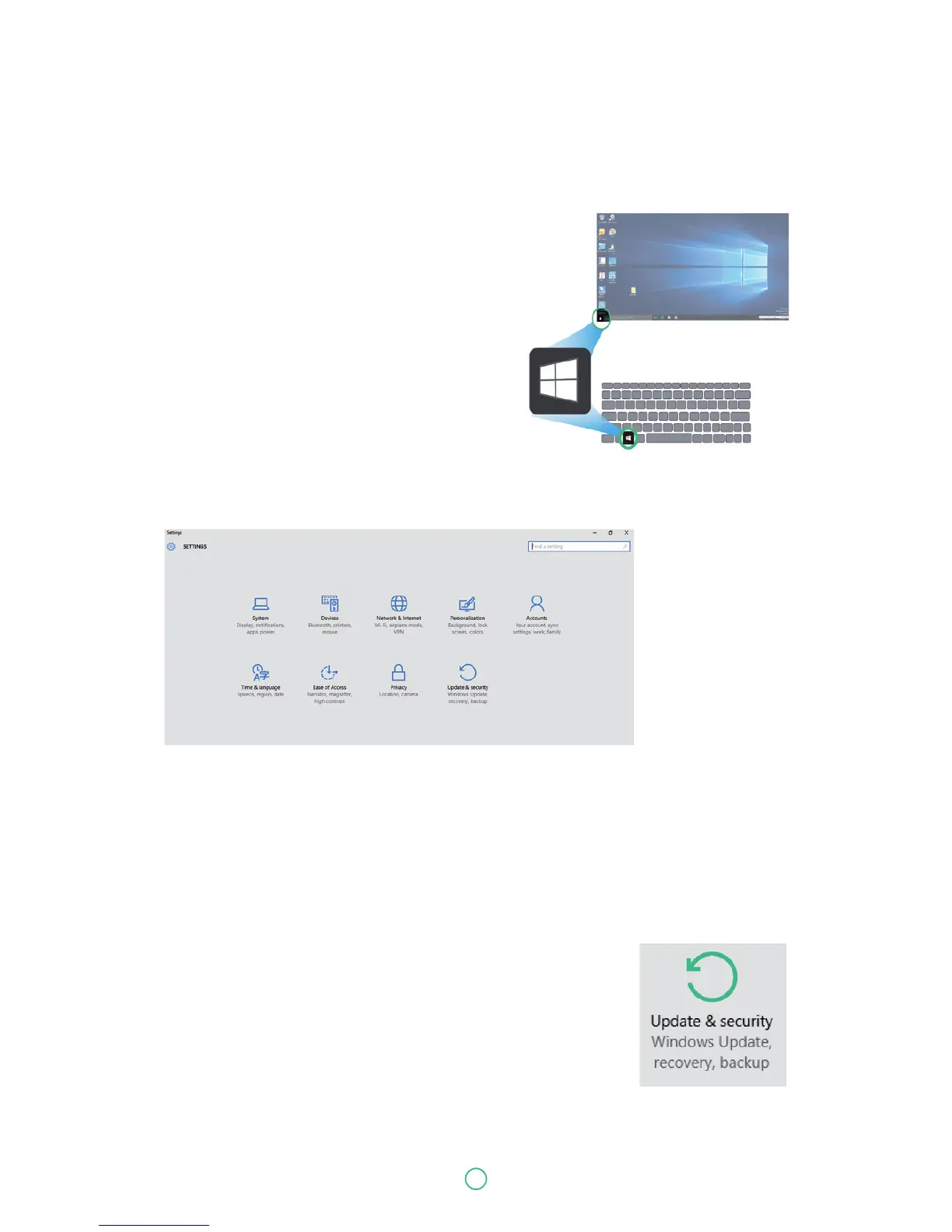
Settings screen
To access to the Settings screen:
1. Click the Windows icon in the low-left corner of
the Desktop. Or, press on the Windows key in
the keyboard.
2. Select <Settings>.
This will open the Settings screen, as shown below
Windows Activation
To use all features of your Windows laptop, you may need to activate your Windows system.
Follow the following steps to register and activate your Windows.
1. Open the Start menu and click <Settings >
2. Click <Update & security>
3. Select <Activate>.
4. Follow the instructions to activate your windows.


 To Next Page