User Guide Predia Flex360
11
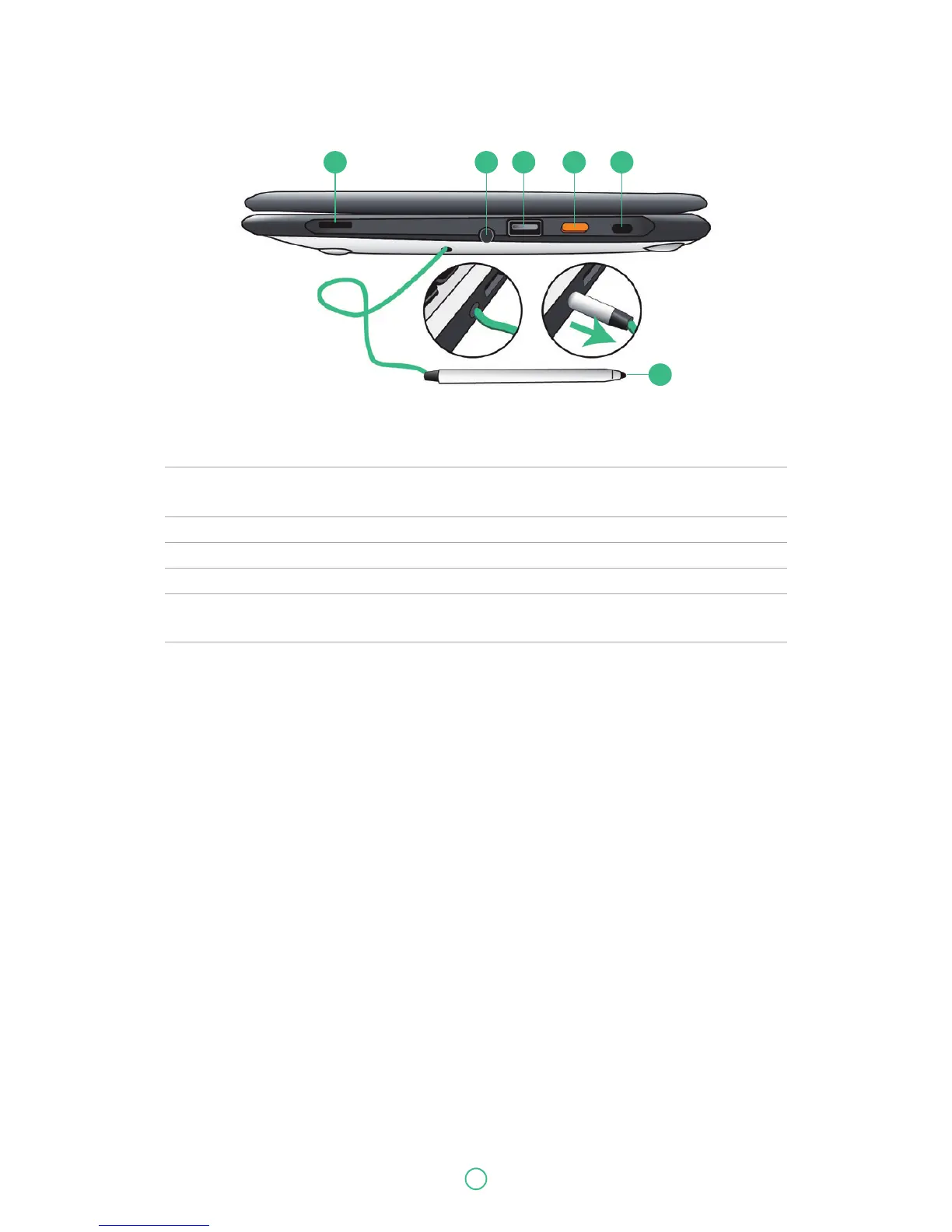
No. Name Function
1 Speaker The sound system has two speakers for playing music, notification
sounds, and other audio data.
2 Stylus hole This is where you rest the provided stylus.
3 USB 2.0 port Plug your USB devices here.
4 Power button Press it to power on/off your laptop.
5 Kensington lock slot You can attach a Kensington lock here to attach a cable from your
laptop to a stationary object such as table.
6 Stylus Use it to perform touch operations and typing comfortably as if
you were doing them with your own fingers.
Right
1 2 3 4 5
6


 To Next Page