User Guide Predia Flex360
12
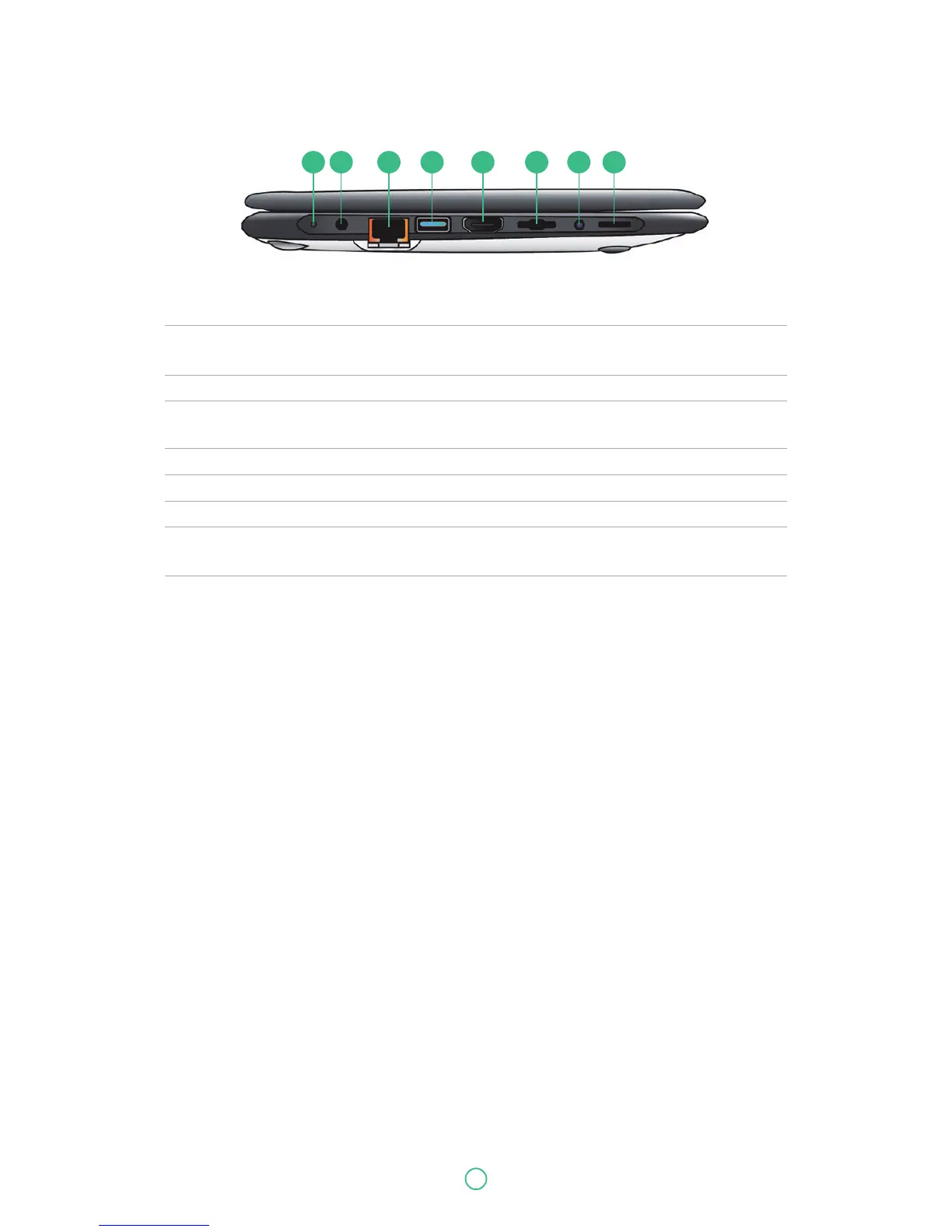
No. Name Function
1 Charging indicator It shows the charging status of your laptop. It shows blue when
the battery is fully charged.
2 DC-in Plug the adapter to charge the battery.
3 RJ-45 LAN port Plug your RJ-45 network cable to connect your laptop
to a wired network.
4 USB 3.0 port Plug your USB devices here.
5 HDMI port Plug your HDMI-capable monitor here.
6 Micro SD card slot Plug your micro SD card here
7 Combo Audio jack for Plug your 3.5mm headphone here.
microphone/headphone
8 Speaker The sound system has two speakers for playing music,
notification sounds, and other audio data.
Left
1 2 3 4 5 6 7 8


 To Next Page