11
www.pregis.com 38-OM225-1
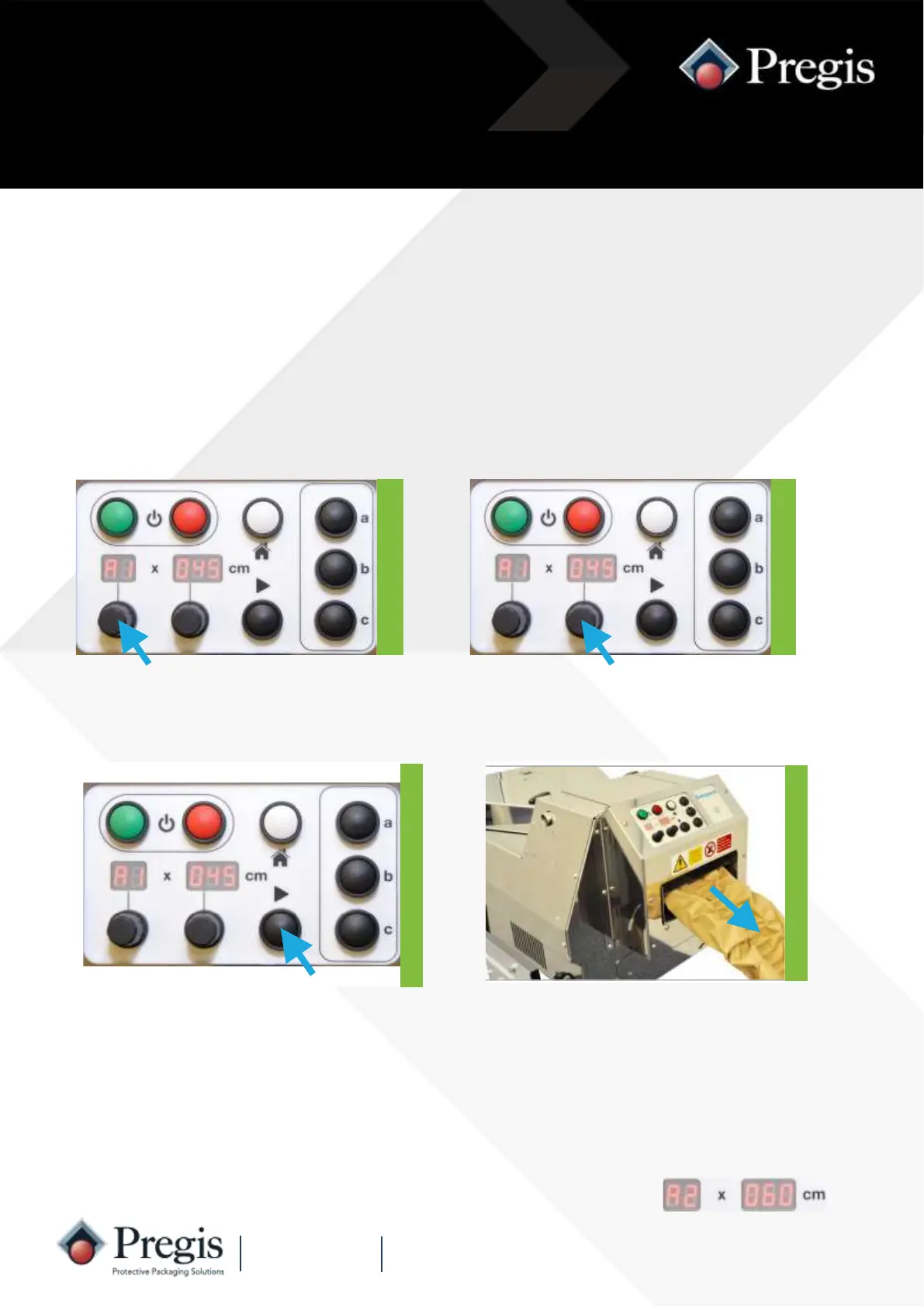
1. Rotate the quantity knob anti-
clockwise to ‘A1’.
2. Rotate the length knob to the
required pack length.
Instructions for Use
3. Remove any material from the
outfeed channel.
Press the black ‘Run’ button to
initiate the cycle.
Every time a length of paper cushion is removed from the outfeed channel the machine
produces another cushion. The length is set by the length knob.
The footswitch can be used in this mode to override the length setting and produce a
longer length. When the machine starts to produce a paper cushion, press the
footswitch to create the required length.
To stop the machine from producing further packs, press the white ‘Home’ button.
Semi-automatic Operation
4. Remove the material from the out-
feed channel and the machine will
generate another pack.
Whilst not feeding a pack ‘A1’ will
flash to show semi-automatic op-
eration is active - pressing the
‘Home’ button cancels this.
NOTE: If the quantity is set to ‘A2’ two packs are produced, one after the other.



 To Next Page