9
www.pregis.com 38-OM225-1
Loading Paper
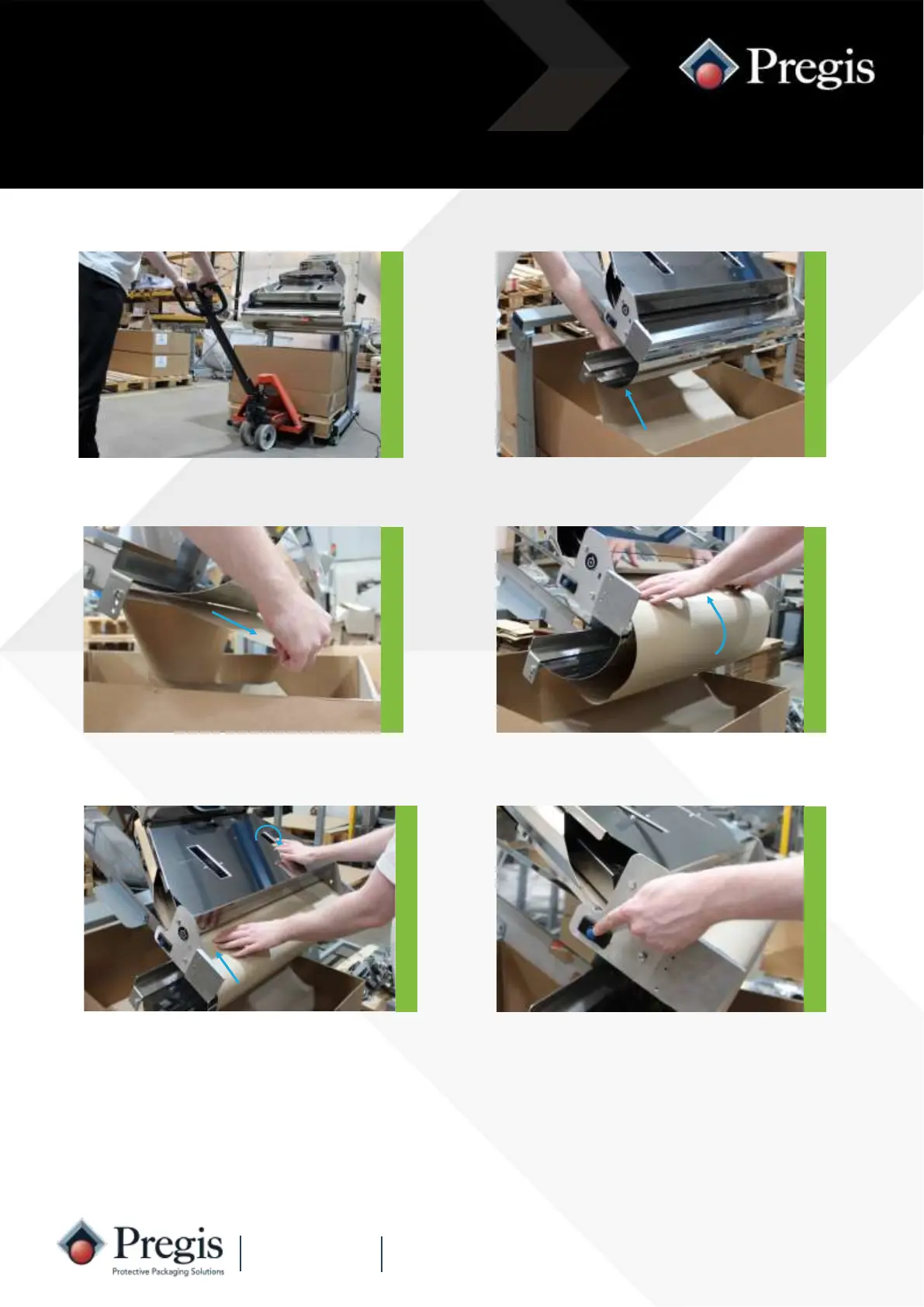
1. Using a pallet pump truck, lift the
pallet of paper and align with the
frame.
2. Pull approximately 70cm of paper.
NOTE: If the machine runs out of paper in auto batch mode, the machine will automatically
continue to produce the remaining quantity of packs as soon as the paper has been loaded.
Fanfold pallet
3. Feed the sheet between the
guide panel and inner guide rods
as shown.
4. Feed the sheet of paper into the
entry slot.
5. Rotate the wheels by hand for about
half a turn to feed-in and grip the
paper.
6. Press and release the blue feed button
- the paper will load automatically.
The quantity display will flash ‘Ld’
whilst the paper is loading. Once load-
ing is complete the display will revert
to the previous settings.
NOTE: This requires a different frame and some adjustments.



 To Next Page