MAX PRO 18
©
Operator Manual
Original Printed in English
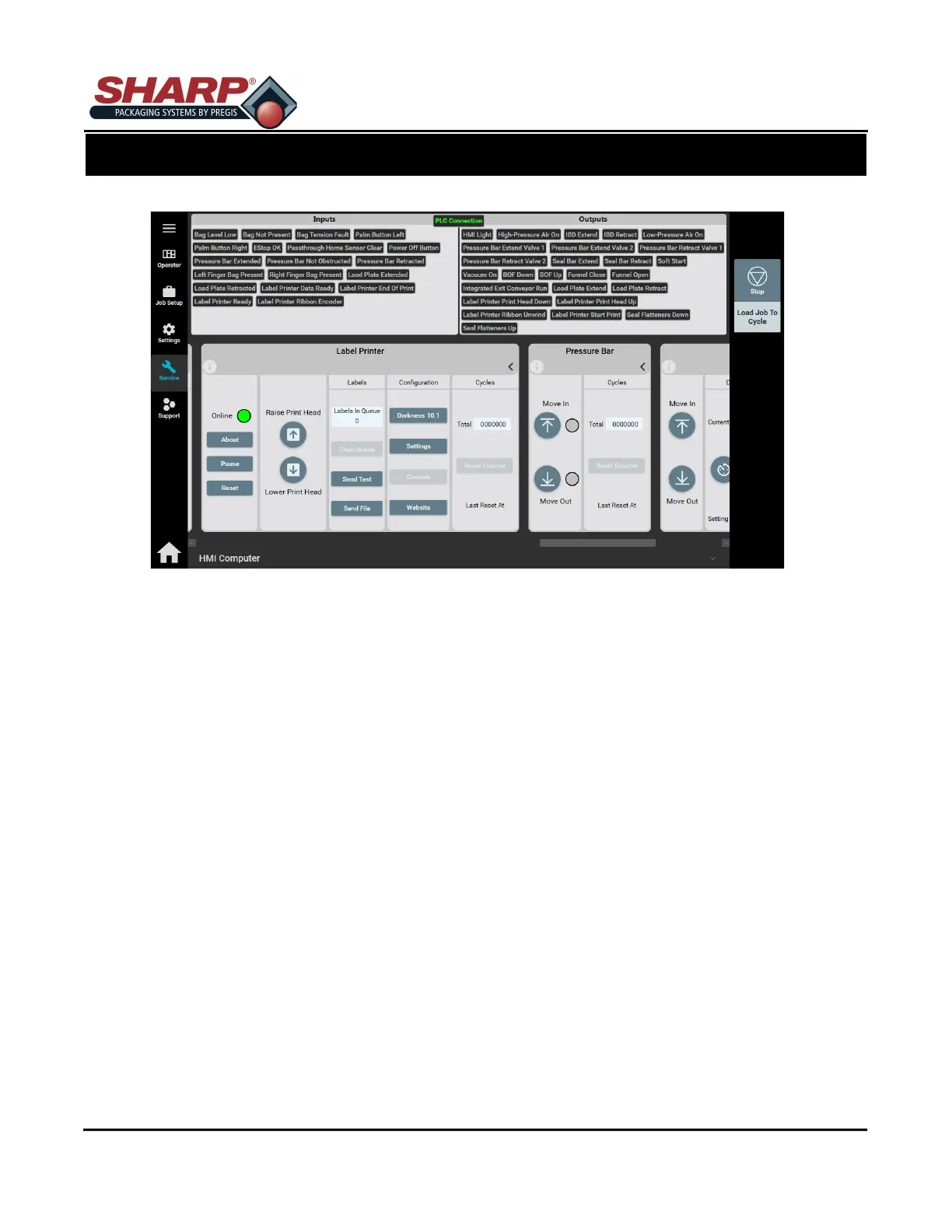
SERVICE SCREEN - PRINTER
Online: When lit, printer is on and ready for label.
Pause: The Pause key temporarily suspends printing. Pressing the key again will return the printer to
normal operation.
Reset: Clears printer faults.
Raise Printhead: Press to raise Printhead.
Lower Printhead: Lowers the Printhead against film. Remains in place until Raise Printhead is pressed.
LABELS
Labels In Queue: The number of labels loaded into printer.
Clear Queue: Clears the Queue of loaded labels.
Send Test: Sends one Test Label to printer for a test print.
Send File: Opens a Select Label File Dialog Box. User can navigate to stored labels on computer to
load into Job.
CONFIGURATION - Expert use only!
Darkness: Allows user to change darkness setting.
Settings: Exposes all available printer settings - expert use only!
Console: Expert use only! - console to printer to type in JSON and SGD commands manually.
Website: Minimizes HMI and opens browser to local Zebra printer website.
CYCLES
Total: Display total cycles of printer since last reset.
SCREEN NAVIGATION
SECTION 2 - CONTROLS
2-22



 To Next Page