MAX PRO 18
©
Operator Manual
Original Printed in English
SCREEN NAVIGATION
SECTION 2 - CONTROLS
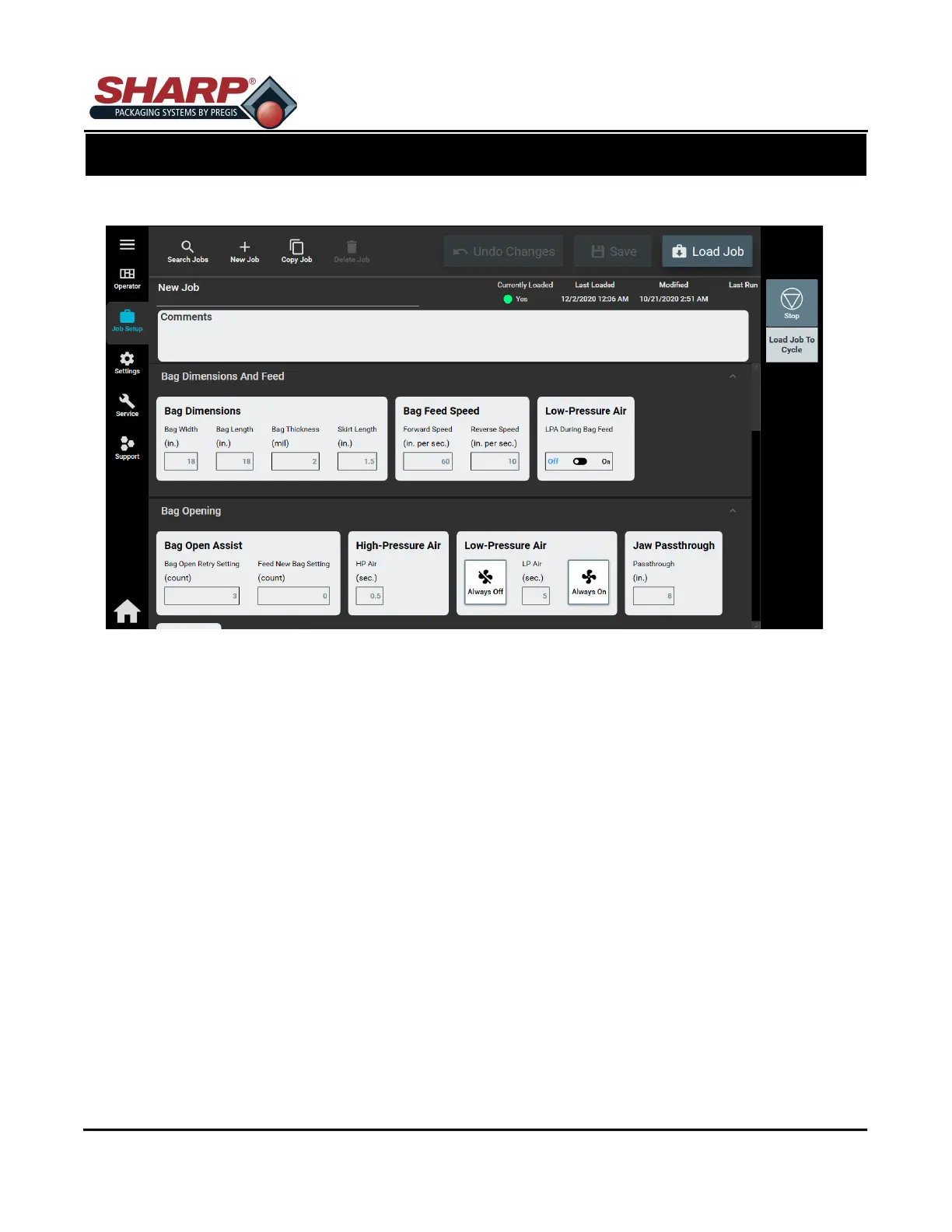
JOB SETUP SCREEN - BAG DIMENSIONS AND FEED SPEED
Any changes made to this screen requires operator to press ‘Load Job’ button.
BAG DIMENSIONS
Length: This refers to the usable area inside the bag. This is measured from the bottom of the bag
to the seal. The typical setting is .5 to 1.5 inches less than the measured overall bag length.
Skirt Length: The distance from the bottom of the bag to the start of the seal.
Width: The width of the loaded bag.
Thickness: The thickness of bag material.
BAG FEED SPEED
Forward: Adjusts the forward web speed in inches per second.
Reverse: Adjusts the reverse web speed in inches per second.
BAG OPENING
Bag Opening Retry Count: Display the number of attempts Bag Opening Fingers try open bag before
feeding new bag out.
LPA
LPA During Bag Feed: Toggle switch to have LPA ON or OFF while bag feeding out. This helps open
the bag.
2-6



 To Next Page