MAX PRO 18
©
Operator Manual
Original Printed in English
MACHINE ADJUSTMENTS
SECTION 3 - SET-UP & OPERATION
3-4
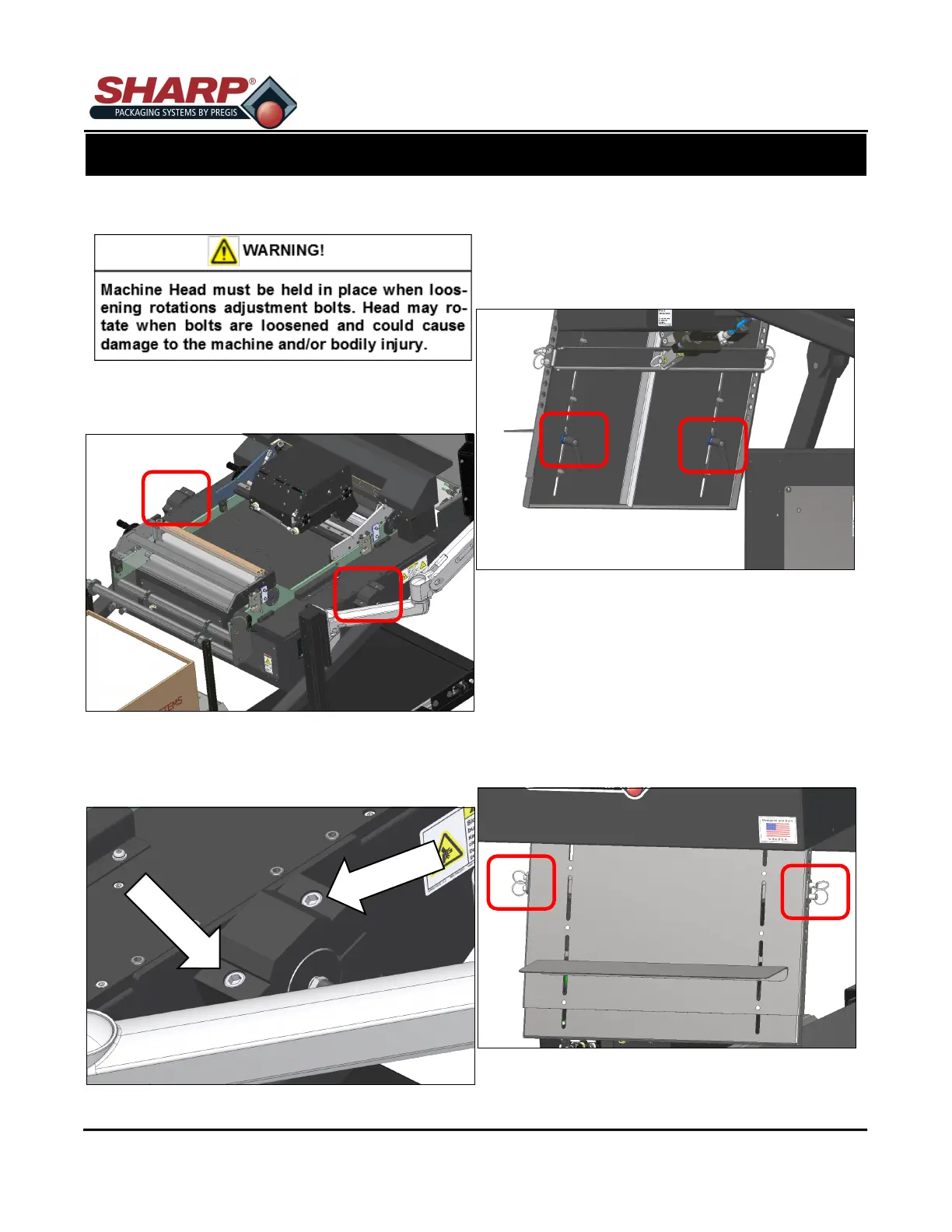
HEAD ROTATION - CONTINUED
1. Loosen the Rotating Clamp Screws.
2. Pivot the machine to the desired angle.
3. Tighten the Rotating Clamp Screws.
LOAD SHELF
The Load Shelf can be moved up or down to accom-
modate different sized bags.
1. Loosen the Locking Handles on back of Load
Plate.
2. Move Load Shelf to desired location.
3. Tighten the Locking Handles.
LOAD PLATE
The Load Plate can also be moved up or down to ac-
commodate longer bags.
1. Loosen the Load Shelf Locking Handles.
2. Remove the Ring Pins, move plate to desired
location and replace pins.
3. Tighten Locking Handles.



 To Next Page