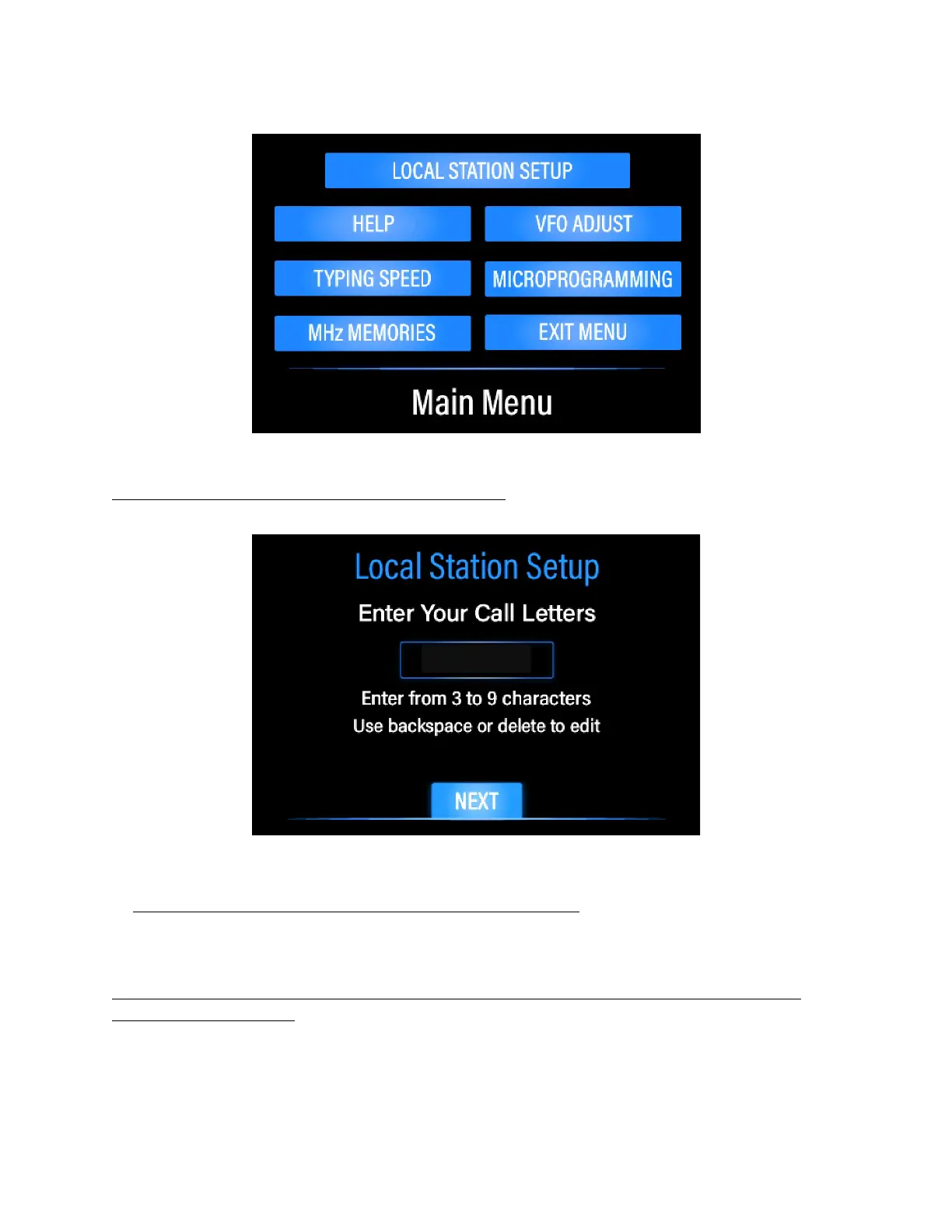
FIGURE 4: MAIN MENU
4. Press the LOCAL STATION SETUP button at the top of the menu. The Call Letters
entry screen will display, as shown in Figure 5 below:
FIGURE 5: CALL LETTERS ENTRY SCREEN
5. Enter your call letters assigned to you by the FCC. Use backspace or delete to
edit if you make a mistake. Note: you do not have to hold down the caps key - all caps
is automatic. Press the NEXT button to continue.
6. Using the NEXT buttons, proceed through a series of screens and enter the
required information
a) Name, or in ham radio lingo, your Handle, such as JOHN
b) Location, or QTH in ham lingo, such as CHICAGO, IL
c) Rig Type (PREPPCOMM DMX-40)


 To Next Page