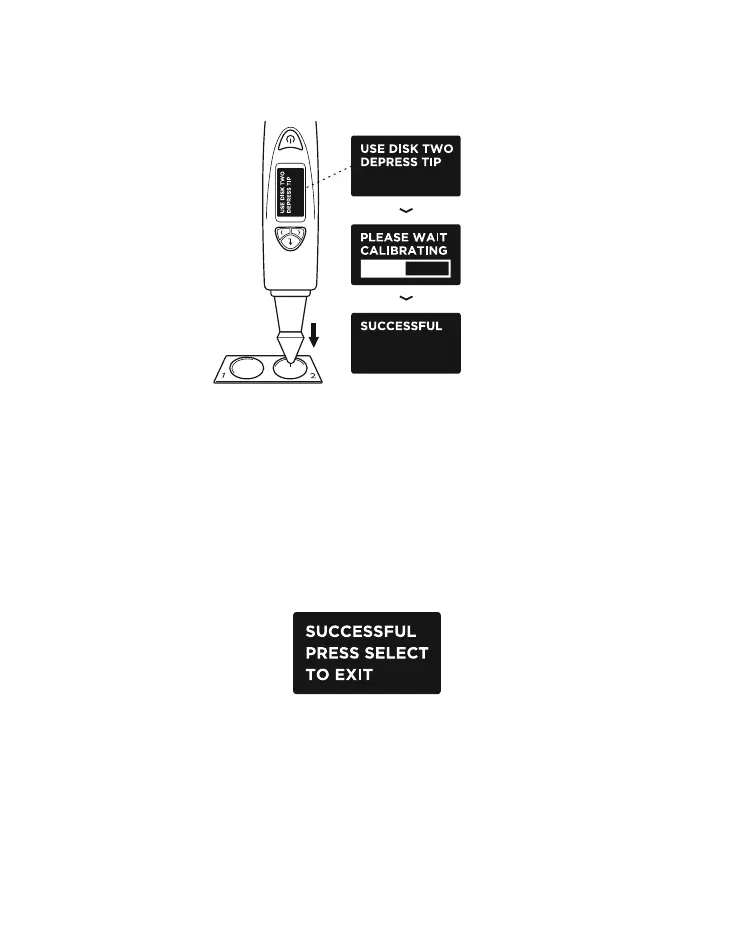
You will be prompted to perform the same calibration
process with Disk 2 (Fig. 5.6a) by pressing the probe tip
against Disk 2.
When calibration on both disks are done, you will
be prompted on the screen to press “Select” to exit
calibration mode (Fig. 5.7).
Fig 5.6 (a), (b) & (c) exhibit the steps of
calibration using Disk 2 (black disk)
Fig. 5.6a
Fig. 5.6b
Fig. 5.6c
Fig. 5.7
35


 To Next Page