INSTALLATION AND SETUP
10
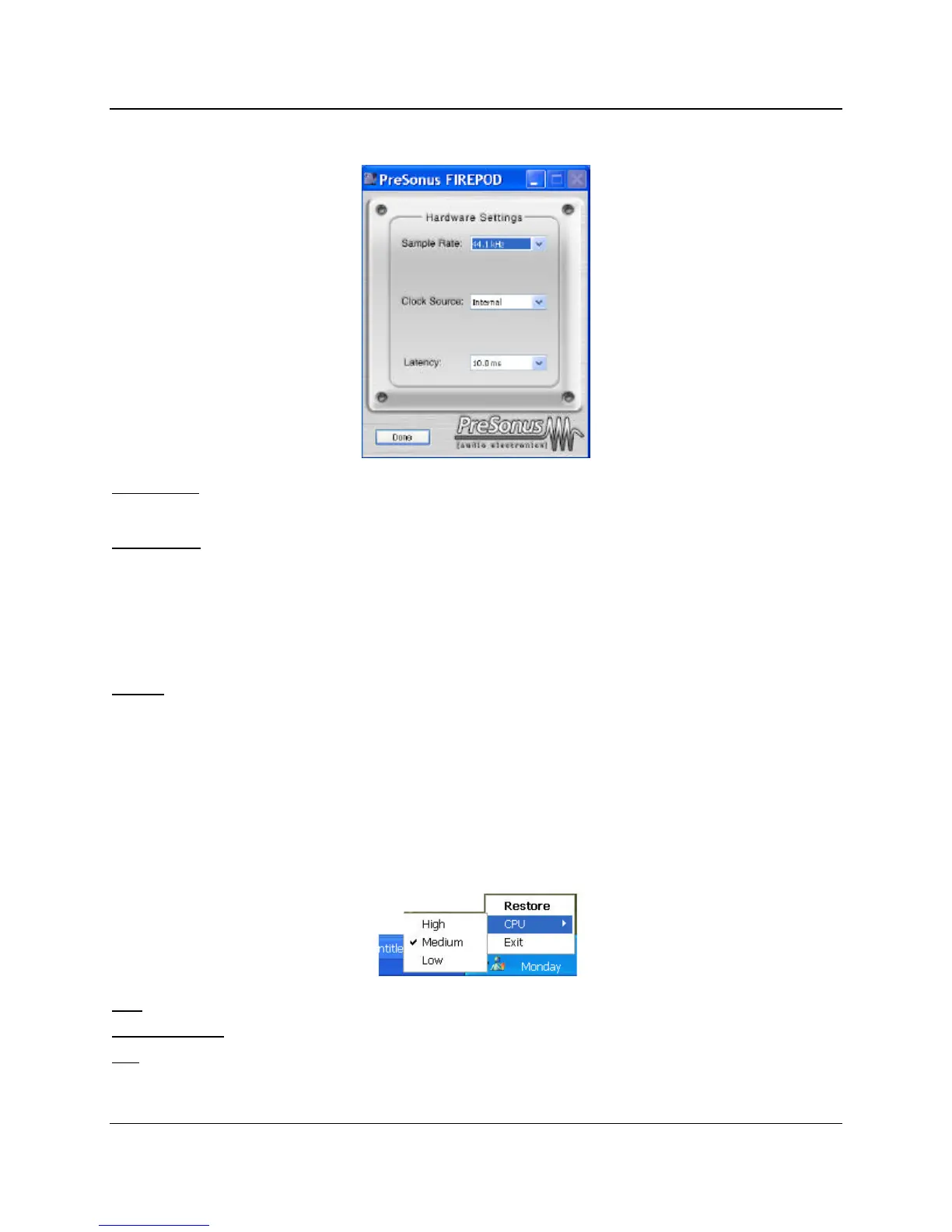
FIREPOD HARDWARE CONTROL PANEL
Sample Rate
: Drop down menu to select sample rate of FIREPOD – 44.1, 48, 88.2, 96k. This must be set to
the same sample rate in your recording software.
Clock Source: Drop down menu to select FIREPOD digital sync source.
INTERNAL
SPDIF – Must be selected to use the SPDIF input.
(Note that Control Panel settings will be saved upon power down.)
Latency
– Sets the amount of delay time of your FIREPOD. (1.5ms – 24ms). Latency is the time it take for the
computer to process audio. Lower latency settings demands more CPU resources. In the case of inconsistent
audio (i.e. drop outs, pops and clicks, digital distortion, etc) we recommend that you increase this setting.
FIREPOD CONTROL PANEL ADVANCED SETTINGS:
You can “Right Click” on the FIREPOD control panel icon to select between three different computer
optimization settings. These settings optimize the buffers and audio streaming settings based on the speed of
your processor. If you are experiencing audio drop outs, it is recommended that you select a lower CPU
setting.
High
: Computer Processor 2GHz and higher
Medium (default)
: Computer Processor 1GHz to 2GHz
Low
: Computer Processor 800MHz to 1GHz















 To Next Page