Connecting to a Computer
InstallationforWindows
3.1.1 Universal Control (Windows)
Universal Control is a powerful hardware-management application for all PreSonus
interface products. It allows you to view any PreSonus interface product connected
to your computer or your computer’s network.
Universal Control
是一个强大的硬件管理应用程序的所有PreSonus接口产品。
它允许您查看任何PreSonus接口产品连接到您的计算机或您的计算机的网
络。
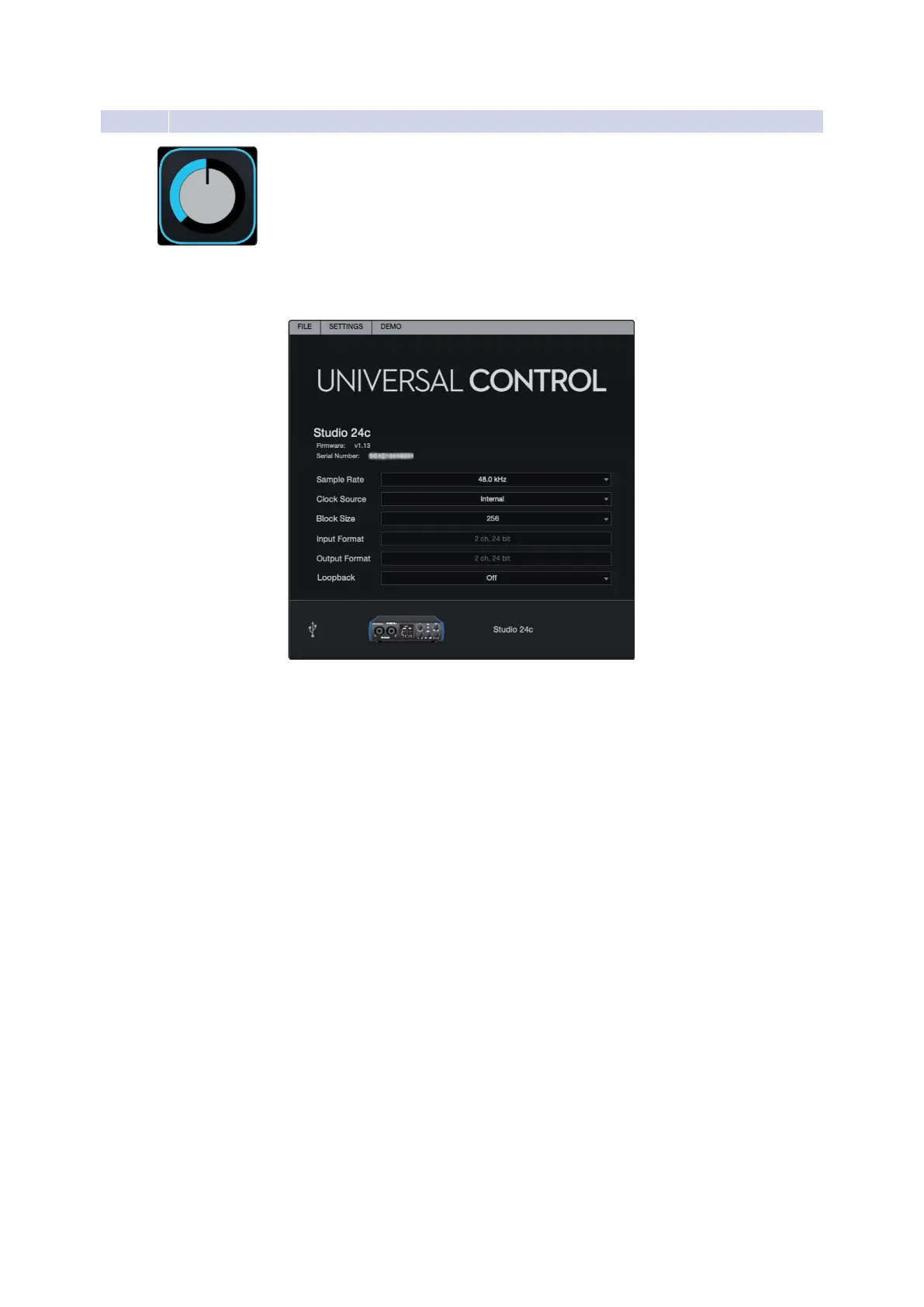
When Universal Control is launched, you will see the Launch window.
Fromthis window,youcan manage all the ASIO driver settings.
Sample Rate. Changes the sample rate.
Youcansetthesamplerateto44.1,48,88.2,96,176.4,or192kHz.Ahigher
sampleratewillincreasethe fidelityoftherecordingbutwillincrease thefile
sizeandtheamountofsystemresourcesnecessarytoprocesstheaudio.
当通用控件启动时,您将看到启动窗口。从这个窗口,您可以管理所有
的ASIO驱动程序设置。
采样率。更改采样率。
可以设置采样率为44.1、48、88.2、96、176.4或192 kHz。较高的采样
率将提高录音的保真度,但将增加文件大小和处理音频所需的系统资源
数量。















 To Next Page