StudioOneArtistQuickStart
Setting Up Studio One
4.2.1 Configuring Audio Devices 配置音频设备
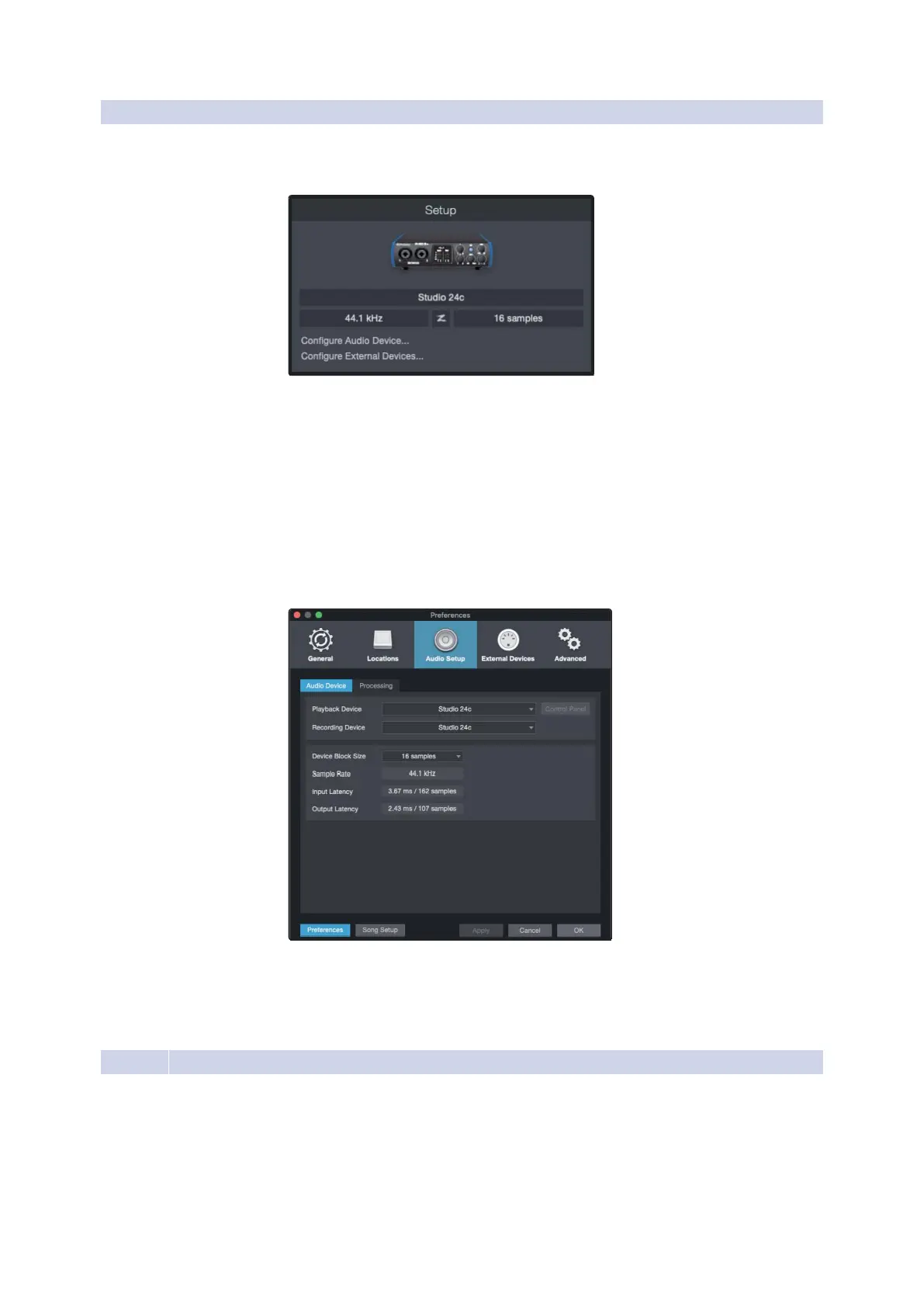
Inthe middle ofthe Start page,youwillsee the Setup area. StudioOne
Artist automatically scans your system for all available drivers and selects
adriver.Bydefault, itwill choosea PreSonusdriver ifone isavailable.
在Start页面的中间,您将看到Setup区域。Studio One Artist自动扫
描系统中的所有可用驱动程序,并选择一个驱动程序。默认情况下,
它会选择一个PreSonus驱动程序(如果有的话)。
If you do not seeyour devicelisted on the Start page when
you launch Studio One, click on the Configure Audio Devices
link in the Setup area to open the Options window.
如果您在启动Studio One时没有看到“开始”页上列出的设
备,请单击“设置”区域中的“配置音频设备”链接以打开“选
项”窗口。
In theOptions window,click on the AudioSetup taband
select your device driver from the pull-down.
在“选项”窗口中,单击“音频设置”选项卡,从下拉菜
单中选择设备驱动程序。
4.2.2 Configuring MIDI Devices 配置MIDI设备
From the External Devices window in Studio One Artist, you can configure
your MIDI keyboard controller, sound modules, and controlsurfaces. This
section will guide youthrough setting up your MIDI keyboard controller
and sound modules. Please consult the Reference Manual located within
Studio One forcompletesetup instructions for other MIDI devices.
If you areusing athird-party MIDI interface orUSB MIDI-controller
keyboard, you must install any required drivers for these devices before
beginningthissection.Pleaseconsultthedocumentationthatcame















 To Next Page