StudioOneArtistQuickStart
Creating a New Song
4.3.3
Recording an Audio Track 录制音轨
1.
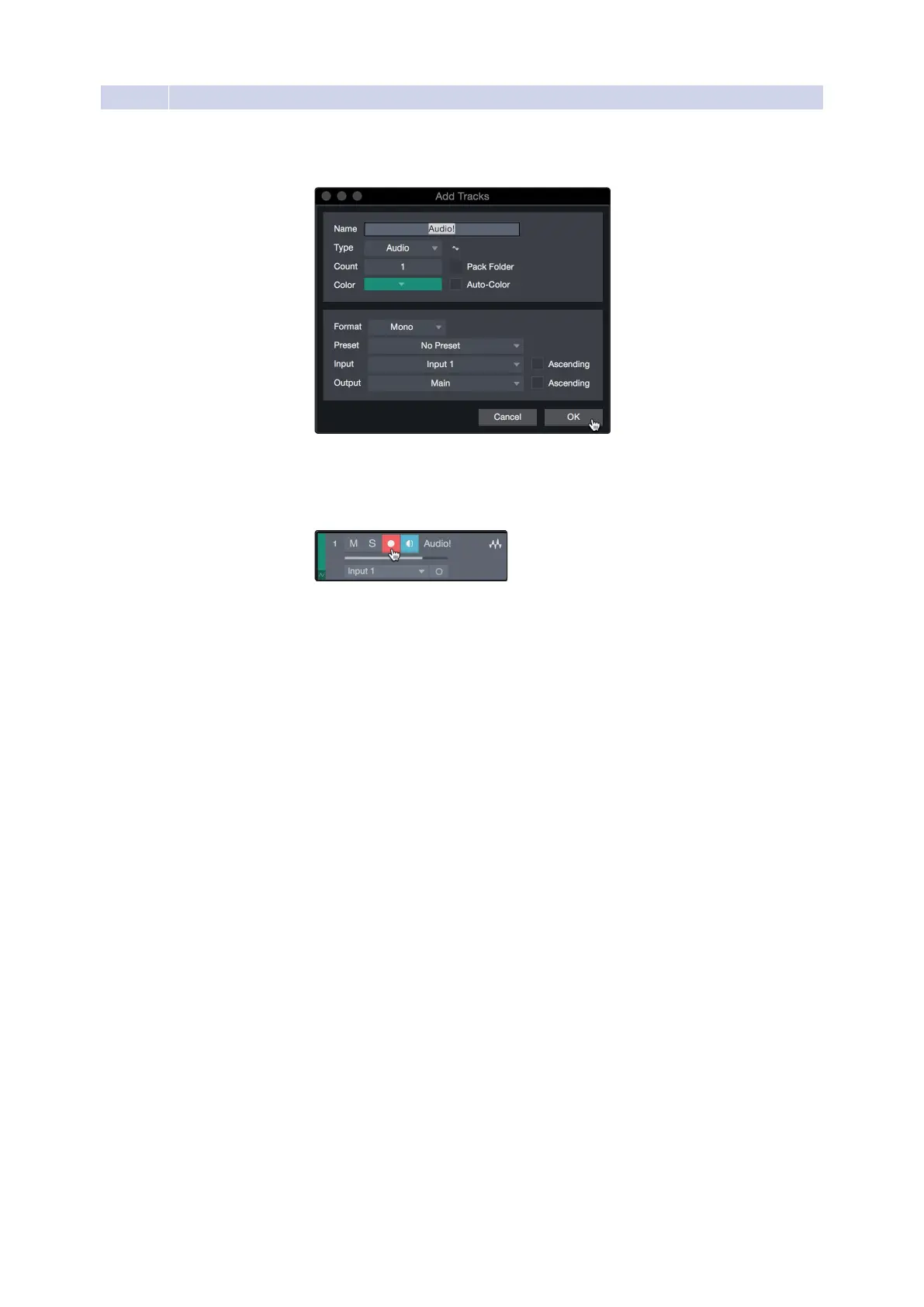
Tobegin recording,createan audio track from the Add
Trackswindow,setitsinput toInput1on yourStudio24c,
and connect a microphone to the same input.
2.
SelectRecordEnableonthetrack.TurnuptheInput1levelonyouraudio
interfacewhile speaking/singing intothe microphone.Youshouldsee
the input meter in Studio One Artist react to the input. Adjustthe gain
so the input level is near its maximum without clipping (distorting).
You are now ready to start recording. For complete instructions, please consult the
StudioOneReferencemanuallocatedinHelp|StudioOneReferenceManual.
1.要开始录制,请从“添加音轨”窗口创建一个音轨,将其输入设置为Studio
24c上的input 1,并将麦克风连接到相同的输入。
2.在轨道上选择“启用记录”。当对着麦克风说话/唱歌时,在你的音频接口上
打开输入1级。你应该看到Studio One的输入仪表对输入的反应。调整增益
因此,在没有剪切(失真)的情况下,输入电平接近其最大值。
现在可以开始录音了。有关完整的说明,请参阅帮助| Studio One参考手册
中的Studio One参考手册。















 To Next Page