StudioOneArtistQuickStart
Creating a New Song
4.3.1 Configuring Your I/O
1.
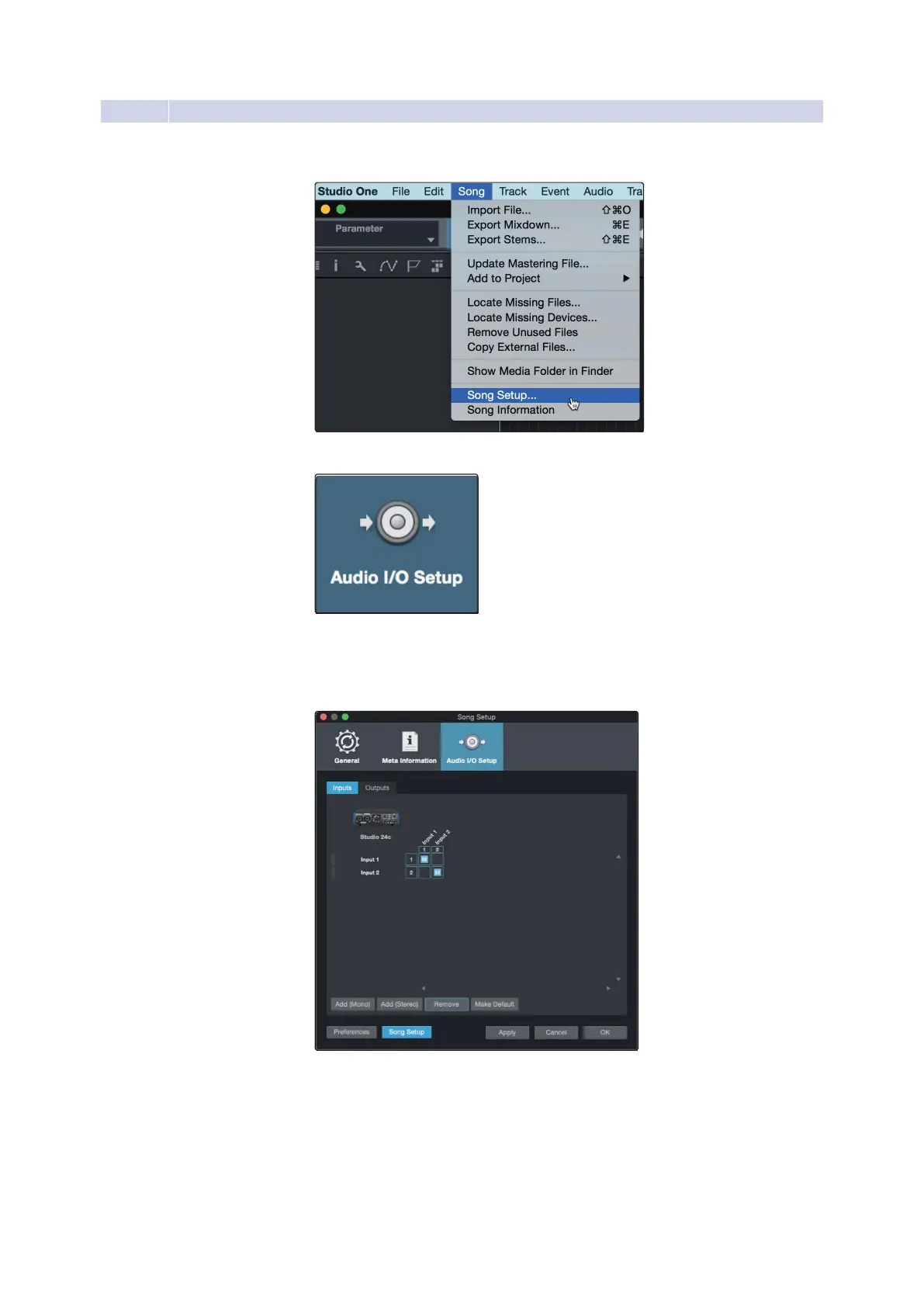
Click on Song | Song Setup to set your sample rate and
resolution and configure your audio I/O.
2.
Click on the Audio I/O Setup tab.
3.
FromtheInputstab,youcanenableanyoralloftheinputsonyourPreSonus
Studio 24c that you’d like to haveavailable.Werecommend that you
createa mono input foreach of theinputs onyour interface.If you plan
on recordingin stereo,you should also createa stereoinput as well.















 To Next Page