Connecting to a Computer
InstallationforWindows
File Menu. Manages devices connected to Universal Control.
•
Show All Devices.
Launches all control windows for all
supported devices connected to your computer.
•
Close All Devices. Closes all open control windows.
•
Sign Out. Signs out of your My PreSonus user account.
•
Check for Updates...
Connects to your My PreSonususer
account to check for updates forUniversal Control.
•
Transfers.Displays recent downloads from yourmy PreSonus user account.
•
About Universal Control. Displays version and build date information.
•
Quit. Quits the Universal Controlapplication and all hardware control windows.
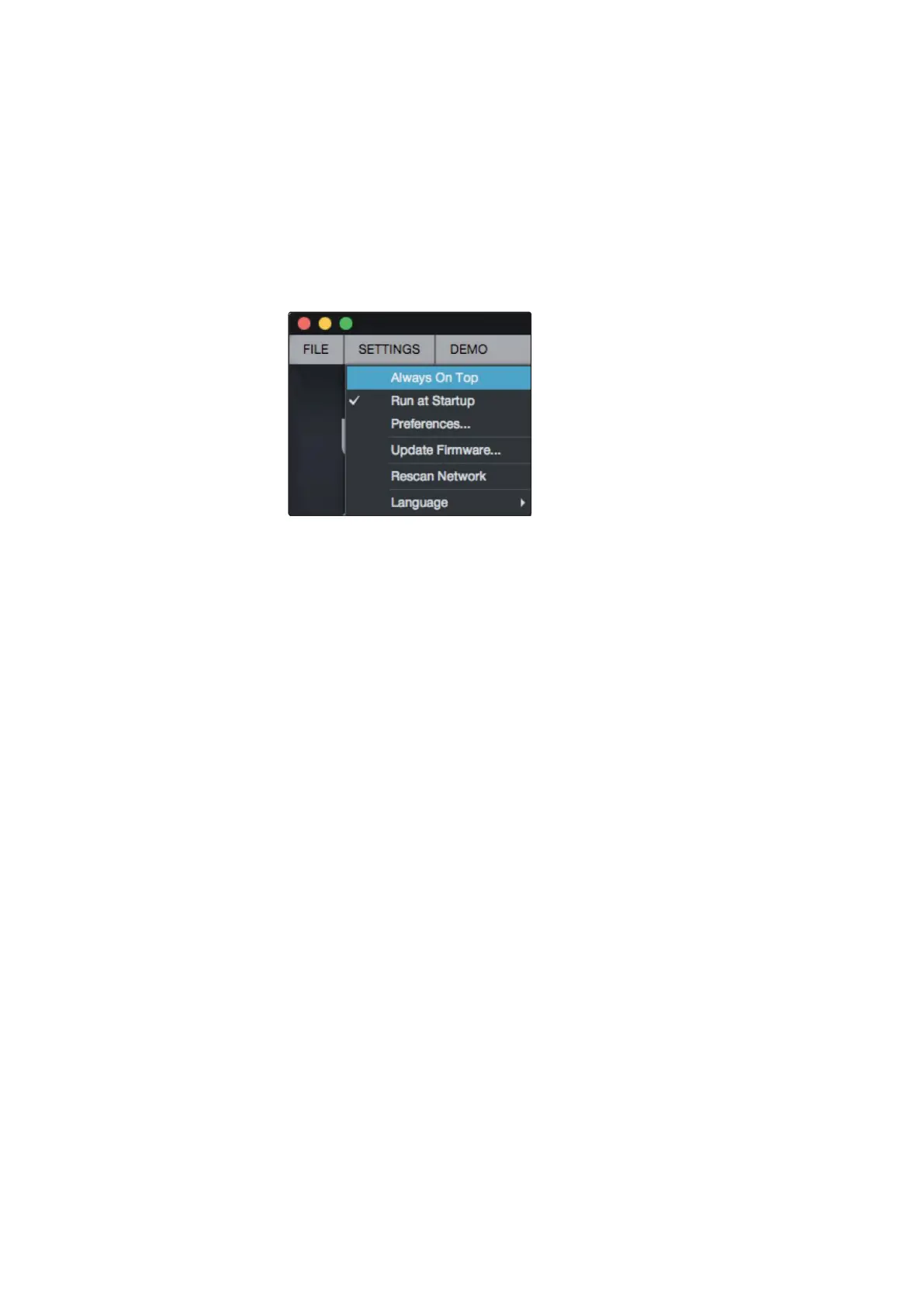
Settings Menu.
Provide customization options to
personalize your Universal Control experience.
•
Always on Top.
Keeps the Universal Control Launch window on
top whether it is the currently active application or not.
•
Run at Startup.
Launches Universal Control
automaticallywhen your computerboots.
•
Preferences.Sets language and appearanceoptions (see below).
•
Rescan Network.
Scans the network and local transport bus
(USB orFireWire)forall supported PreSonusproducts.
•
Language.
Sets the language (English, French, German,
Korean, Simplified Chinese, or Spanish).
文件菜单。管理连接到通用控件的设备。
•显示所有设备。为连接到计算机的所有受支持设备启动所有控制窗口。
•关闭所有设备。关闭所有打开的控件窗口。
•迹象。退出你的My PreSonus用户帐户。
•检查更新……连接到您的My PreSonus用户帐户,以检查通用控件的更
新。
•转移。显示您的PreSonus用户帐户最近的下载。
•关于通用控制。显示版本和生成日期信息。
•停止。退出通用控制应用程序和所有硬件控制窗口
设置菜单。提供定制选项,以个性化您的通用控制体验。
•总在最上面。将通用控件启动窗口保持在最上方,无论它是否是当前活
动的应用程序。
•在启动运行。启动通用控制自动时,您的计算机启动。
•偏好。设置语言和外观选项(见下面)。















 To Next Page