2.2
Back Panel Connections
Owner’s Manual
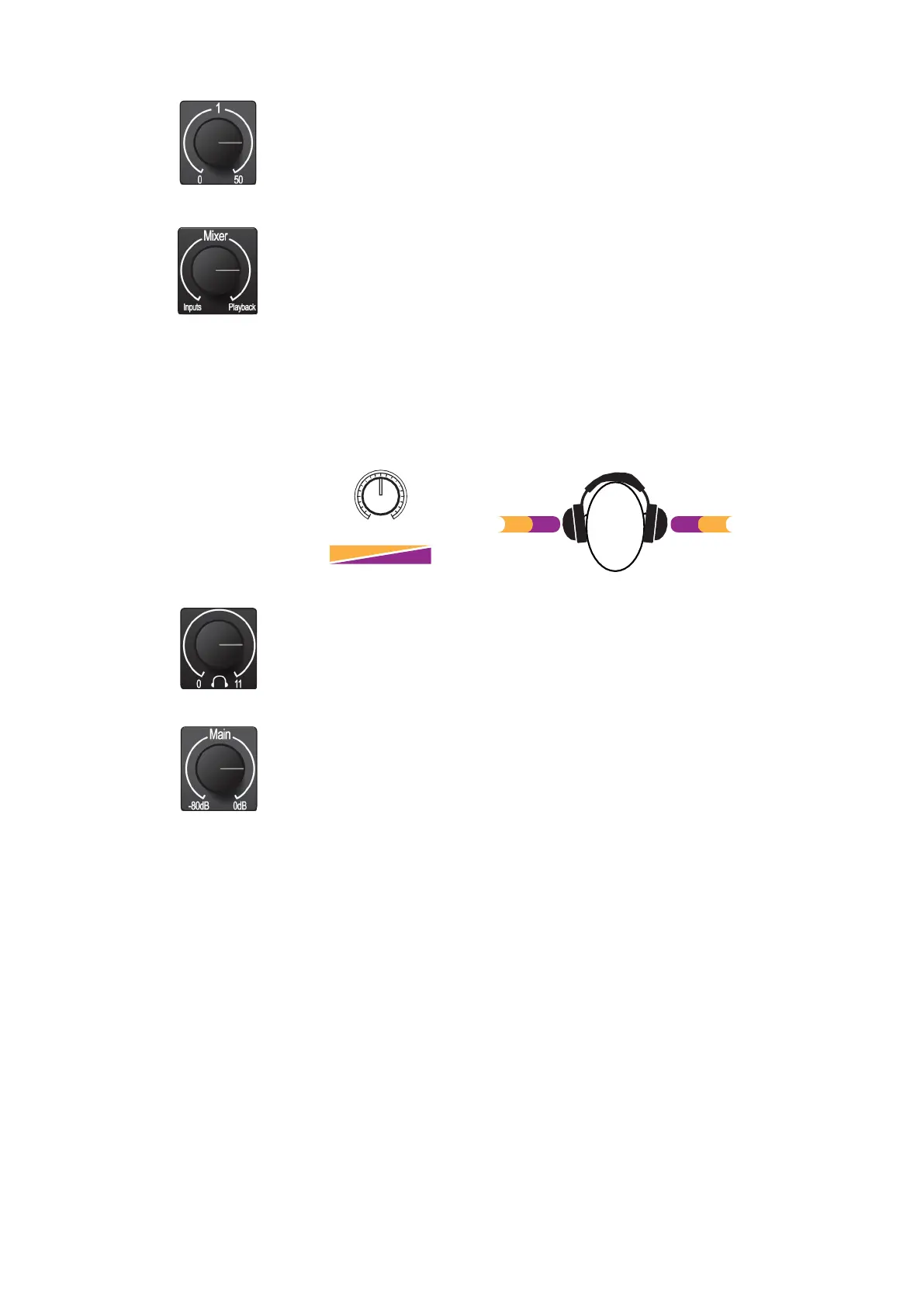
InputGainControl.Theseknobsprovide50dBofvariablegain(0to+50dBfor
microphones, -15 to 35 dB for line/instrument).
输入增益控制。这些旋钮提供50分贝的可变增益(0到+50分贝的麦克风,-
15到35分贝的线路/仪器)。
Mixer. TheMixer knob allows you to blend your input signals with the playback
streamsfromyourcomputersothatyoucanmonitoryour inputsignalswithoutany
latency (delay). If the knob is positioned at 12 o’clock, the input signal and the
playback streamwill beequally balanced.Turningtheknob tothe left willincrease
the level of the input signal relativeto the playback stream; turning to the right will
increase the level of the playbackstreamrelativetothe input signalas illustrated
below:
Mixer。混频器旋钮允许您混合您的输入信号与回放流从您的计算机,以便您
可以监控您的输入信号没有任何延迟(延迟)。如果旋钮定位在12点,输入信号
和回放流将是均衡的。将旋钮向左转动,将增加输入信号相对于回放流的电平;
向右转将增加播放流相对于输入信号的电平,如下图所示:
Inputs
Mixer
Playback
Inputs Playback
Headphone Level. This knob controls the level of the rear panel headphone output.
Headphone Level。这个旋钮控制后面板耳机输出的电平。
Main.The main knob controls the output level for the main left/right outputs on the
back of your Studio 24c and has a range of -80dB to 0 dB.This controlprovides
attenuation only.
Main。主旋钮控制输出电平的主要左/右输出在你的Studio 24c的背
面,有
-80
分贝到
0
分贝的范围。此控制只提供衰减。















 To Next Page