86
9 Master Control
9.4 UCNET
StudioLive™ Series III
Owner’s Manual
9.4 UCNET
UCNET is a special networking protocol that PreSonus created to enable advanced
remote control and audio transmission features between various PreSonus hardware
and software products. This includes devices running Studio One, Capture, UC
Surface, and QMix-UC software.
Note: For more information on networking configuration and setup for UCNET-
compatible products, please see the respective product manuals.
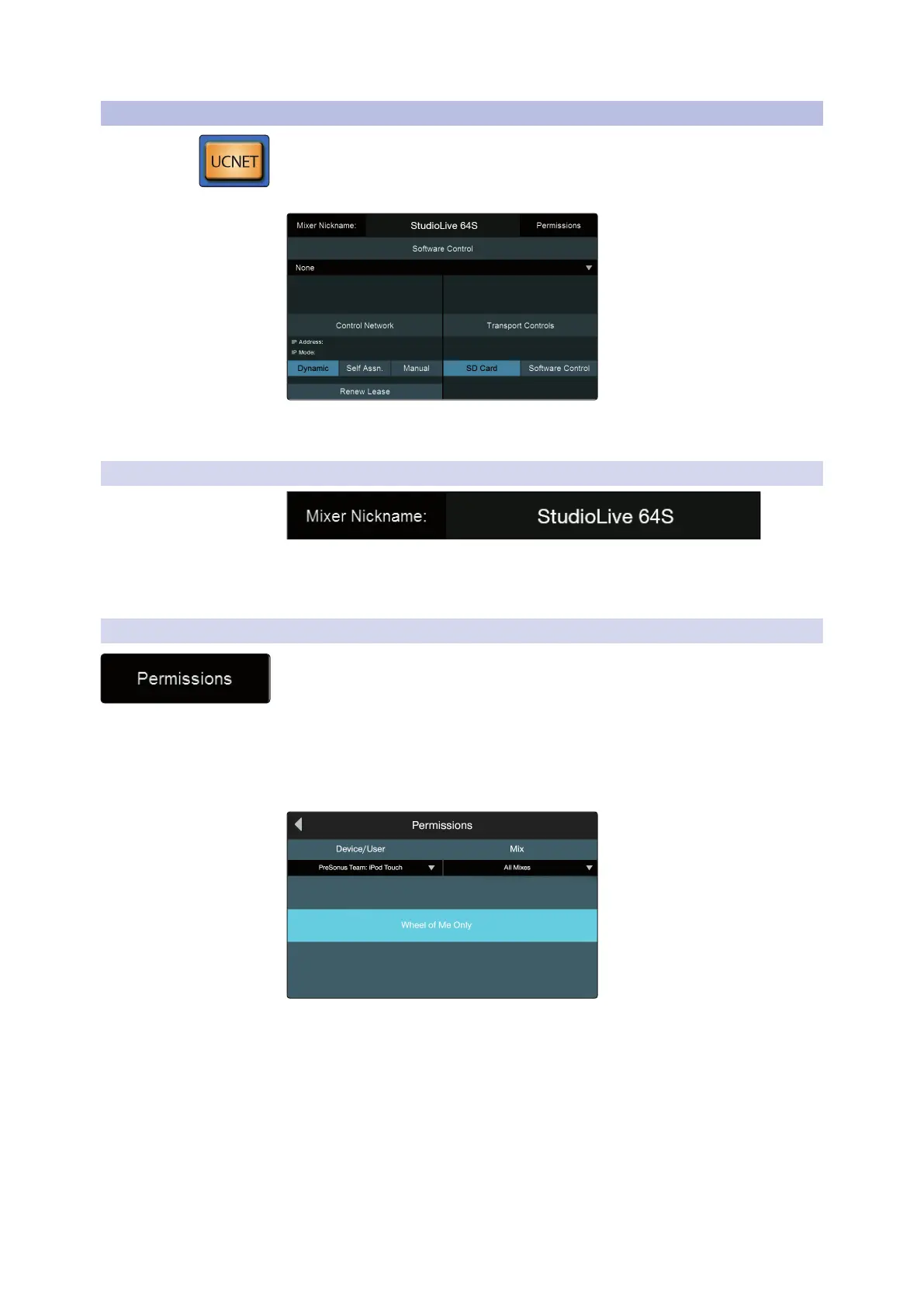
9.4.1 Mixer Nickname
At the top of the UCNET screen, you will fix the name of your mixer. You can
customize your Mixer’s name by tapping on the “Mixer Nickname” field. This will
change the mixer’s name anywhere it is displayed (UC Surface, QMix-UC, etc.)
9.4.2 Permissions
Your StudioLive can be controlled remotely by networked devices running UC
Surface and QMix-UC software.
Press the Permissions button to set the level of control available to each user. At
the top of the screen is a Device/User selector, which lets you choose which of the
connected devices for which to set control permissions. Depending on the type of
device you choose (QMix-UC or UC Surface), the screen shows different options:
QMix-UC Device Permissions
When setting permissions for a device running QMix-UC software, the Mix selector
gives you the following modes of control permission to choose from:
• None. Select this to disable remote control on the selected device.
• All Mixes. Control of every Aux Mix Send level and pan setting.
• Mix X. Control of an individual Aux Send level and pan setting.
• Wheel of Me Only Toggle. Limits access to the Wheel of Me control only.









 To Next Page