68
6 The Fat Channel
6.9 User Mode
StudioLive™ Series III
Owner’s Manual
6.8.6 Aux Sends Overview Screen
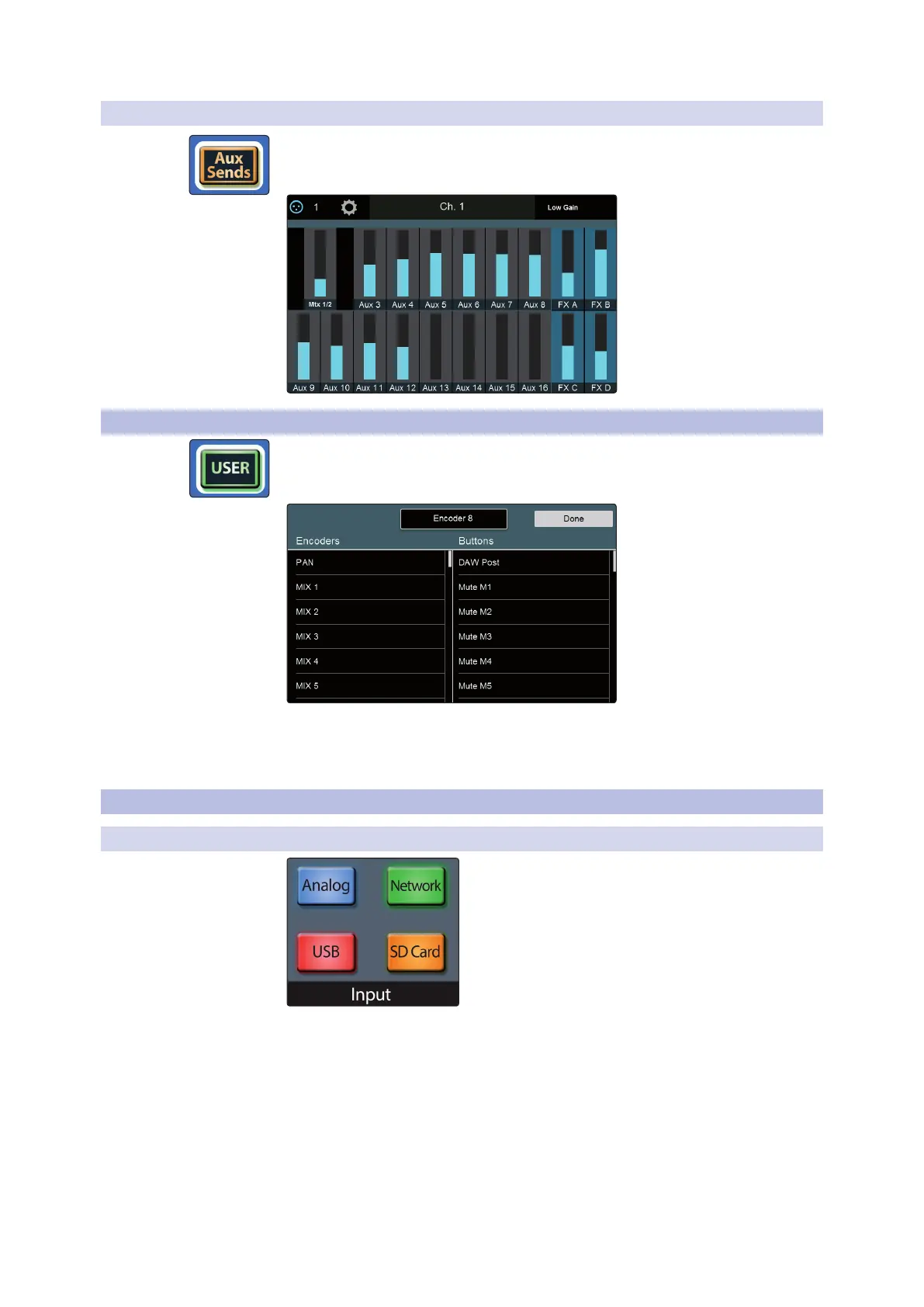
While Aux Sends Mode is engaged, the Touch Display displays the Aux Sends
Overview screen. This screen displays the send level of the Selected channel in
every FlexMix:
6.9 User Mode
The User Mode allows you to create your own custom Fat Channel controls. To assign
a function to an encoder and its adjacent button, press any unassigned button. This
will open the User Mode edit screen:
When you are done assigning function, press the Done button on the Touch Display.
To edit any function, press and hold any Fat Channel function button while User
mode is active.
6.10 Input Controls
6.10.1 Input Source
When a channel is selected (rather than a bus or output), these four buttons give you
a choice of input type to be routed to that channel. Choose from the following:
• Analog. Signal is routed from the corresponding analog input.
• Network. Signal is routed from the corresponding channel from the AVB network
input (if applicable).
• USB. Signal is routed from the corresponding USB audio channel, for playback
from a computer.
• SD Card. Signal is routed from the corresponding channel of the currently loaded
multitrack recording on an inserted SD card.









 To Next Page