page
11
Home Bakery
2001 ABM8 rev.0
•
••
•
LET’S PRESS SOME BUTTONS! 17
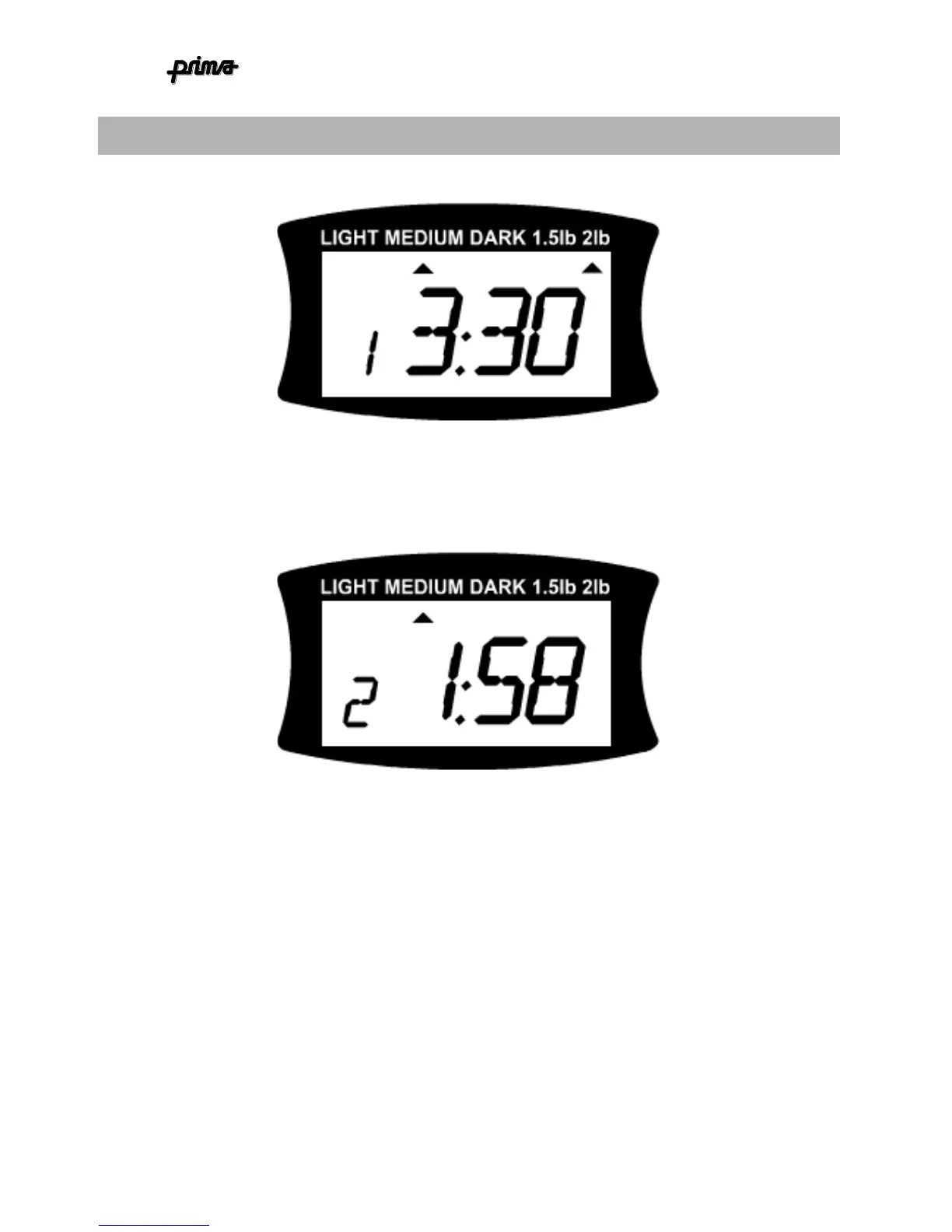
Connect the machine to the mains for the first time & see the following display:
This indicates that the BASIC programme (1) for the 2LB loaf at MEDIUM crust is
selected. The process time is 3 hours 30 minutes.
Press the
SELECT
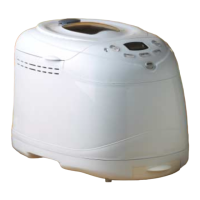
button once. The display will look like this:
This indicates that the QUICK programme (2) is selected. The process time has decreased
to 1hour 58 minutes. And the MEDIUM crust colour is selected.
NOTE: The loaf size
option is not available in quick mode.
If you press the
COLOUR
button the arrow
indicating the crust colour selection will move across and point to DARK, indicating that
dark crust is selected. Pressing again will move the arrow to the LIGHT setting. Press
once more and the arrow will go back to the MEDIUM setting.
Feel free to press some more buttons to familiarise yourself with the control interface.


 To Next Page