First use: remotely control devices with EAGLE Manager
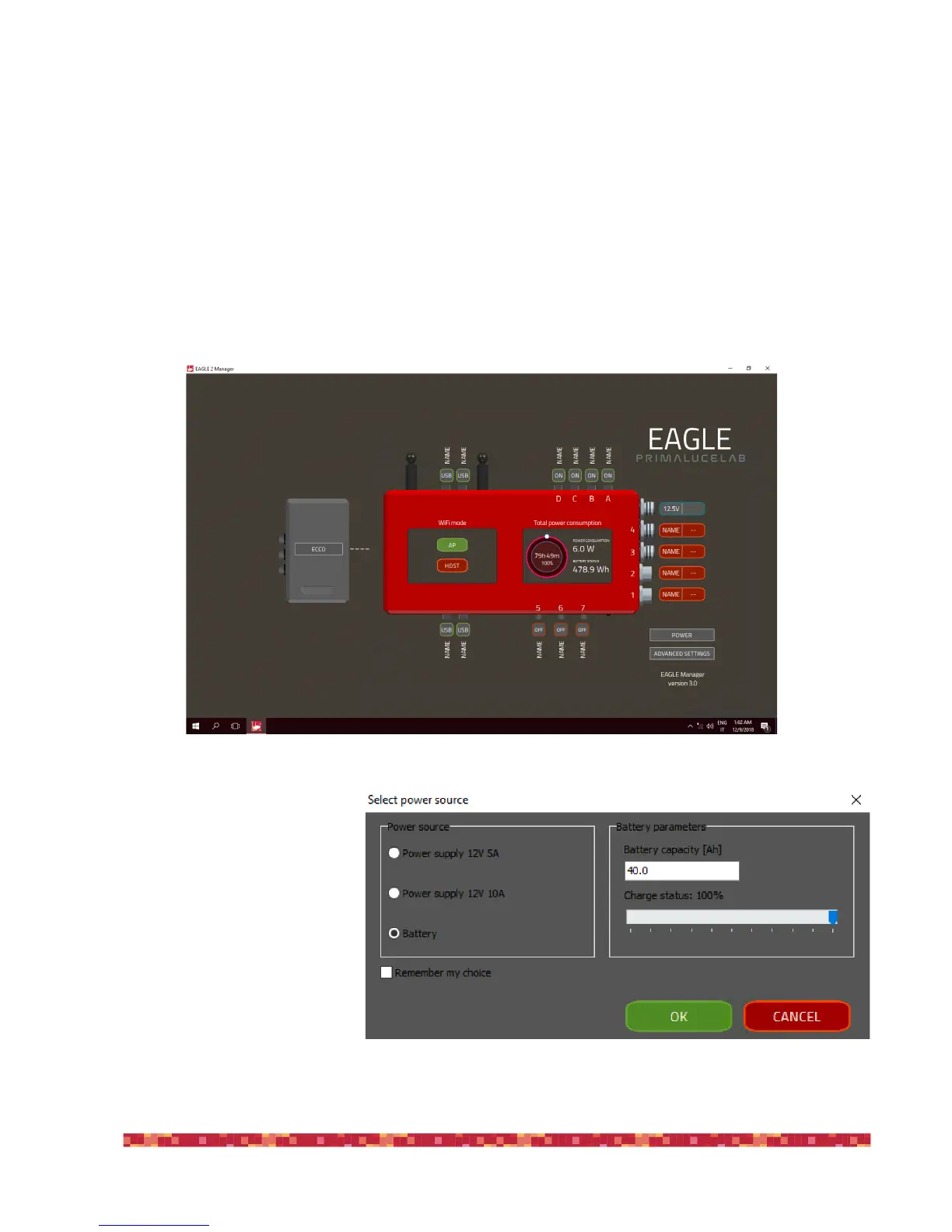
When you remotely (with WiFi or Ethernet wired connection) to the EAGLE, you will see the EAGLE Manager control inter-
face. Thanks to EAGLE Manager, with EAGLE you can:
-!connect or disconnect every power out port of EAGLE.
-!set power out tension of the 3 power out ports with adjustable tension.
-!connect or disconnect connection to devices connected to the 4 USB 2.0 ports.
-!check for power in tension and battery lifetime.
-!set WiFi connectivity.
-!remotely turn on/off the entire telescope.
In the first window that opens (“Se-
lect power source”, image 23) please
check your power source, with AC
power units (5A or 12A) or with a
battery. If you use a battery, please
insert in the “Battery parameters”
area to the right the battery capacity
in Ampere and the charge status.
Then click OK.


 To Next Page