EasyManua.ls Logo

PrimaLuceLab EAGLE3 - User Manual

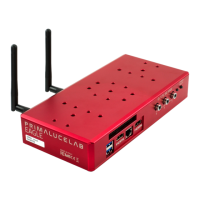
PrimaLuceLab EAGLE3
62 pages
Print Icon
To Next Page IconTo Next Page
Loading...
VERSION 1.0
Update10-12-2018
EAGLE is made by PrimaLuceLab iSRL (Italy). For any matters relating to the use, service and warranty, please refer to the
addresses given in the relevant documents.!
PrimaLuceLab iSrl
Via Roveredo 20/B, 33170, Pordenone
www.primalucelab.com
EAGLE3!
control unit for telescopes and astrophotography
Question and Answer IconNeed help?

Do you have a question about the PrimaLuceLab EAGLE3 and is the answer not in the manual?

Summary

Components Identification

First use: power

First use: switch on and activation of wireless network

First use: Setting the wireless control device

First use: backup your SSD drive before installing your software

First use: install your software

First use: turn off EAGLE

First use: installing EAGLE on the telescope

Connecting to telescopes with PLUS support rings

Attaching EAGLE to telescopes using PLUS support rings with specific spacing.

Connecting to telescopes not equipped with PLUS rings

Mounting EAGLE to telescopes without PLUS rings using a dovetail clamp.

First use: power other instruments connecting to the EAGLE

First use: remotely control devices with EAGLE Manager

Connect;disconnect power ports

Remotely controlling power distribution to connected devices via EAGLE Manager.

Adjust power output tension

Setting adjustable voltage for specific power output ports.

Manage USB 2.0 ports

Connecting or disconnecting devices via the 4 USB 2.0 ports remotely.

Monitor power and battery life

Checking power status and estimating battery lifetime through the manager.

Configure WiFi connectivity

Setting up WiFi connection modes (AP or Host) for remote access.

Remotely control power on;off

Remotely turning the entire telescope system on or off.

Advanced use: remotely turn on EAGLE with wired connection

Controlling the telescope remotely with Cartes du Ciel

Software setup and connection

Initial steps to start Cartes du Ciel and connect to the mount.

Telescope alignment and synchronization

Aligning and synchronizing the telescope position with the sky chart.

Autoguiding with PHD2 Guiding

Starting and connecting equipment

Initiating PHD2 Guiding and connecting the camera and mount.

Setting exposure and calibration

Configuring exposure times, aligning axes, and starting calibration.

Guiding process

Understanding and observing the automatic guiding process.

Drift Alignment using PHD Guiding

Preparation and Azimuth Adjustment

Initial setup and adjusting the mount's azimuth for polar alignment.

Altitude Adjustment

Adjusting the mount's altitude for precise polar alignment.

Q & A

PrimaLuceLab EAGLE3 Specifications

General IconGeneral
ProcessorQuad-Core ARM Cortex-A53
RAM2 GB
Storage16 GB eMMC
Operating SystemLinux
USB Ports4 x USB 3.0
Ethernet Port1 x Gigabit Ethernet
Storage Temperature-20°C to +60°C
Power Input12V DC
WiFi802.11ac
Wi-Fi802.11ac