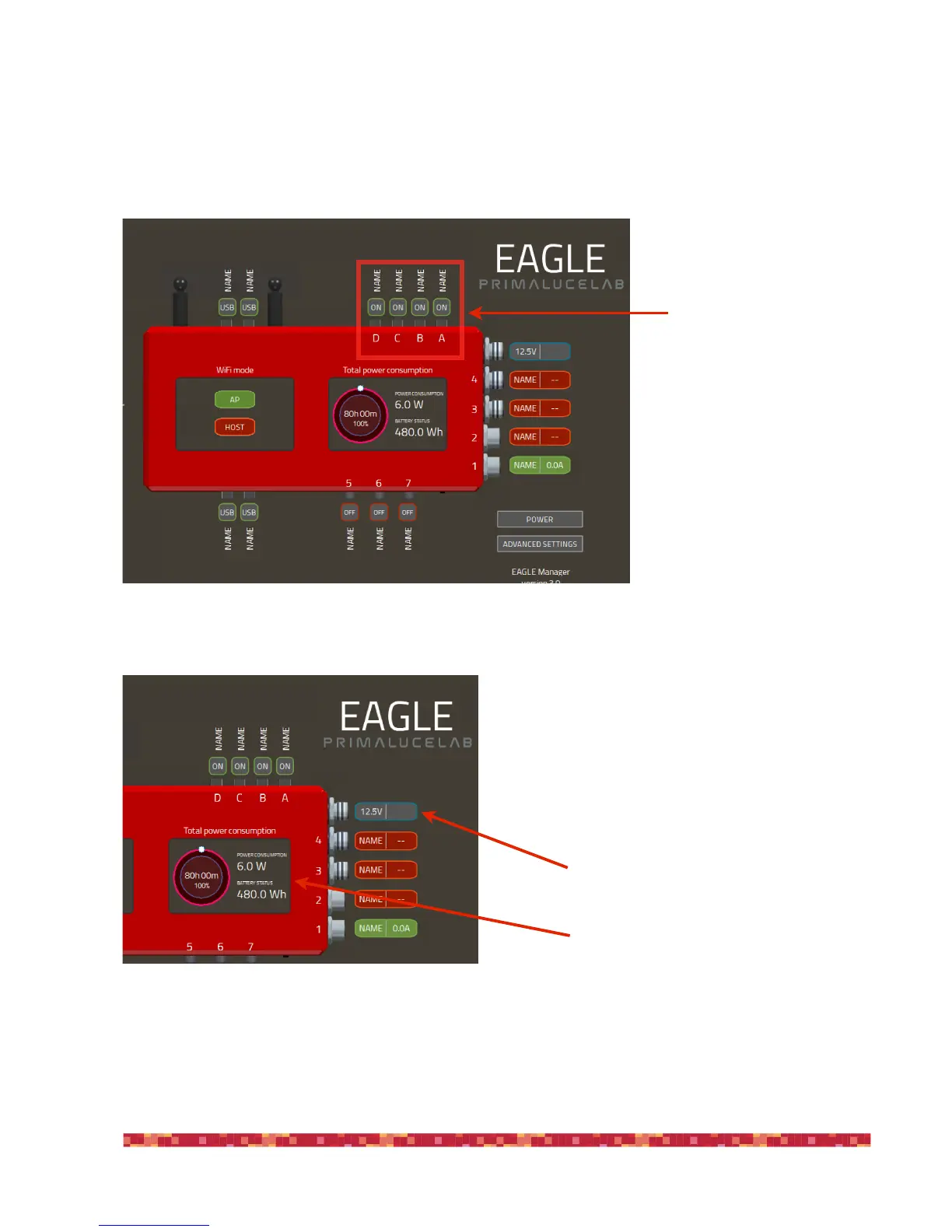
-!connect or disconnect connection to devices connected to the 4 USB 2.0 ports
This feature is convenient in case of temporary crash of autoguide or planetary camera (or other devices), which can then
be reactivated without the need to go to the telescope and reconnect the cable.
Click with the mouse left button (or
a single tap on the screen of tablet
or smartphone used for remote
control) on one of the power out
ports to activate it, the port will be-
come green and it will connect the
device. Make a double click on the
NAME label to change its name.
-!check for power in tension and battery lifetime
if you power it with a battery, a dedicated menu allows you
to set the Ampere capacity of your battery and charge per-
centage when EAGLE is powered on, enabling you to check
its expected lifetime.


 To Next Page