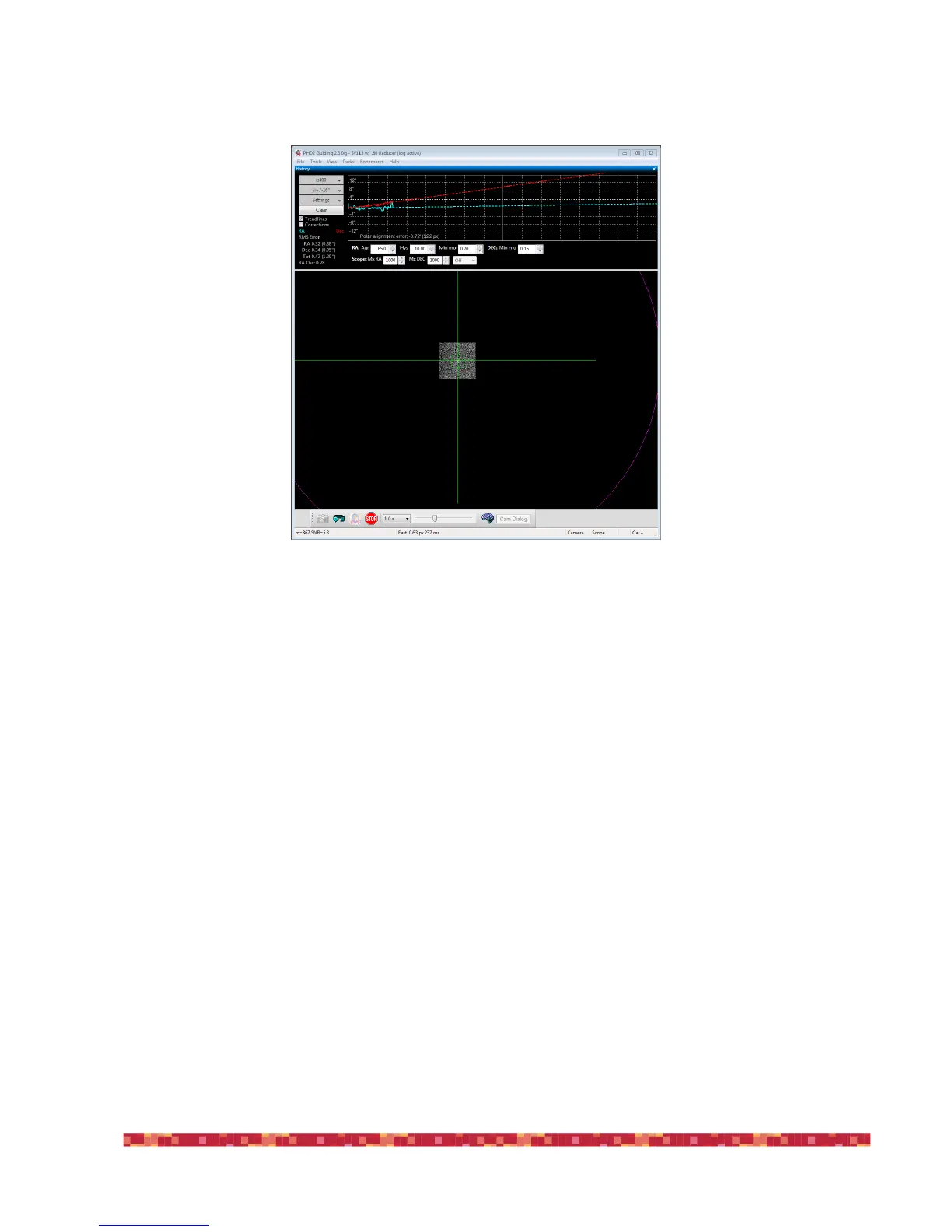
The exact position is not important, but 25-35 degrees above the horizon works well. Click Drift to start drifting.
Drift until you have a stable Dec slope. Click Adjust, then turn the mount's Altitude adjustment knob. Use your notes re-
corded in the "Altitude adjustment notes" area from a previous session to determine which way to turn the knob to move
the slope in the desired direction. For example, with my setup I turn the altitude knob clockwise to make the slope go
“down". Just as with the Azimuth adjustment, repeat cycles of Drift and Adjust making the measurements and moving the
guide star to the magenta circle. Again, the goal is to get the dec drift line to be horizontal.
Note about ASCOM
The instructions and screenshots above correspond to what you see in PHD2 with an ASCOM connection to the mount.
There are a couple differences if you do not have an ASCOM connection.
•
The scope pointing information and the Slew button are disabled. You'll need to manually slew the mount to the requi-
red location.
•
The solid magenta circle becomes a dashed-line magenta circle. The dashed magenta circle represents a limit to how far
the guide star needs to move, not the exact distance. We only know that the star should not move past the circle. Ra-
ther than moving the star all the way to the circle, you may want to only move it half-way or so as an initial guess. You
can use Bookmarks to keep track of where the guide star was in each Drift/Adjust iteration.


 To Next Page