>
Connecting the I30 Integrated Amplifier
8
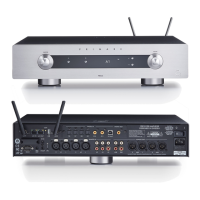
OUTPUTS
Loudspeaker outputs
Connect the left and right loudspeakers to the corresponding terminals. The
terminals can accept speaker cables terminated with 4mm banana plugs,
spade terminals, or bare wires. To connect bare wires unscrew the terminal,
pass the bare wire through the hole in the terminal bolt, and clamp the wire in
place by screwing the terminal back down.
Preamplifier outputs
The preamplifier output sockets provide a line-level output from the I30
preamplifier stage which can be connected to another power amplifier, such
as the Primare A30.2. The level of this output is controlled by the volume
control on the I30.
The TAPE OUT sockets provide a fixed level copy of the currently selected
source, suitable for connecting to a tape recorder.
The TAPE1 OUT sockets provide a fixed level copy of the currently selected
source, or a copy of the TAPE1 input, depending on the position of the
MONITOR switch.
INPUTS
Source inputs
Connect each source to the appropriate source input, connecting the right
channel to the red socket and the left channel to the white socket.
To connect an analogue turntable with a moving magnet or moving coil
cartridge you will need an additional phono preamplifier such as the Primare
R20. The output of the turntable is connected to the R20, and the output of the
R20 should be connected to a spare input on the I30, such as AUX.
A ground terminal is provided below the input sockets to allow you to provide
a direct ground connection for sources in order to remove hum loops.
§3 Connecting.pm7 31/10/05, 10:00 am8



 To Next Page