18 Maintenance and Troubleshooting
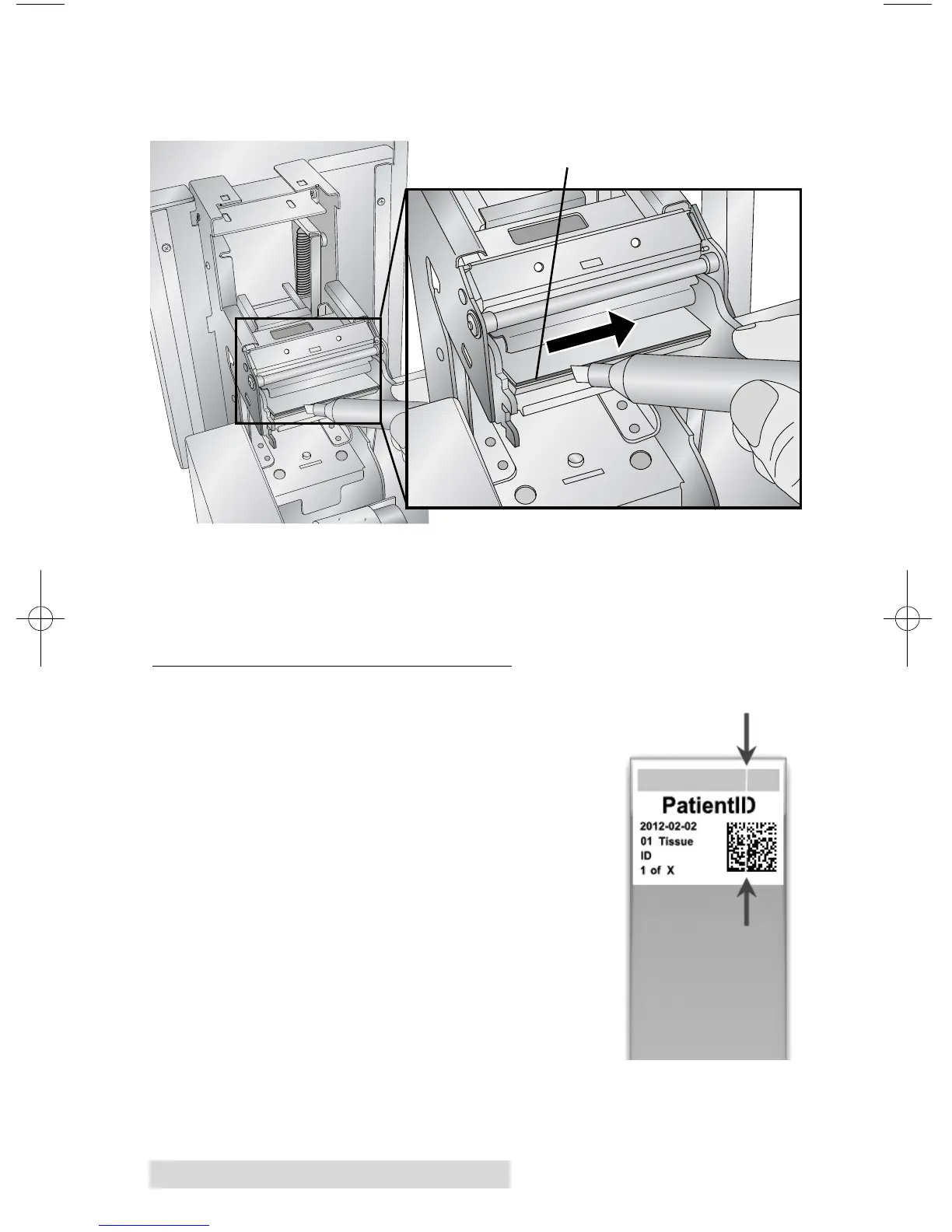
3. Locate the Print head mounted to the underside of
the cover.
4. Clean the print head using the print head pen. Swipe the
tip across the burn line 1 or 2 times. If you notice the tip
getting dirty, clean it by wiping it across a clean paper
surface.
C. REPLACING THE PRINT HEAD
If cleaning the print head (Section 3B) does
not resolve a quality problem such as a
vertical line through the entire print, it
may be time to replace the print head.
Print heads are designed to last tens of
thousands of prints. However, it is possi-
ble a premature failure could occur if high
heat settings were continuously used, it is
used in a particularly hot environment or if
slides not recommended for the printer are
used. Print Head Part Number : 78250
1. Unplug Power.
2. Open the printer cover.
3. Locate the Print head mounted to the
underside of the cover.
Vertical Line
in Print
Burn Line



 To Next Page
 Loading...



