13
LAYOUT
Function & Install instruction
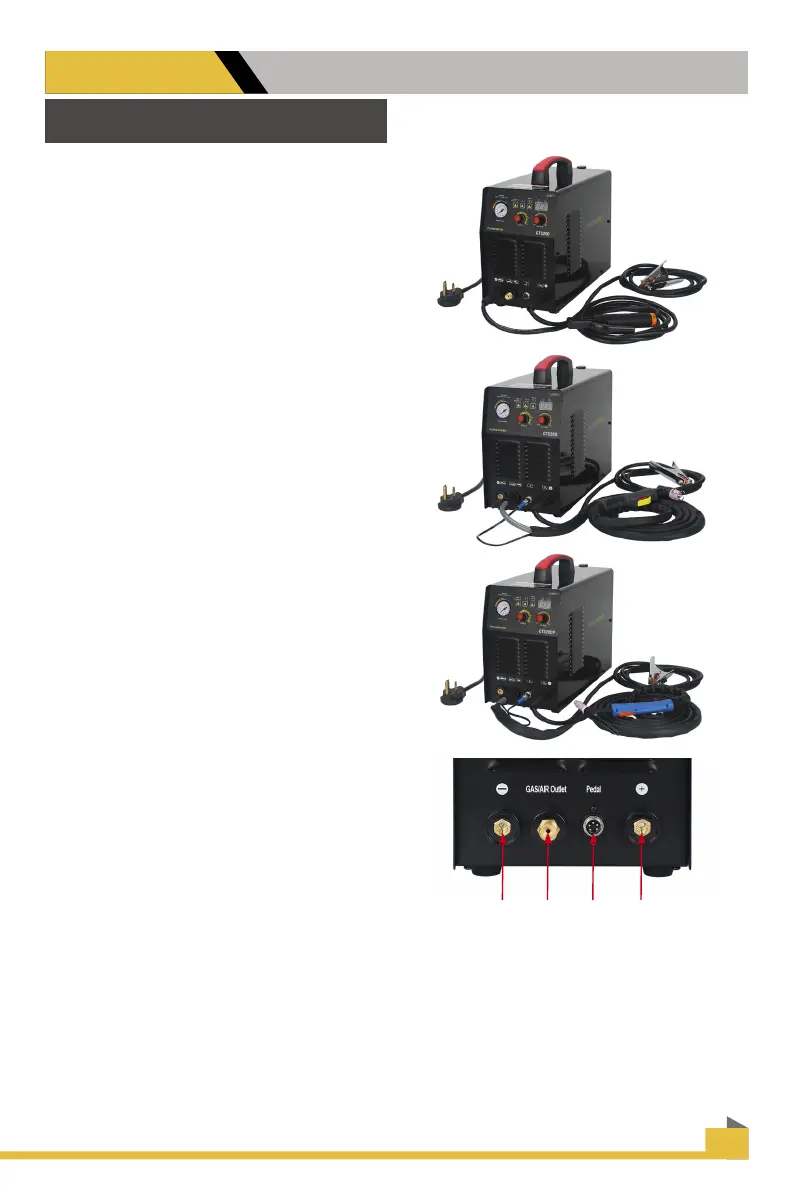
HOW TO USE MMA(Stick)
Select MMA mode, Stick holder connect to
left socket, same time connect earth clamp
to the right socket.
HOW TO USE CUT
Before start use cutting function, need to
select cut mode, then connect torch and
switch and pilot arc wire also earth clamp
to panel of machine. start cutting after all
connectting.
HOW TO USE TIG
Select TIG mode, connect torch, switch and
earth clamp to panel of machine. start TIG
welding after nish all connectting.
1. For connect stick holder
2. GAS/AIR OUTLET
3. PEAL/ Torch switch
4. For connect earth clamp
1
2 3 4


 To Next Page