Left Display Right Display
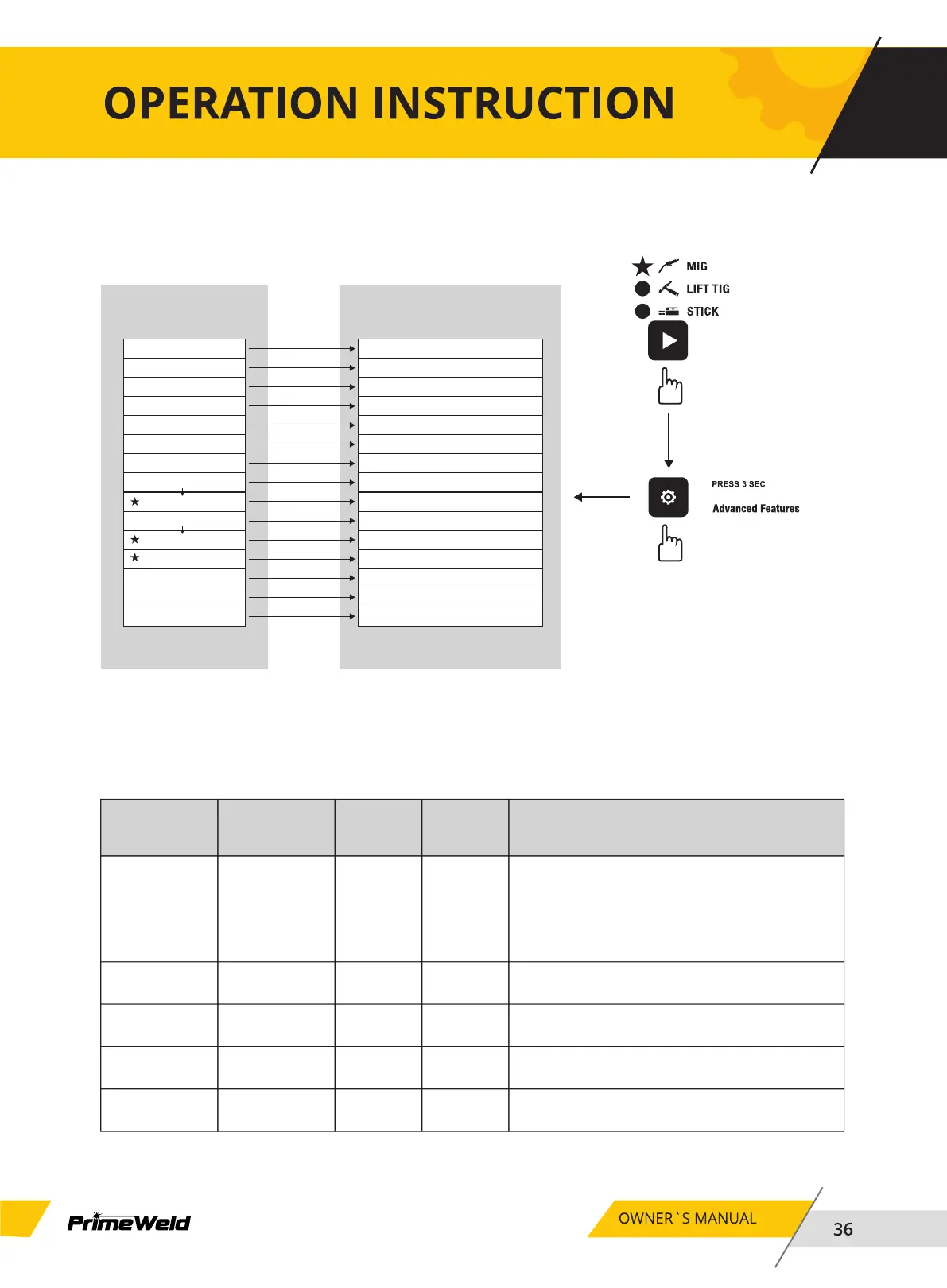
MIG/MAG/FLUX Mode Advanced Features Menu map
PROC / ESS
WIRE / DIAM
PRE- / FLOW
POST / FLOW
Run / IN
BURN / BACK
WIRE / SHRP
SPOT
SPOT / TIME
STCH
STCH / TIME
DWEL / TIME
WFS / UNIT
FACT / DFLT
HR
Press Advanced Button for 3s
to Exit to Welding Mode
Advanced Menu-MIG
Mode
Advanced Features Selection
C25/C100/FLUX/ALUX
0.024/0.030/0.035/0.045
0.0-2.0 S
0.0-10.0 S
30-150%
0.00-1.00 S
ON OFF
ON OFF
0.1-20.0 S
ON OFF
0.2-4.0 S
0.1-1.0 S
MPM IPM
NO YES
0.0-9999.9
Press Advanced Button for 3s
to Exit to Welding Mode
Advanced Menu-MIG
Options or Range
Right Knob Selection
NOTE: SPOT TIME and STCH TIME and DWEL/TIME are only active
when SPOT or STCH are “ON”.
Limits
Function
Left
Display
Right
Display
(Factory Default
Values)
Comments
MIG Operator
Controls
C25 C25/C100/
FLUX/ALUM
PROC/ESS
Wire Diameter 0.030 0.024/0.030/
0.035/0.045
WIRE/DIAM
Pre Flow 0.1 0.0-2.0SPRE- /FlOW
Post Flow 1.0 0.0-10.0SPOST/FLOW
Run In 30 30-150%RUN/IN
C25=75%Ar+25%CO2
C100=100%CO2
FLUX=No Gas,Use the cored self-protecting
wire.
ALUM=100%Ar,Use the aluminum wire. Adjust
the parametes by selected Shielding gas.
Adjust the parametes by selected wire diameter.
Shielding gas flows for the time specifed before
an arc is initiated.
Shielding gas flows for the time specifed after
an arc has extinguished.
Wirespeed runs as a percentage of preset
wirespeed.


 To Next Page