32
MAINTENANCE
CLEANING THE OUTSIDE OF THE MACHINE
Clean the outside and the programme panel
using mild detergent. Do not use abrasives or
solvents as they may damage the machine. Do
not spray the machine with water.
NOTE!
Do not let dust collect around the machine.
Keep the area around the dryer clean and cool.
Heat and moisture prolong the drying time.
CLEANING THE FAN
Once a year check whether the fan needs clea-
ning.
1. Switch off the power switch.
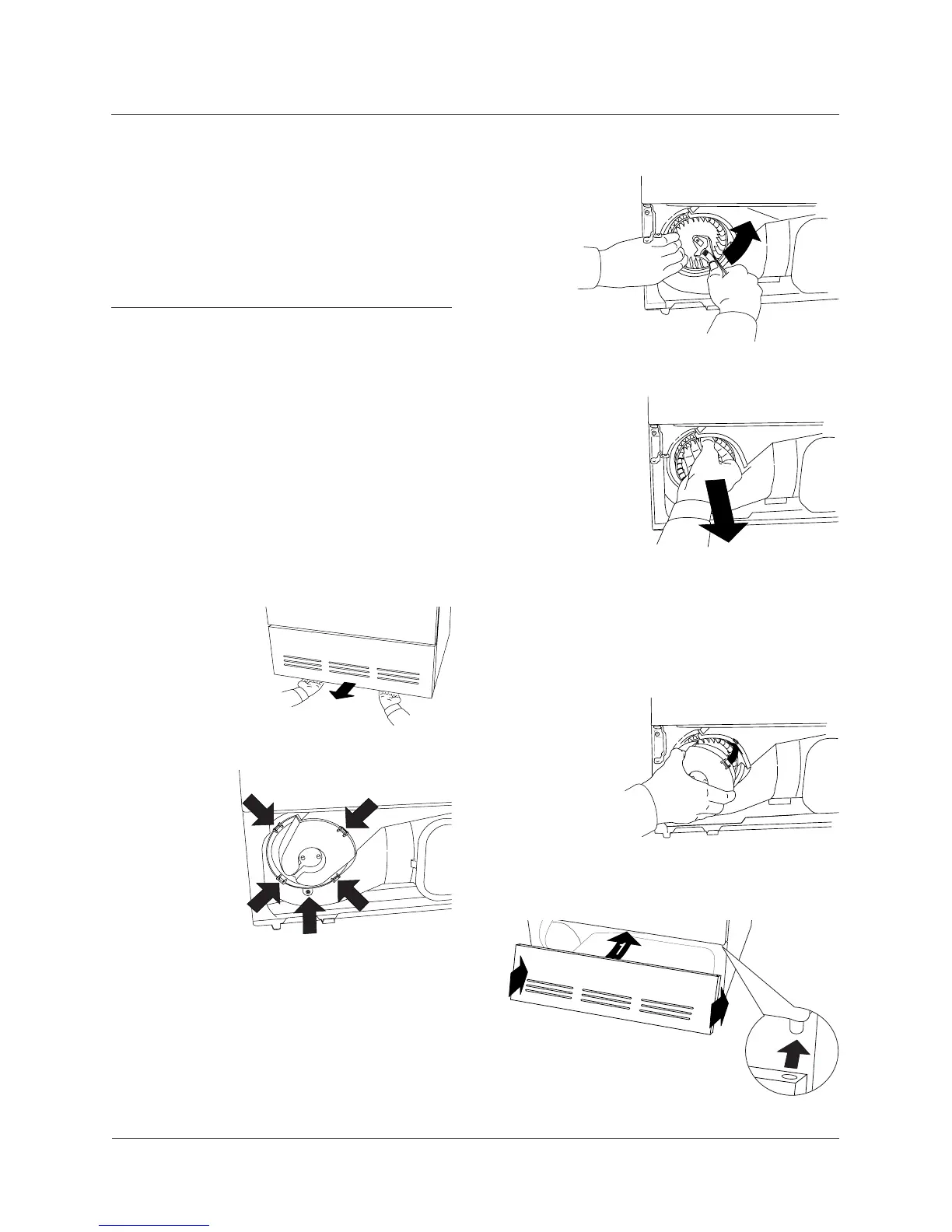
2. Remove the lower front panel.
3. Remove the safety screw (1). Prise out the
four clips in the
order shown and
remove the fan
cover.
2
2
4. Hold the fan and unscrew the nut.
5. Take out the fan and clean it with water and
a brush.
6. Refit the fan and tighten the nut.
7. Refit the fan cover, making sure the clips
hold the cover
in place. Don’t
forget to fit the
safety screw.
8. Refit the front panel.
1
4
3
5
2
TUMBLE DRYER MAINTENANCE


 To Next Page