Load Media
245
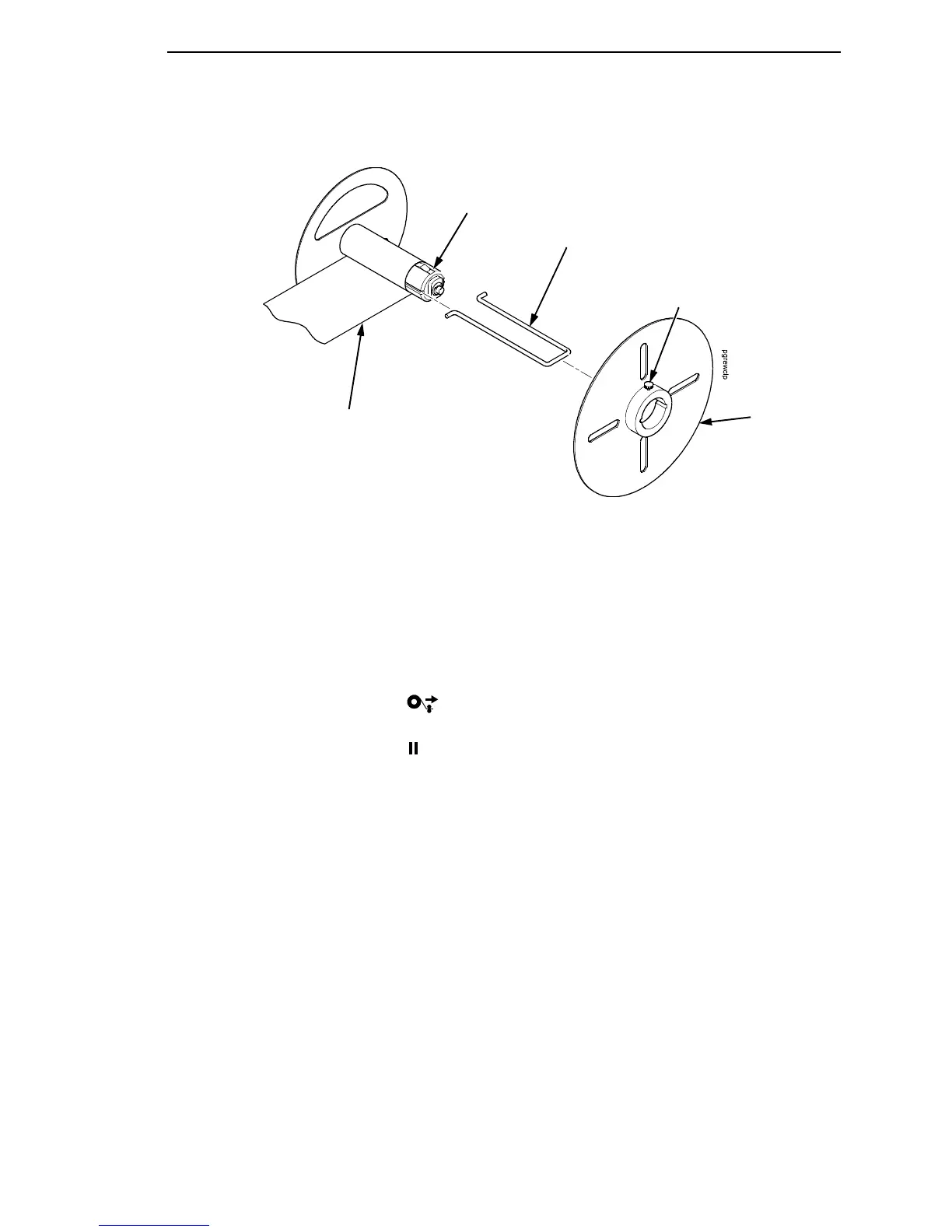
Figure 14. Securing Media on the Rewinder
7. Insert the media rewinder clip to secure the media. See Figure 14.
8. Manually rotate the rewinder one full revolution until the media is taut.
9. Install the media retainer onto the rewinder until it is flush against the
liner.
10. Tighten the thumbscrew
11. Rotate the deck lock lever clockwise to close the pivoting deck.
12. Press the (Feed) key to advance the media to the next
TOF (Top-of-Form) position.
13. Press the (Pause) key until ONLINE displays.
14. Close the side cover and media cover.
IMPORTANT
The rewinder supports a maximum diameter of 8 inches of printed labels
(including rewinder diameter). Exceeding this diameter can cause
printed labels to rub on the bottom pan.
Media Rewinder
Clip
Rewinder
Media
Thumbscrew
Media
Retainer



 To Next Page