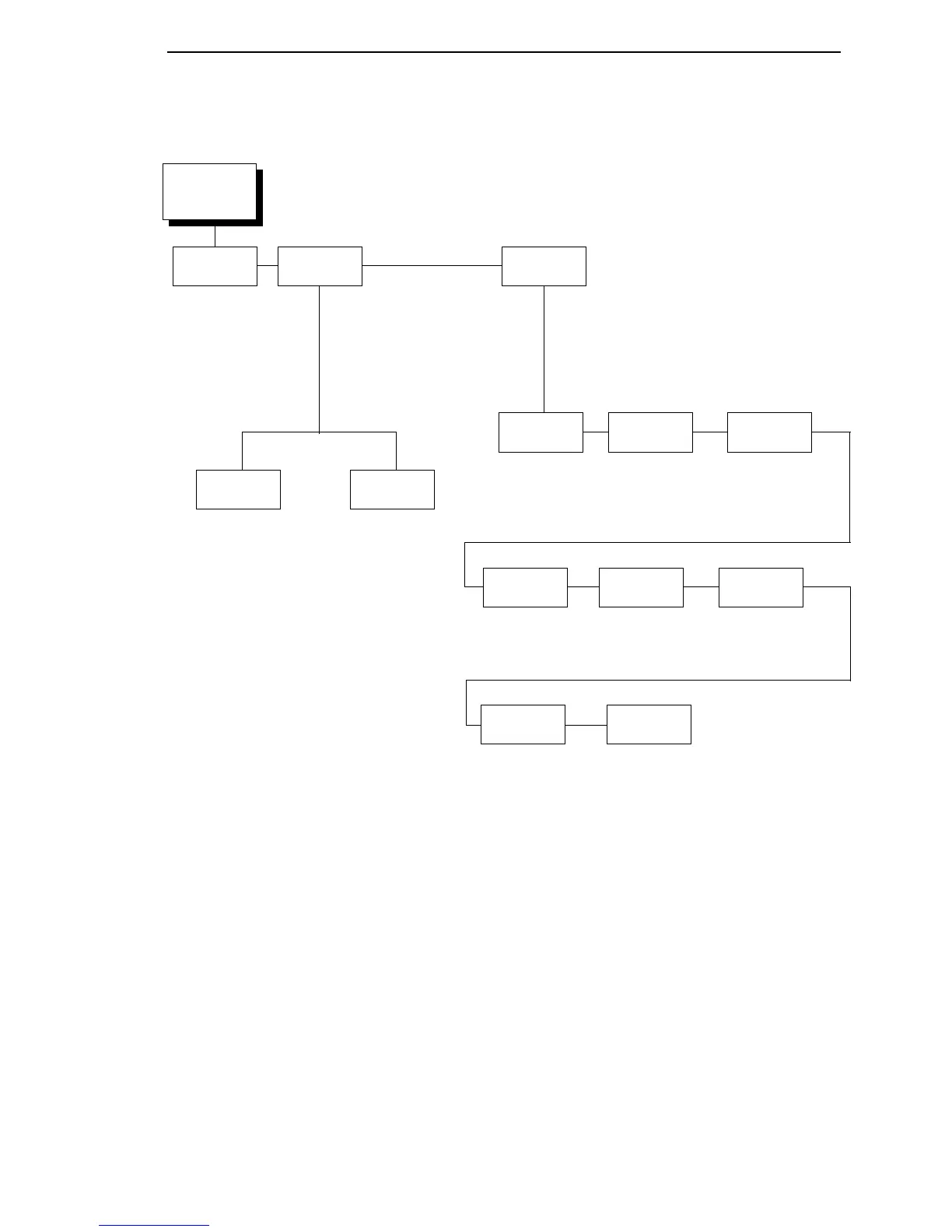
EMULATION
(from page 66)
Select Emulation
Setup
See page 94 or
refer to the PGL
Programmer’s
Reference
Manual
PGL*
ZGL
TGL
IGL
STGL
DGL
IEGL
MGL
PGL
Setup
4
Refer to the ZGL
Programmer’s
Reference Manual
ZGL
Setup
4
Refer to the TGL
Programmer’s
Reference Manual
TGL
Setup
4
Refer to the STGL
Programmer’s
Reference Manual
STGL
Setup
4
Refer to the DGL
Programmer’s
Reference Manual
DGL
Setup
4
Notes:
* = Factory Default
Italicized items are available only when you enable Admin User (in the PRINTER
SETUP menu).
1
This menu appears only if PGL is selected in the Select submenu.
2
xxx is set to the active emulation (PGL, ZGL, TGL, IGL, STGL, DGL, IEGL, or MGL).
3
xxx is set to the active emulation (ZGL, TGL, IGL, STGL, DGL, IEGL, or MGL).
4
This menu appears only if the emulation is selected in the Select submenu.
XXX
Diagnostics
2
Refer to the IGL
Programmer’s
Reference Manual
IGL
Setup
4
On*
Debug
Fault
Off
Host
PGL
Diagnostics
1
Disable*
Print
Debug Port
xxx
Diagnostics
3
Refer to the MGL
Programmer’s
Reference Manual
MGL
Setup
4
Refer to the IEGL
Programmer’s
Reference Manual
IEGL
Setup
4



 To Next Page