www.probuilttools.com
10
DIGITAL ON-SCREEN FOOTAGE COUNTER
Models: PB2000, PB-Mycro, PB2400ES, PB3600ES
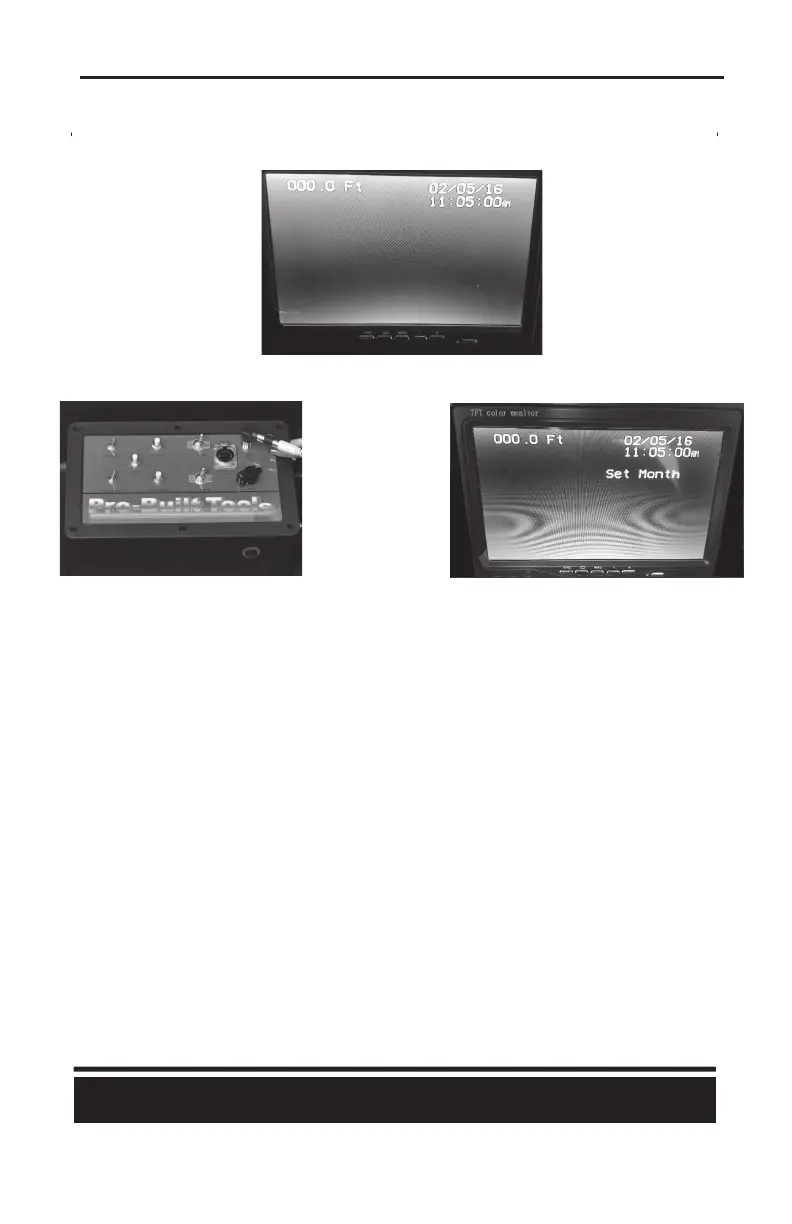
Your installed Digital On-Screen Footage Counter will display on the screen as follows:
The control panel for the Digital On-Screen Footage Counter is on the le half of your main controller:
The controls are as follows:
1) Reset – Will reset the on-screen footage count to 000.0
2) Hide Name – Will toggle the display of the name/phone number at the boom-center of the
screen on/off (if pre-programmed)
3) Hide Display – Will toggle the enre text overlay (date, me, count, name) on/off the screen
4) Set/Move – Use to set the date/me
5) Increment – Use to set the date/me
How to set the date/me:
1) Hold down the “Set/Move” buon for approximately 7 seconds unl “Set Month” appears on
the screen
2) Press the “Increment” buon to raise the value of the high-lighted field +1
3) Press the “Set/Move” buon to move to the next field, in this order: Month, Date, Years, Hours,
Minutes, Seconds, Hour Mode
a) Hour Mode – Allows for 12 hour clock (AM/PM) or 24 hour clock
b) Seconds – Pressing the “Increment” buon while on “Seconds” will reset to zero seconds
c) Pressing the “Set/Move” buon aer the “Hour Mode” field will remove you from
programming mode.



 To Next Page