www.probuilttools.com
8
LOCATING YOUR CAMERA
Models: PB2000, PB-Mycro, PB2400ES, PB3600ES
Aer you’ve pushed your camera through the pipe and have decided that you are at a point where you
would like to determine the locaon and depth of your camera head, please follow these steps:
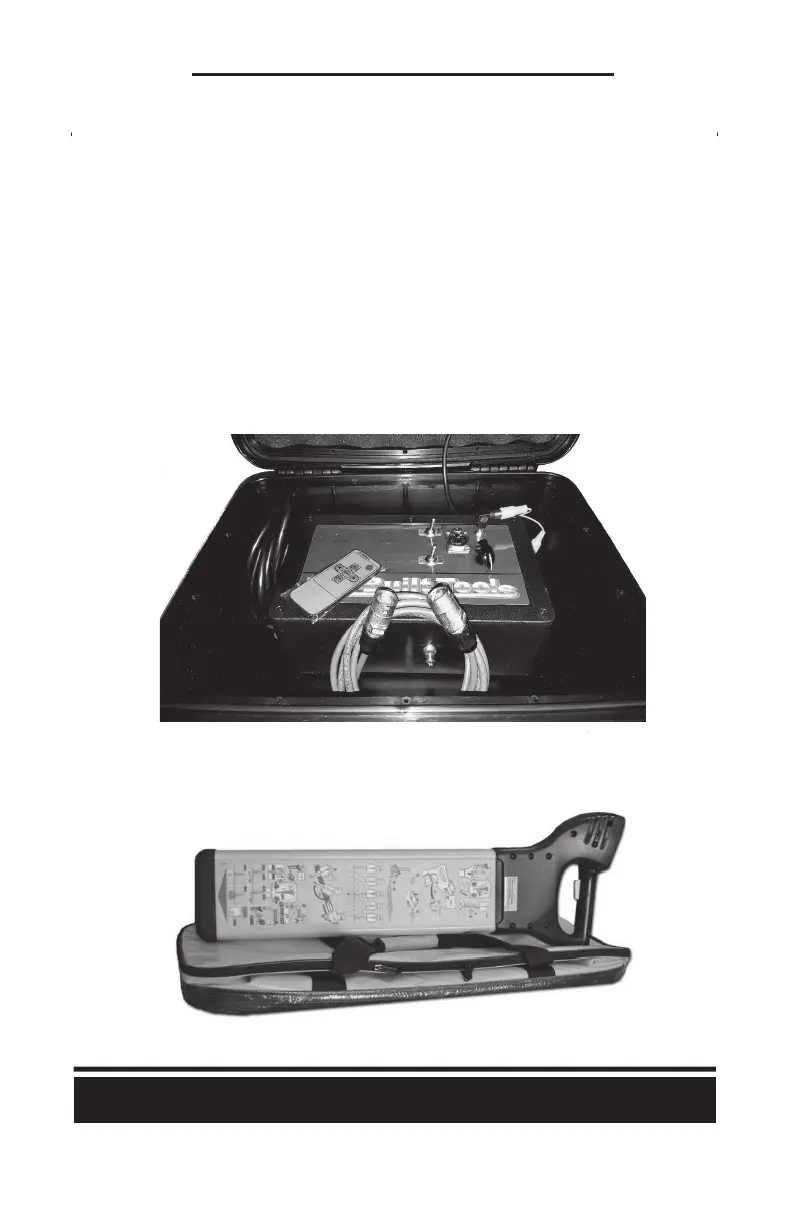
1) Turn on your “Sonde” by pressing the “Sonde” switch to the “on” posion. (The “Sonde” toggle
switch is located just above the “Power” toggle switch on the controller)
a) Note: This will make you either lose video (blue screen) or get horizontal lines over your
video – This is normal and means that your sonde is funconing.
b) Note: If you have a Digital On-Screen Footage Counter installed on you system, you will
instead see a black screen with only the footage showing – This is normal and means that
your sonde is funconing.



 To Next Page