www.probuilttools.com
13
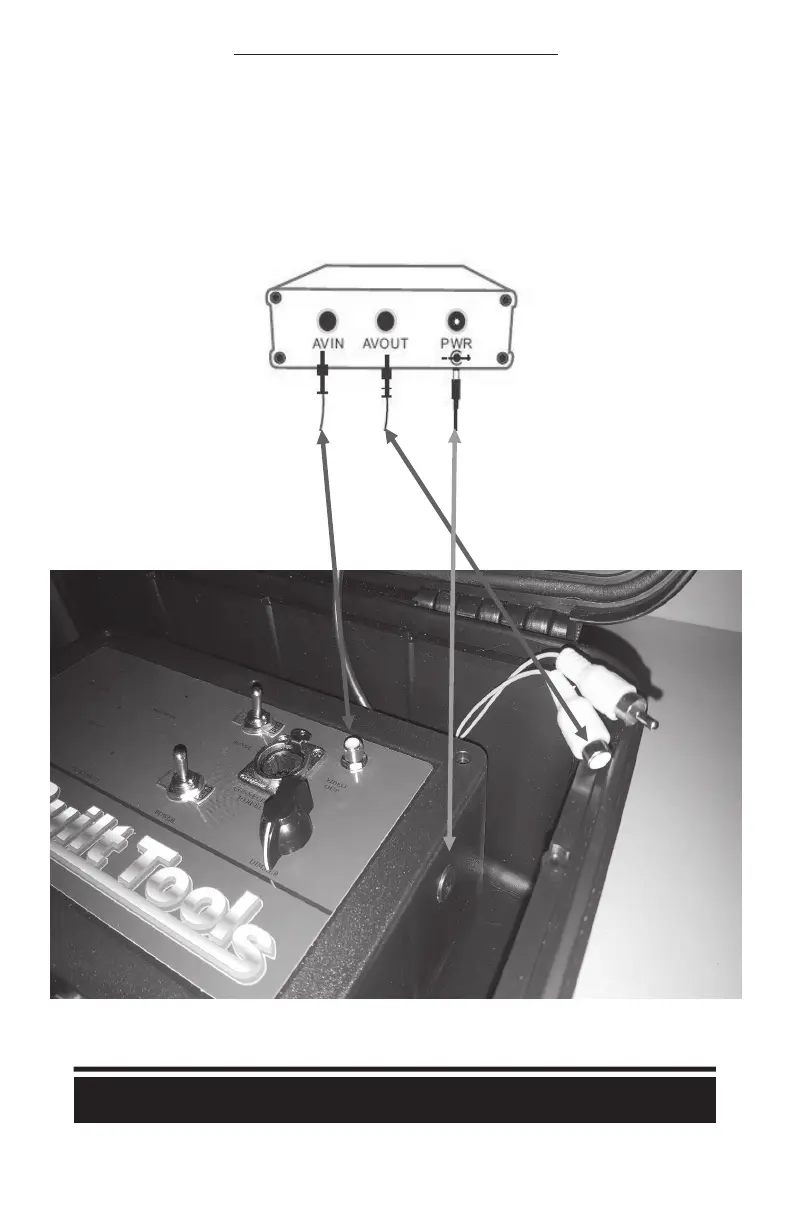
INSTALLING THE SD RECORDER TO YOUR SYSTEM
1) Route an RCA Cable from your SILVER “Video Out” jack on the top of the control box to the
WHITE “Video IN” plug on the back of the recorder.
2) Route the WHITE “Video OUT” plug from the back of the recorder to the YELLOW RCA jack
behind your Controller.
3) Apply a 12v power supply to the SD Card Recorder
a) Use the available 12v out jack on the right side of your recorder or,
b) Use the supplied 12v power supply to plug directly into a 110v wall receptacle



 To Next Page