www.probuilttools.com
22
HEAD REMOVAL & INSTALLATION GUIDE
Models: PB2000, PB2400ES, PB3600ES
NOTE: Pro-Built Tools recommends that you send your equipment to an
authorized service center and have an authorized Pro-Built Tools Technician
work on your product. Please contact a technician for further diagnosis and instructions.
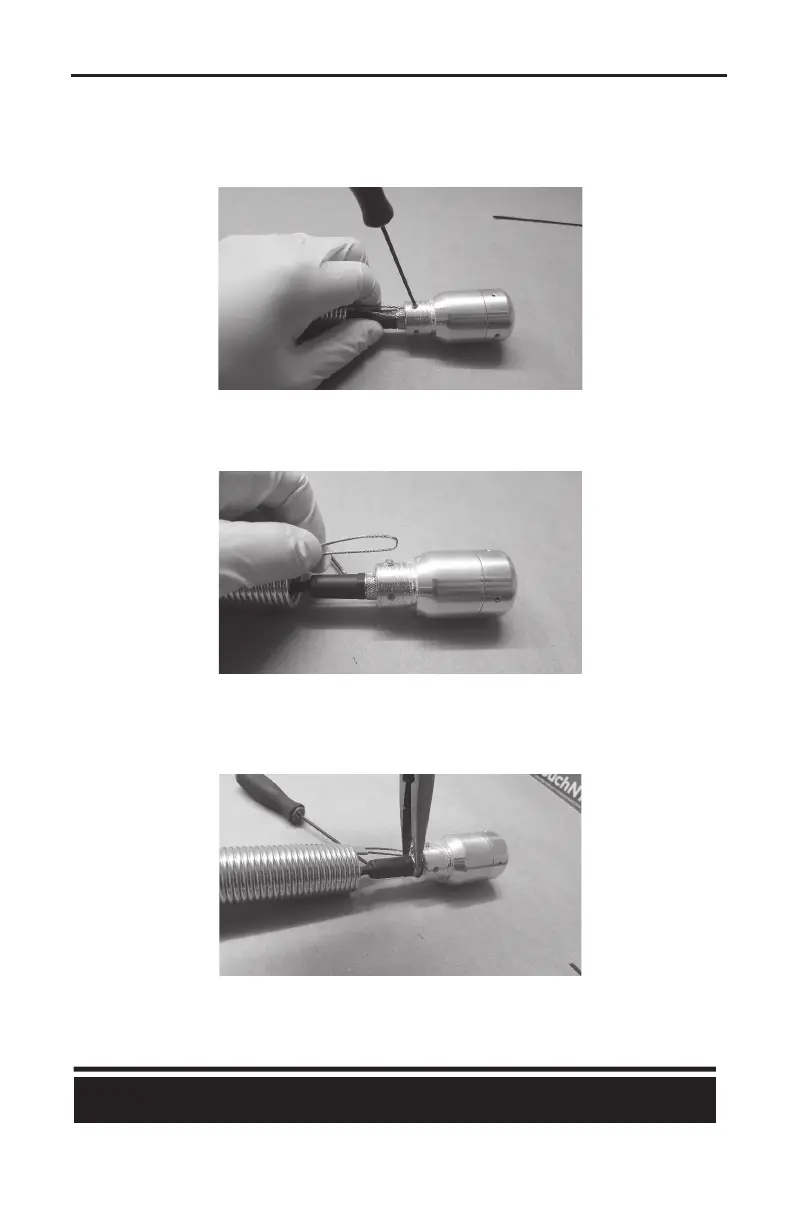
4) Once the head is removed from the spring, use a 5/64” Allen Key to back out the SINGLE set
screw that lines up with the loop of the tension cable.
5) Once backed out (or removed completely), you may pull the tension cable from the head. If it
does not pull out completely, that’s OK. It can come out easily aer the pin connector is
removed (see ahead).
6) Use your needle nose pliers to unthread the KNURLED RING from the back of the camera head.
DO NOT SPIN THE WIRES OR THE HEAD in this process. The threads on the knurled ring are a fine
thread, so it will take several turns to completely back it out. Once unthreaded, it will pull back
from the camera head VERY EASILY.



 To Next Page