GP4000 Series Hardware Manual
143
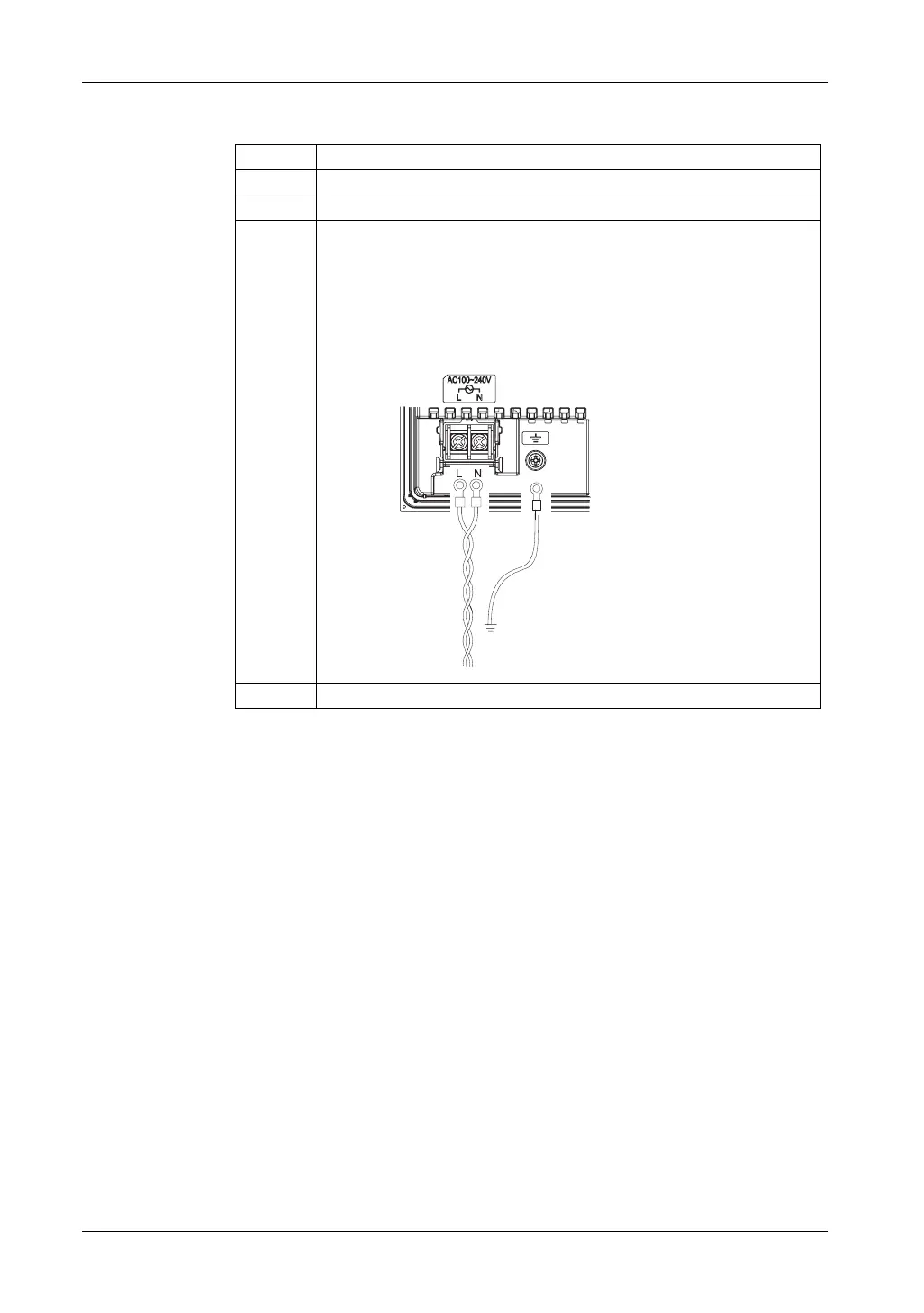
How to connect the AC Power Cord
Step Action
1 Confirm the power cord is not connected to the power supply.
2 Open the terminal strip’s clear plastic cover.
3 Remove screws from the L, N, and FG (functional ground) terminals. Attach the
ring terminals and reinsert the screws. Check each wire to make sure the
connections are correct.
NOTE: The torque required to tighten these screws are as follows:
z Terminal Block: 1.4 N•m (12.4 lb•in.)
z FG (functional ground) Terminal: 1.4 N•m (12.4 lb•in.)
4 Close the terminal strip’s clear plastic cover.





 To Next Page