GP4000 Series Hardware Manual
169
Step Action
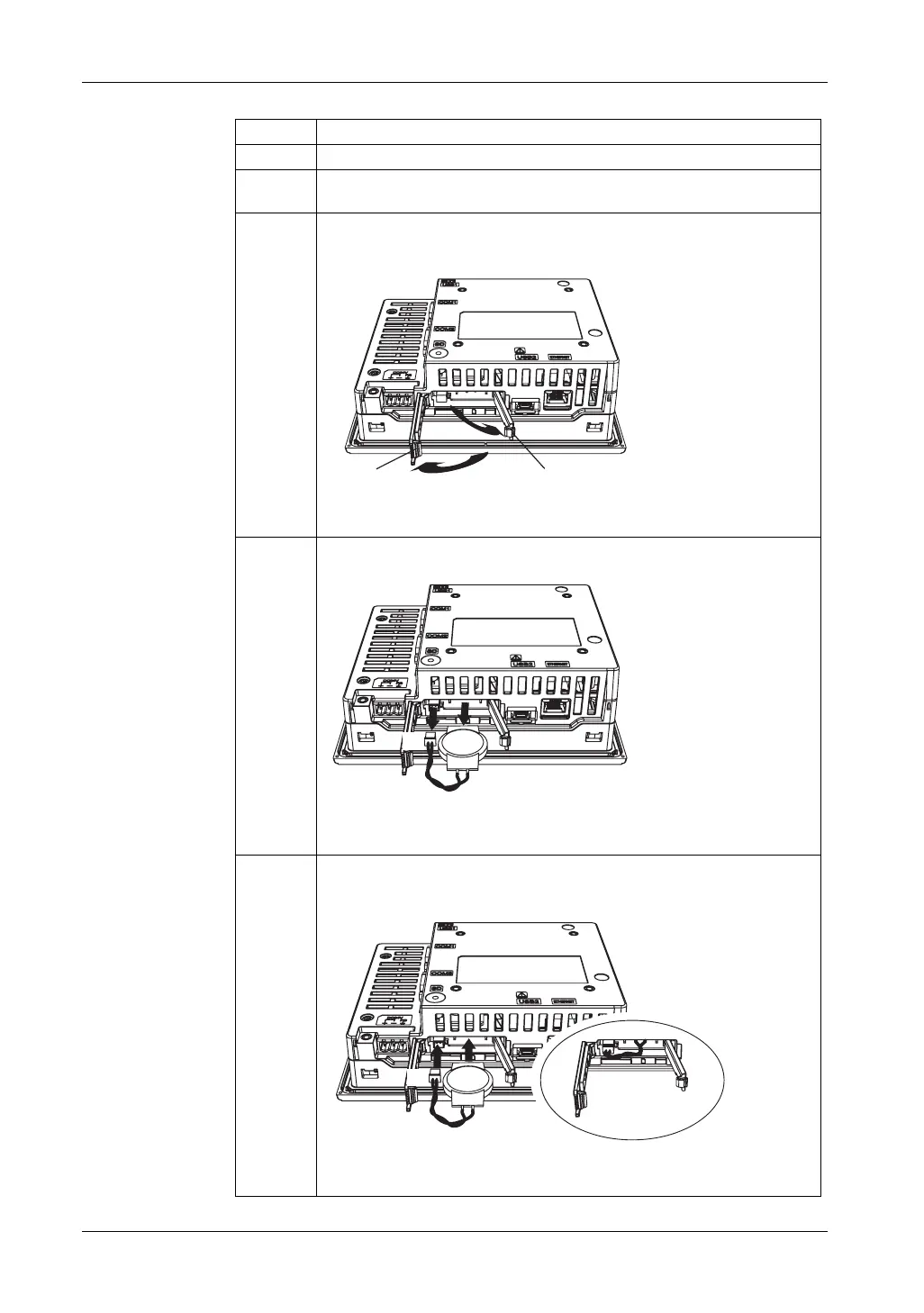
1 Disconnect the power supply from the GP unit.
2 Touch the housing or ground connection (not the power supply) to discharge
any electrostatic charge from your body.
3 Open the SD Card Interface Cover by pressing its tab. Next, open the
Replacement Battery Insertion Cover by pressing its tab.
1 SD Card Interface Cover / Tab
2 Replacement Battery Insertion Cover / Tab
4 Remove the primary battery and connector.
1 Connector
2 Primary battery
5 Insert the replacement battery and connector all the way. Either side of the
battery can face top or bottom.
1 Connector
2 Replacement battery
(1)
(2)





 To Next Page