IMPORTANT
When the settings for the both COM1 and COM2 ports are configured for
GP-2300T/S/L, the settings for the COM2 port are not converted on GP-Pro EX. If
you still need the settings of the COM2 port for GP-2300T/S/L, add Device/PLC
setting from [System Settings] on the [Project] menu of GP-Pro EX.
Convert GP-PRO/PBIII for Windows “Destination CF Card Folder”
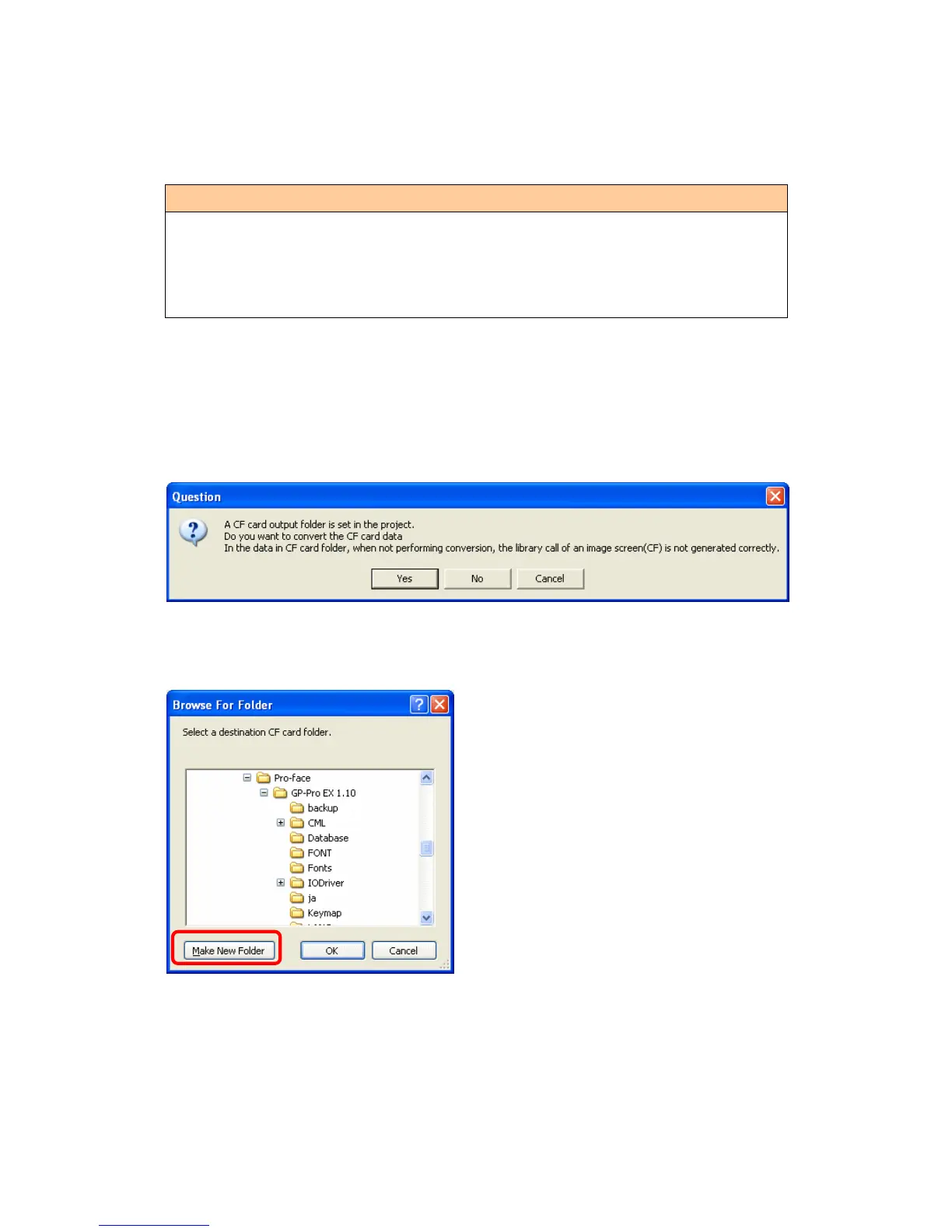
If you convert a project file (*.prw) with a destination CF card folder designated in the
step 6, the Question dialog box asking whether or not to designate the destination CF
card folder for the convert destination appears again.
Select a folder (e.g.: “Database”) and click [OK].
If you click the [Make New Folder] button, you can create a new folder at any location.
37/59




 To Next Page