GP-4402WW/GP-4502WW Hardware Manual
45
Panel Mounting Procedure
NOTICE
PANEL UNSTEADY WHEN UNSECURED
Keep panel stabilized in the panel-cut while you are installing or removing the screw fasteners.
Failure to follow these instructions can result in equipment damage.
Step Action
1 Place the panel on a clean and level surface with the display face pointing downward.
2 Check that the installation gasket of the panel is seated securely and runs all the way around
the perimeter of the frame.
3 Create the correct sized opening required to install the panel, using the installation dimensions
(see page 38).
4 Insert the panel into the panel-cut.
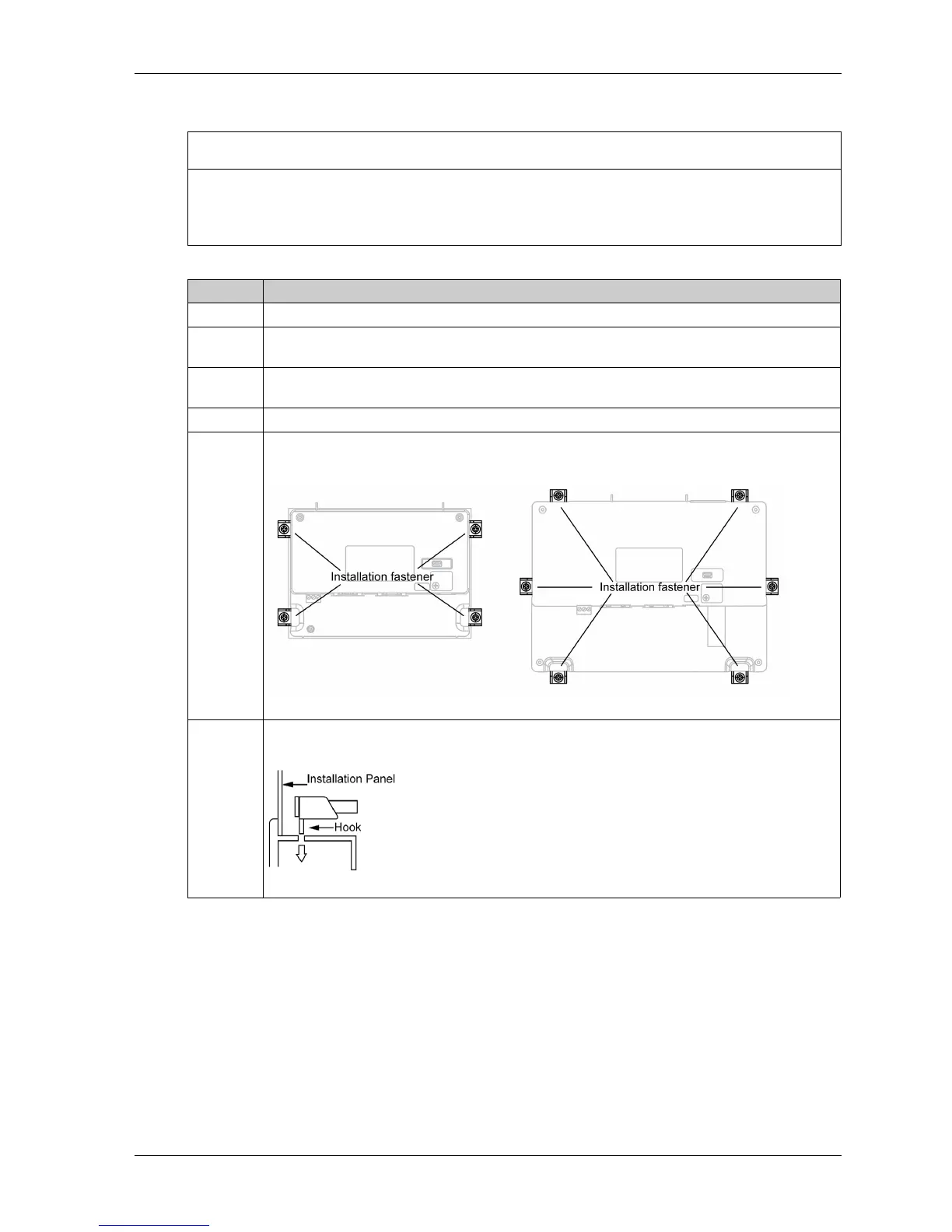
5 Insert the installation fasteners into the panel‘s insertion slots on the left and right sides (and on
the top and bottom sides of the GP-4502WW):
6 Slide the fasteners flat against the panel. If the fasteners are not correctly attached, the panel
may shift or fall out:





 To Next Page