PL-6930 / PL-7930 Series User Manual
5-12
Keyboard Features
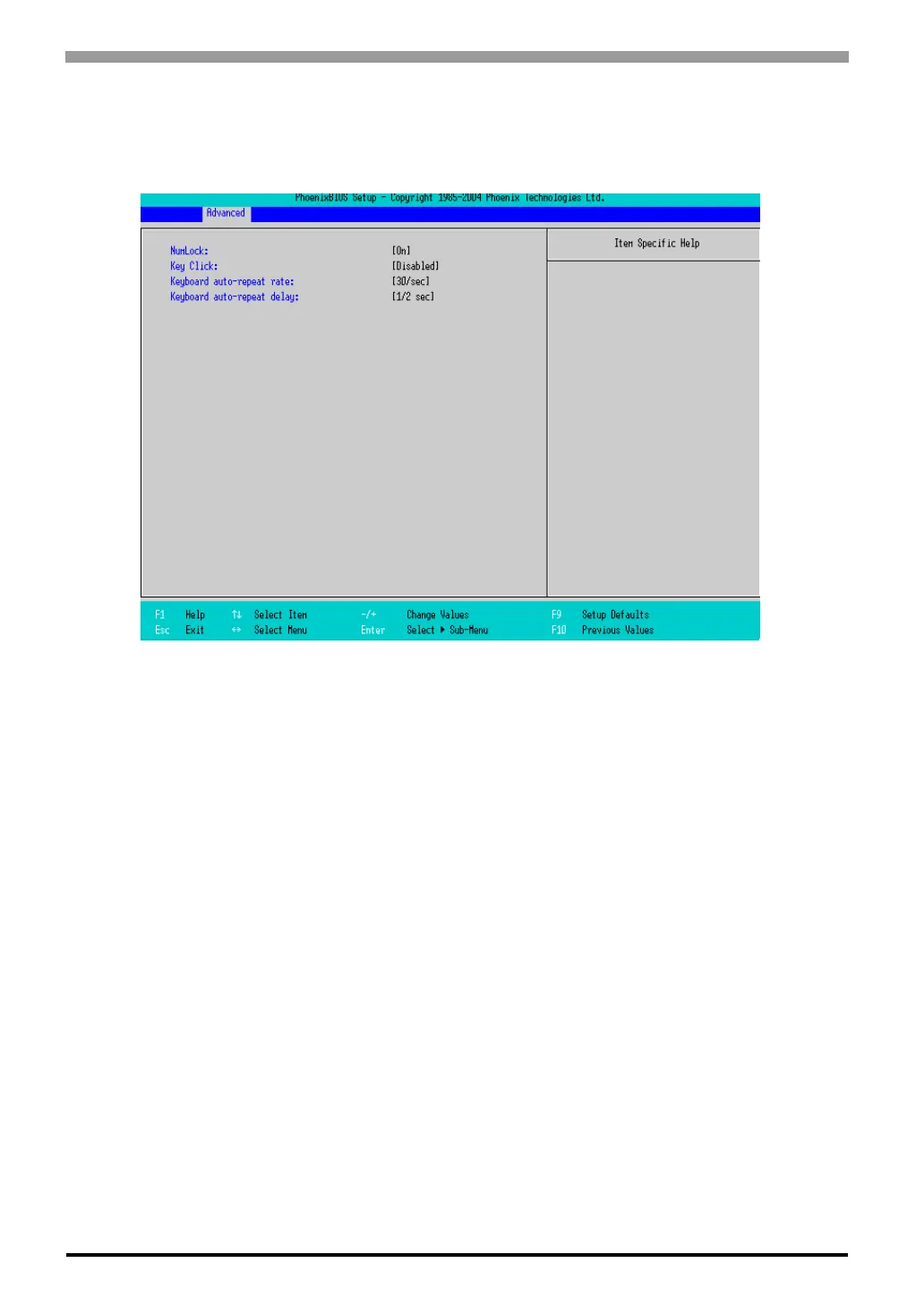
Point the cursor to the [Keyboard Features] on the [Advanced Chipset Control] and press the [Enter] Key, so
that the next screen will be displayed.
NumLock
Specifies the NumLock status. Select from [Auto], [On], or [Off]. The factory default setting is [On].
KeyClick
Specifies an enabled/disabled state for the keyboard’s click sound. Select [Enabled] or [Disabled]. The factory
default setting is [Disabled].
Keyboard auto-repeat rate
Specifies the figures of how many times a key can input letters while being pressed for a second. Select from
[30/sec.], [26.7/sec.], [21.8/sec.], [18.5/sec.], [13.3/sec.], [10/sec.], [6/sec.], or [2/sec.]. The factory default
setting is [30/sec.].
Keyboard auto-repeat delay
Specifies a time duration until the auto-repeat function becomes enabled from a key is pressed. Select from [1/
4 sec.], [1/2 sec.], [3/4 sec.], or [1 sec.]. The factory default setting is [1/2 sec.].



 To Next Page