Chapter 4 Installation and Wiring
4-5
Installing the PL
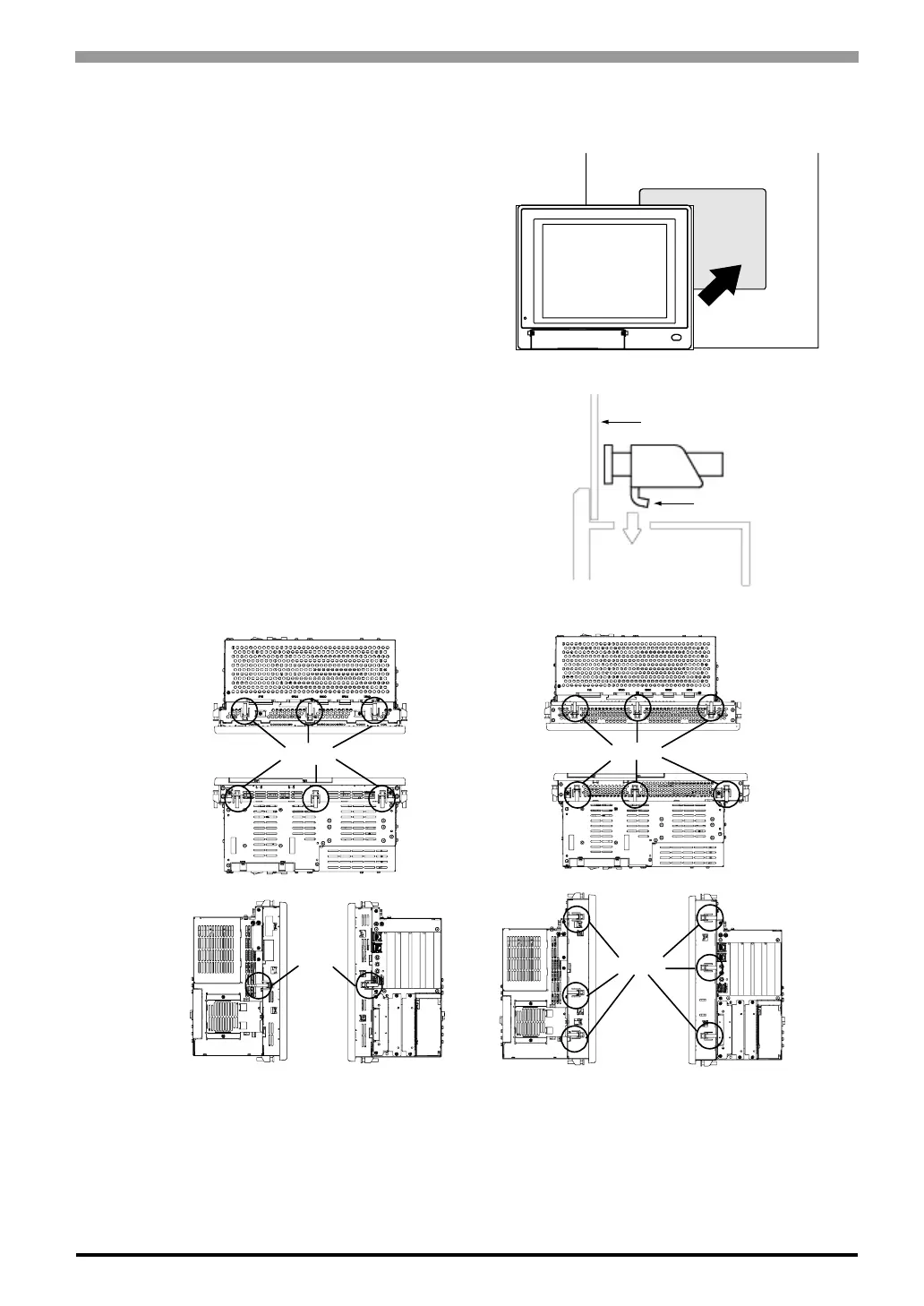
(1) Insert the PL into the panel cut, as shown.
(2) Insert the installation fasteners into the PL
insertion slots on the left, right, top, and
bottom of the unit. (8 slots for PL-6930
Series and 12 slots for PL-7930 Series)
Installation Panel
Hook
Slots
Slots
PL-6930 Series
PL-7930 Series



 To Next Page