9
7
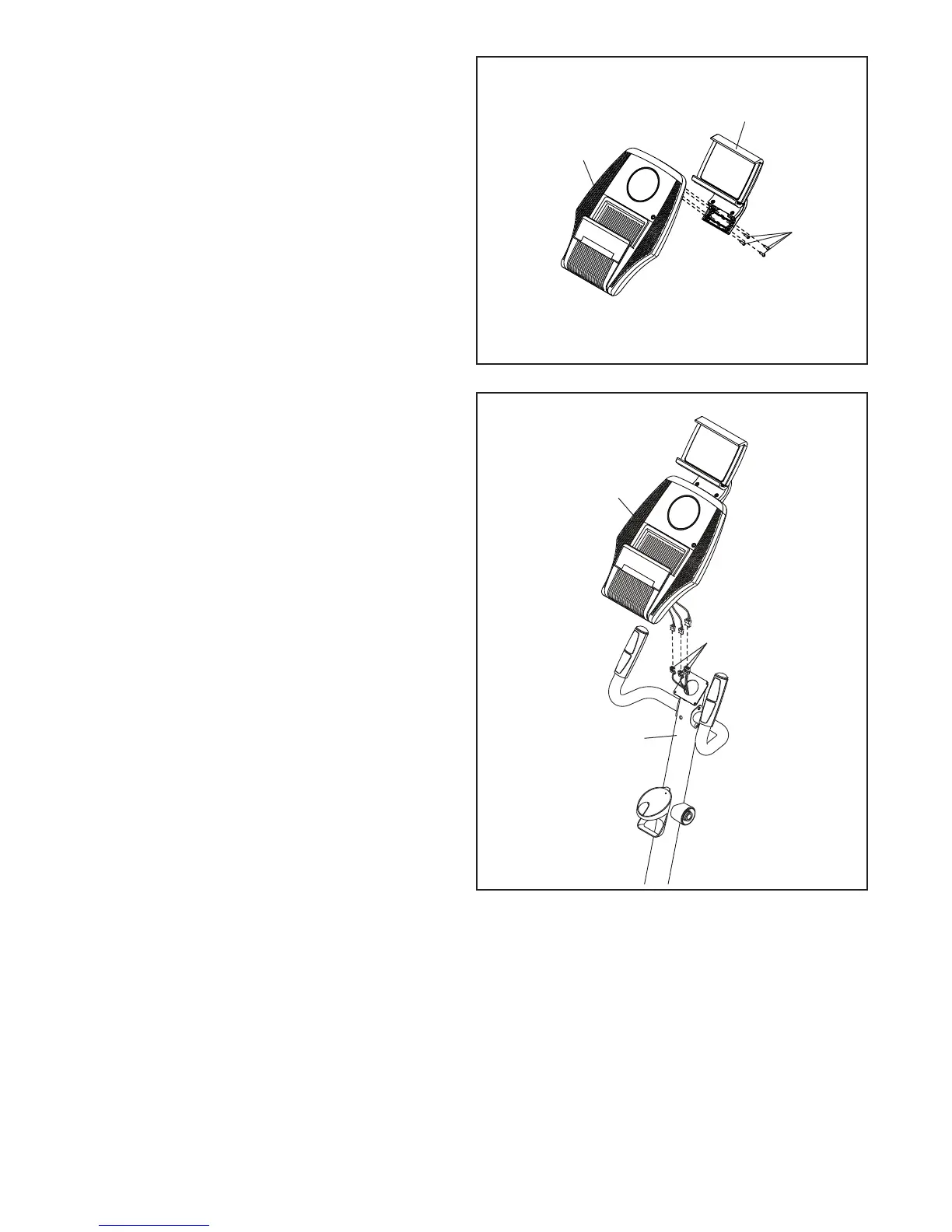
7. Attach the Tablet Holder (32) to the Console (23)
with four M4 x 12mm Screws (89); start all the
Screws, and then tighten them.
8. Untie and discard the wire ties on the Wire
Harness (73) and the Pulse Wires (84).
While a second person holds the Console (23)
near the Upright (2), connect the console wires
to the Wire Harness (73) and to the Pulse
Wires (84).
8
2
23
73, 84
23
89
32









 To Next Page