EasyManua.ls Logo

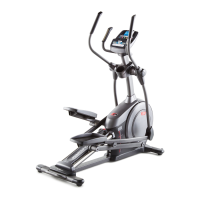
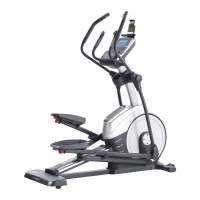
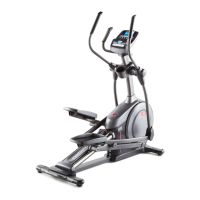
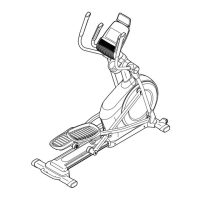
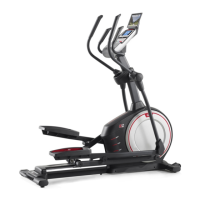
Pro-Form 475 E Elliptical - User Manual

Pro-Form 475 E Elliptical
24 pages
Print Icon
To Next Page IconTo Next Page
Loading...
!!!!"#$%&'(
)*+,!+--!./*0+123456!+5,!3562/107
23456!35!2836!9+51+-!:*;4/*!1635<!
2836!*=13.9*52>!?**.!2836!9+51+-!
;4/!;121/*!/*;*/*50*>
@4,*-!(4>!ABC>DBEBF>G
H*/3+-!(4>!!!!!!!!!!!!!!!!!!!!!!!!!!!!!!!!!!
!"#$%&$'%&(%"#)*&+,-.%"&#+&$'%&(/)0%&
).12%&31"&"%3%"%+0%4
I!#66*9:-J
I!'.*/+2345
I!@+352*5+50*
I!K+/2!L362!+5,!M/+N35<
H*+/6O!)4*:10P!+5,!"4>
Q4;;9+5!R62+2*6O!&L!SGCTE
RLL&K%&"#L!RUR)"&HR)
$6*/V6!@+51+-
5%"#)*&6,-.%"&7%0)*

Questions and Answers

  • R
    Russell WilsonJul 30, 2025
    What to do if pedals slip on Pro-Form 475 E Elliptical Elliptical Trainer?
    • S
      shawnjonesJul 30, 2025
      If the pedals slip while you are pedaling on your Pro-Form Elliptical Trainer, you should adjust the drive belt. First, gently remove the Right Shield. Locate and loosen the M6 x 20mm Screw (25). Next, tighten the M10 x 50mm Screw (20) until the Drive Belt (55) is tight. Then, retighten the M6 x 20mm Screw. Finally, reattach the right shield, the outer and inner crank covers, the right roller arm, the right pedal arm, and the accessory tray.
  • M
    Michele GarciaAug 14, 2025
    How to adjust the reed switch on Pro-Form 475 E Elliptical?
    • M
      Monica GlassAug 14, 2025
      To adjust the reed switch on your Pro-Form Elliptical Trainer, follow these steps: 1. Use a flat screwdriver and carefully pry the Accessory Tray (50) upward off the Right and Left Shields. 2. Locate the Reed Switch (33). 3. Turn the Pulley (15) until a Magnet (65) is aligned with the Reed Switch. 4. Loosen, but do not remove, the indicated M4 x 12mm Screw (57). 5. Slide the Reed Switch (33) slightly closer to or away from the Magnet (65), and then retighten the Screw. 6. Rock the Pulley (15) forward and backward just enough that the Magnet passes the Reed Switch repeatedly. Repeat these actions until the console displays correct feedback. 7. When the reed switch is correctly adjusted, reattach the accessory tray.

Summary

Warning Decal Placement

Important Precautions

Before You Begin

Part Identification Chart

Assembly

How to Use the Elliptical

How to Move the Elliptical

Instructions for safely moving the elliptical exerciser, requiring two people.

How to Exercise on the Elliptical

Guide on how to properly mount, pedal, and dismount the elliptical for exercise.

How to Level the Elliptical

Steps to adjust leveling feet to ensure the elliptical remains stable on the floor.

Console Diagram

Features of the Console

Details the advanced features of the elliptical's console for effective workouts.

How to Use the Manual Mode

How to Use a Preset Workout

FCC Information

Maintenance and Troubleshooting

Console Troubleshooting

Addresses common console issues, primarily related to battery power.

How to Level the Elliptical

Steps to adjust leveling feet to ensure the elliptical remains stable on the floor.

How to Grease the Rollers

Procedure for lubricating the rollers to prevent squeaking and ensure smooth operation.

How to Adjust the Reed Switch

Guide to adjusting the reed switch for accurate console feedback and performance.

How to Adjust the Drive Belt

Exercise Guidelines

Exercise Intensity

Guidance on setting exercise intensity using heart rate zones for fat burning and aerobic fitness.

Workout Guidelines

Recommendations for warming up, training zone duration, and cooling down for effective workouts.

Exercise Frequency

Advice on workout frequency and consistency for maintaining fitness levels.

Part List

Exploded Drawing A

Exploded Drawing B

90 Day Full Warranty

Pro-Form 475 E Elliptical Specifications

General IconGeneral
ModelPro-Form 475 E
TypeElliptical Trainer
Resistance TypeMagnetic
Resistance Levels16
Stride Length18 inches
Weight Capacity250 lbs
Display TypeLCD
Heart Rate MonitorYes
Programs18
Warranty5-Year Frame, 90-Day Parts & Labor

Related product manuals