EasyManua.ls Logo

Pro-Form 675 E - User Manual

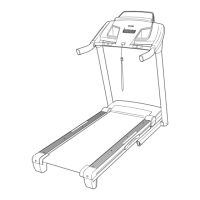
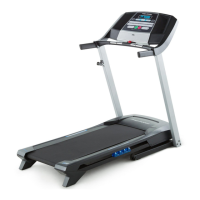
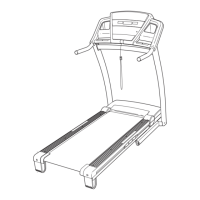
Pro-Form 675 E
32 pages
Print Icon
To Next Page IconTo Next Page
Loading...
Serial Number
Decal
Model No. PFTL59508.1
Serial No.
CAUTION
Read all precautions and instruc-
tions in this manual before using
this equipment. Save this manual
for future reference.
QUESTIONS?
As a manufacturer, we are com-
mitted to providing complete cus-
tomer satisfaction. If you have
questions, or if parts are missing,
DO NOT CONTACT THE STORE;
please contact Customer Care.
IMPORTANT: You must note the
product model number and
serial number (see the drawing
above) before contacting us:
CALL TOLL-FREE:
1-888-533-1333
Mon.–Fri. 6 a.m.–6 p.m. MT
Sat. 8 a.m.–4 p.m. MT
ON THE WEB:
www.proformservice.com
Write the serial number in the
space above for reference.
USER'S MANUAL
www.proform.com

Questions and Answers

Summary

Customer Support and Contact Information

Product Support Contact

Contact Customer Care for questions, missing parts, or service. Provides toll-free number and web address.

Warning Decal Placement

Decal Location Guidance

Shows locations of warning decals. Call for replacements if missing or illegible. Apply decals as shown.

Important Safety Precautions

Consult Physician Before Exercise

Advised for persons over 35 or with pre-existing health conditions before starting any program.

Proper Use and Placement

Use only as described, on a level surface with adequate clearance, and protect floors.

Electrical Safety and Grounding

Use a single-outlet surge suppressor, properly grounded circuit, and avoid extension cords.

User Conduct and Attire

Hold handrails, wear athletic shoes, no bare feet/stockings/sandals. Adjust speed incrementally.

Safe Operation and Maintenance

Preventing Obstructions and Damage

Never insert objects into openings. Ensure proper assembly before moving. Keep storage latch secure.

Before You Begin Using Treadmill

Product Overview and Registration

Introduction to the PROFORM 675 E. Register online for warranty service to avoid fees.

Treadmill Part Identification

Familiarize yourself with the key components and parts of the treadmill through a labeled diagram.

Treadmill Assembly Instructions

Assembly Requirements and Tools

Requires two people, cleared area, and specific tools. Avoid power tools to prevent damage.

Hardware Identification for Assembly

Diagrams and key numbers for all necessary hardware components used during assembly.

Attaching Base and Upright Components

Securing Uprights and Base Caps

Attach right upright with bolts and spacers, and secure base caps. Attach a wheel to the base.

Installing Crossbar and Handrails

Connecting Console Assembly and Wires

Attach the right handrail and connect the upright wire to the console wire. Ensure proper connection.

Finalizing Console and Tray Installation

Frame Folding Mechanism and Final Checks

Raise frame, attach storage latch, and perform final tightening and floor protection checks.

Operation and Adjustment Guide

Pre-Lubricated Walking Belt Care

Important: Do not apply silicone spray or other substances to the walking belt or platform.

Power Cord Connection and Grounding

Connect power cord to a surge suppressor and grounded outlet. Avoid GFCI outlets.

Surge Suppressor Requirements

Details specifications for surge suppressors to prevent control system damage and ensure safety.

Console Diagram and Features

Console Display and Controls Overview

Diagram of the console showing displays for time, distance, and controls like speed, incline, and presets.

Console Functionality Explained

Features include manual mode, preset workouts, heart rate measurement, and stereo sound system.

Powering On the Treadmill

Pre-Power On Checks and Demo Mode

Allow treadmill to warm up in cold. Understand demo mode and how to exit it.

Starting the Treadmill and Belt Movement

Insert key, stand on foot rails, attach safety clip, and use Start or Speed buttons to begin.

Adjusting Speed and Incline Settings

Use console buttons to incrementally adjust speed and incline during manual mode operation.

Monitoring Progress with Track Display

Understand how the track display represents distance covered during exercise.

Console Displays and End of Use

Understanding Console Displays

Explanation of the left and right displays for time, calories, distance, speed, and heart rate.

Measuring Heart Rate

How to use the handgrip pulse sensor for accurate heart rate readings.

Concluding Your Workout Safely

Steps to stop the treadmill, adjust incline, remove key, and unplug power for safety.

Using Preset Workouts

Selecting and Starting a Preset Workout

Choose aerobic or performance workouts. Press Start to begin; treadmill auto-adjusts speed/incline.

Workout Progress and Manual Overrides

Follow workout profile, understand segment indicators, and manually override settings as needed.

Stopping and Restarting Workouts

Press Stop to end a workout. Press Start or Speed Increase to restart. Note automatic adjustments.

Stereo Sound System Operation

Connecting and Playing Audio

Connect MP3 player, CD player, or audio device via the audio cable and use console controls.

Information Mode and Demo Mode

Tracking Treadmill Usage

View total hours and distance. Select units (miles/kilometers) and manage demo mode.

Folding and Moving the Treadmill

Folding Treadmill for Storage

Adjust incline to lowest position, remove key, then raise frame until latch locks securely.

Moving the Treadmill Safely

Ensure storage latch is locked. Tilt treadmill back onto wheels, move carefully, and lower gently.

Lowering Treadmill for Use

Releasing and Lowering the Frame

Release the latch knob, pivot the frame downward, and lower it to the floor using proper lifting technique.

Troubleshooting Common Problems

Power Issues: No Power or Power Off

Check power cord, surge suppressor, circuit breaker, and key insertion for power-related issues.

Console Display Issues

Address console remaining lit after key removal (demo mode) or general display malfunctions.

Incline and Walking Belt Performance

Walking Belt Slowing Issues

Troubleshoot incline system calibration and walking belt slowing issues, checking belt tension and surge suppressor.

Walking Belt Alignment and Slipping

Belt Center and Tension Adjustment

Adjust walking belt centering and tension using idler roller bolts to prevent slipping or off-center issues.

Exercise Guidelines and Intensity

Determining Exercise Intensity Levels

Use heart rate zones for fat burning and aerobic exercise based on age and target goals.

Workout Structure and Frequency

Guidelines for warming up, training zone duration, cooling down, and recommended exercise frequency.

Suggested Stretches for Warm-up and Cool-down

Basic Stretch Techniques

Detailed instructions and illustrations for five basic stretches targeting major muscle groups.

Part List and Identification

Component Key Number and Description

Comprehensive list of all parts with key numbers, quantities, and descriptions for ordering and reference.

Additional Part Identification

Wire and Manual Part Listings

Continues the part list with additional components, including wires and the user manual.

Exploded Drawing A: Frame and Base Components

Diagram of Frame and Base Parts

Visual representation of the treadmill's frame, base, and related components with part number callouts.

Exploded Drawing B: Motor and Console Housing

Diagram of Motor and Housing Parts

Visual breakdown of the motor hood, drive motor, console housing, and associated parts.

Exploded Drawing C: Uprights and Front Frame

Diagram of Upright and Front Frame Parts

Visual representation of the uprights, crossbar, and front frame components with callouts.

Exploded Drawing D: Console and Accessory Parts

Diagram of Console, Tray, and Handrail Parts

Visual breakdown of the console, accessory trays, handrails, and related mounting hardware.

Ordering Replacement Parts

Information Needed for Ordering

Provide model/serial numbers, product name, and key numbers/descriptions for accurate part orders.

Limited Warranty Information

Warranty Coverage Details

Details frame, motor, and parts/labor warranty periods, exclusions, and customer responsibilities.

Legal Disclaimers and Rights

Information on implied warranties, limitations on damages, and state-specific legal rights.

Summary

Customer Support and Contact Information

Product Support Contact

Contact Customer Care for questions, missing parts, or service. Provides toll-free number and web address.

Warning Decal Placement

Decal Location Guidance

Shows locations of warning decals. Call for replacements if missing or illegible. Apply decals as shown.

Important Safety Precautions

Consult Physician Before Exercise

Advised for persons over 35 or with pre-existing health conditions before starting any program.

Proper Use and Placement

Use only as described, on a level surface with adequate clearance, and protect floors.

Electrical Safety and Grounding

Use a single-outlet surge suppressor, properly grounded circuit, and avoid extension cords.

User Conduct and Attire

Hold handrails, wear athletic shoes, no bare feet/stockings/sandals. Adjust speed incrementally.

Safe Operation and Maintenance

Preventing Obstructions and Damage

Never insert objects into openings. Ensure proper assembly before moving. Keep storage latch secure.

Before You Begin Using Treadmill

Product Overview and Registration

Introduction to the PROFORM 675 E. Register online for warranty service to avoid fees.

Treadmill Part Identification

Familiarize yourself with the key components and parts of the treadmill through a labeled diagram.

Treadmill Assembly Instructions

Assembly Requirements and Tools

Requires two people, cleared area, and specific tools. Avoid power tools to prevent damage.

Hardware Identification for Assembly

Diagrams and key numbers for all necessary hardware components used during assembly.

Attaching Base and Upright Components

Securing Uprights and Base Caps

Attach right upright with bolts and spacers, and secure base caps. Attach a wheel to the base.

Installing Crossbar and Handrails

Connecting Console Assembly and Wires

Attach the right handrail and connect the upright wire to the console wire. Ensure proper connection.

Finalizing Console and Tray Installation

Frame Folding Mechanism and Final Checks

Raise frame, attach storage latch, and perform final tightening and floor protection checks.

Operation and Adjustment Guide

Pre-Lubricated Walking Belt Care

Important: Do not apply silicone spray or other substances to the walking belt or platform.

Power Cord Connection and Grounding

Connect power cord to a surge suppressor and grounded outlet. Avoid GFCI outlets.

Surge Suppressor Requirements

Details specifications for surge suppressors to prevent control system damage and ensure safety.

Console Diagram and Features

Console Display and Controls Overview

Diagram of the console showing displays for time, distance, and controls like speed, incline, and presets.

Console Functionality Explained

Features include manual mode, preset workouts, heart rate measurement, and stereo sound system.

Powering On the Treadmill

Pre-Power On Checks and Demo Mode

Allow treadmill to warm up in cold. Understand demo mode and how to exit it.

Starting the Treadmill and Belt Movement

Insert key, stand on foot rails, attach safety clip, and use Start or Speed buttons to begin.

Adjusting Speed and Incline Settings

Use console buttons to incrementally adjust speed and incline during manual mode operation.

Monitoring Progress with Track Display

Understand how the track display represents distance covered during exercise.

Console Displays and End of Use

Understanding Console Displays

Explanation of the left and right displays for time, calories, distance, speed, and heart rate.

Measuring Heart Rate

How to use the handgrip pulse sensor for accurate heart rate readings.

Concluding Your Workout Safely

Steps to stop the treadmill, adjust incline, remove key, and unplug power for safety.

Using Preset Workouts

Selecting and Starting a Preset Workout

Choose aerobic or performance workouts. Press Start to begin; treadmill auto-adjusts speed/incline.

Workout Progress and Manual Overrides

Follow workout profile, understand segment indicators, and manually override settings as needed.

Stopping and Restarting Workouts

Press Stop to end a workout. Press Start or Speed Increase to restart. Note automatic adjustments.

Stereo Sound System Operation

Connecting and Playing Audio

Connect MP3 player, CD player, or audio device via the audio cable and use console controls.

Information Mode and Demo Mode

Tracking Treadmill Usage

View total hours and distance. Select units (miles/kilometers) and manage demo mode.

Folding and Moving the Treadmill

Folding Treadmill for Storage

Adjust incline to lowest position, remove key, then raise frame until latch locks securely.

Moving the Treadmill Safely

Ensure storage latch is locked. Tilt treadmill back onto wheels, move carefully, and lower gently.

Lowering Treadmill for Use

Releasing and Lowering the Frame

Release the latch knob, pivot the frame downward, and lower it to the floor using proper lifting technique.

Troubleshooting Common Problems

Power Issues: No Power or Power Off

Check power cord, surge suppressor, circuit breaker, and key insertion for power-related issues.

Console Display Issues

Address console remaining lit after key removal (demo mode) or general display malfunctions.

Incline and Walking Belt Performance

Walking Belt Slowing Issues

Troubleshoot incline system calibration and walking belt slowing issues, checking belt tension and surge suppressor.

Walking Belt Alignment and Slipping

Belt Center and Tension Adjustment

Adjust walking belt centering and tension using idler roller bolts to prevent slipping or off-center issues.

Exercise Guidelines and Intensity

Determining Exercise Intensity Levels

Use heart rate zones for fat burning and aerobic exercise based on age and target goals.

Workout Structure and Frequency

Guidelines for warming up, training zone duration, cooling down, and recommended exercise frequency.

Suggested Stretches for Warm-up and Cool-down

Basic Stretch Techniques

Detailed instructions and illustrations for five basic stretches targeting major muscle groups.

Part List and Identification

Component Key Number and Description

Comprehensive list of all parts with key numbers, quantities, and descriptions for ordering and reference.

Additional Part Identification

Wire and Manual Part Listings

Continues the part list with additional components, including wires and the user manual.

Exploded Drawing A: Frame and Base Components

Diagram of Frame and Base Parts

Visual representation of the treadmill's frame, base, and related components with part number callouts.

Exploded Drawing B: Motor and Console Housing

Diagram of Motor and Housing Parts

Visual breakdown of the motor hood, drive motor, console housing, and associated parts.

Exploded Drawing C: Uprights and Front Frame

Diagram of Upright and Front Frame Parts

Visual representation of the uprights, crossbar, and front frame components with callouts.

Exploded Drawing D: Console and Accessory Parts

Diagram of Console, Tray, and Handrail Parts

Visual breakdown of the console, accessory trays, handrails, and related mounting hardware.

Ordering Replacement Parts

Information Needed for Ordering

Provide model/serial numbers, product name, and key numbers/descriptions for accurate part orders.

Limited Warranty Information

Warranty Coverage Details

Details frame, motor, and parts/labor warranty periods, exclusions, and customer responsibilities.

Legal Disclaimers and Rights

Information on implied warranties, limitations on damages, and state-specific legal rights.

Pro-Form 675 E Specifications

General IconGeneral
Running Area20" x 55"
Incline0-10%
DisplayBacklit Display
FoldingSpaceSaver Design
Heart Rate MonitoringEKG Grip Pulse

Related product manuals