23
HOW TO USE THE MANUAL MODE
1. Begin pedaling or press any button on the
console to turn on the console.
See HOW TO TURN ON THE POWER on
page 22.
2. Select the manual mode.
Press the Manual button or the Home button to
select the manual mode.
If a wireless iFit module is not inserted into the con-
sole and connected to iFit, the manual mode will be
selected automatically.
3. Change the resistance of the pedals and the
incline of the ramp as desired.
As you pedal, change the resistance of the pedals
by pressing the Quick Resistance increase and
decrease buttons or by pressing one of the num-
bered Quick Resistance buttons.
Note: After you press a button, it will take a
moment for the pedals to reach the selected
resistance level.
To vary the motion of the pedals, you can change
the incline of the ramp. To change the incline,
press the Quick Ramp increase and decrease
buttons or by pressing one of the numbered Quick
Ramp buttons.
Note: After you press a button, it will take a
moment for the frame to reach the selected
incline level.
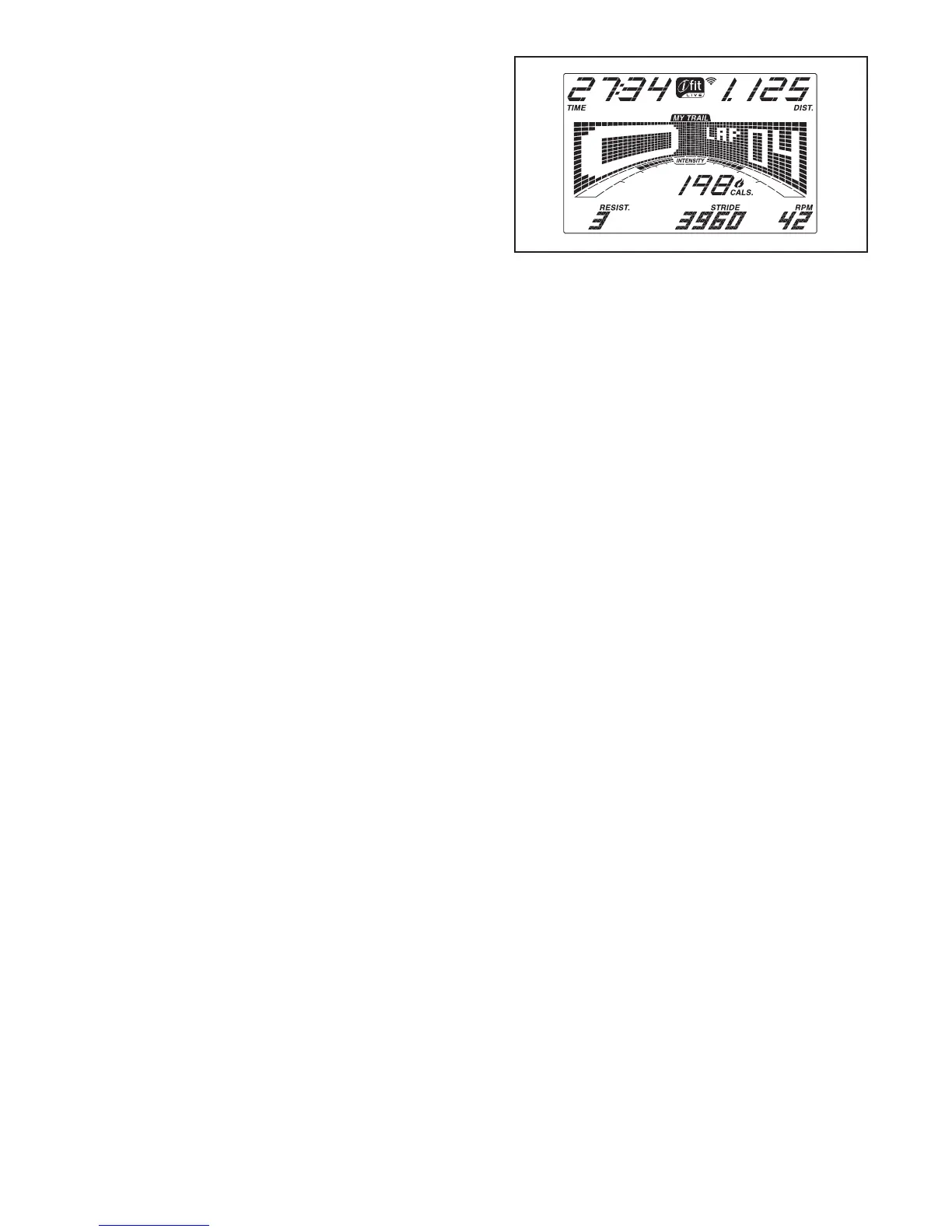
4. Follow your progress with the display.
The display can show the following workout
information:
Calories (Cals.)—This display mode will show the
approximate number of calories you have burned.
Calories per Hour (Cals./Hr)—This display mode
will show the approximate number of calories you
are burning per hour.
Distance (Dist.)—This display mode will show
the distance that you have pedaled in miles or
kilometers.
Incline—This display mode will show the incline
level of the ramp for a few seconds each time the
incline level changes.
Pulse—This display mode will show your heart rate
when you use the handgrip heart rate monitor or
the optional chest heart rate monitor (see step 5).
Resistance (Resist.)—This display mode will
show the resistance level of the pedals for a few
seconds each time the resistance level changes.
RPM—This display mode will show your pedaling
speed in revolutions per minute (rpm).
Stride—This display mode will show the total num-
ber of strides you have pedaled.
Time—When the manual mode is selected, this
display mode will show the elapsed time. When a
workout is selected, this display mode will show the
time remaining in the workout.


 To Next Page