29
5. Start the workout.
See step 3 on page 25.
During some workouts, an audio coach will guide
you through your workout. You can select a set-
ting for the audio coach (see HOW TO CHANGE
CONSOLE SETTINGS on page 30).
To stop the workout at any time, stop pedaling.
The time will flash in the display. To resume the
workout, simply resume pedaling.
6. Follow your progress with the display.
See step 4 on page 23.
The My Trail tab will show a map of the trail or it will
show a track and the number of laps you complete.
During a race or challenge, the matrix will
show your position in the race relative to other
competitors.
7. Measure your heart rate if desired.
See step 5 on page 24.
8. Turn on the fan if desired.
See step 6 on page 25.
8. When you are finished exercising, the console
will turn off automatically.
See step 7 on page 25.
For more information about iFit features, go to
www.iFit.com.
IMPORTANT: To satisfy exposure compliance
requirements, the antenna and transmitter in the
iFit module must be at least 8 in. (20 cm) from all
persons and must not be near or connected to any
other antenna or transmitter.
HOW TO USE THE SOUND SYSTEM
To play music or audio books through the console
sound system while you exercise, plug a 3.5 mm male
to 3.5 mm male audio cable (not included) into the
jack on the console and into a jack on your personal
audio player; make sure that the audio cable is fully
plugged in. Note: To purchase an audio cable, see
your local electronics store.
Next, press the play button on
your personal audio player. Adjust
the volume level using the volume
increase and decrease buttons on
the console or the volume control
on your personal audio player.
HOW TO USE THE CHARGING PORT
The console features a charging port that you can use
to charge USB-compatible devices, such as smart-
phones, while you exercise.
To use the charging port, plug a USB charging cable
(not included) into the charging port on the console and
into the receptacle on your device; make sure that the
USB charging cable is fully plugged in. Note: The
charging port cannot be used to view or transfer data
or to play music through the console sound system.
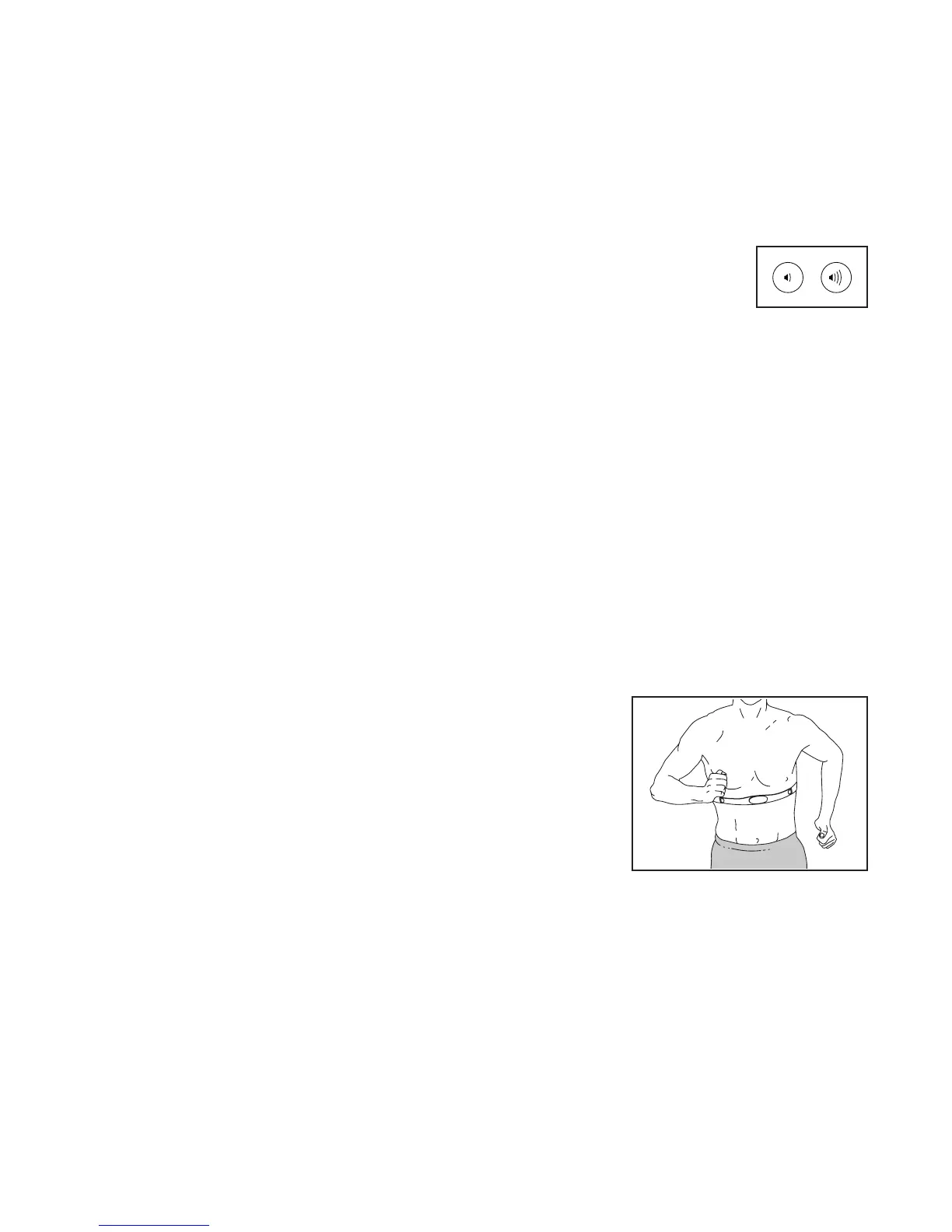
THE OPTIONAL CHEST HEART RATE MONITOR
Whether your
goal is to
burn fat or to
strengthen your
cardiovascular
system, the key
to achieving the
best results is
to maintain the
proper heart
rate during your
workouts. The optional chest heart rate monitor will
enable you to continuously monitor your heart rate
while you exercise, helping you to reach your personal
fitness goals. To purchase a chest heart rate moni-
tor, please see the front cover of this manual.
Note: The console is compatible with all BLUETOOTH
®
Smart heart rate monitors.


 To Next Page